
|
| Greg's diary |
| September 2012 |
|
|
|||||||||||||||||||||||||||||||||||||||||||||||||||||||||||||||||||||||||||||
|
|
|
||||||||||||||||||||||||||||||||||||||||||||||||||||||||||||||||||||||||||||||||||||||||
| Saturday, 1 September 2012 | Dereel | Images for 1 September 2012 |
| Top of page | ||
| next day | ||
| last day |
|
Spring is here (or, poisoning the weeds in the garden)
|
Topic: gardening, general | Link here |
First day of spring today, and somehow it seemed like it. It wasn't really much warmer than yesterday, but it was sunny and there was no wind: ideal weather for spraying the weeds. But that's about all I did in the garden, since it was photo day.
|
More panorama fun
|
Topic: photography, opinion | Link here |
House photo day today. It's becoming pretty much a routine, but there are always surprises. It's been some time since I decided to ignore the rule that all images for a panorama should have the same exposure, and the results have generally been good, as shown in today's verandah centre photo:

This was made from a set of bracketed exposures (-0.7 EV, +1.3 EV, +3.3 EV), and the base exposure varied from 7.7 EV to 11.3 EV, a range of 3.6 EV. But that doesn't always work. For reasons I still don't understand, the dam panorama came out with very poor exposure compensation:

|
|||||||||||||||||||||||
This is part of the full 360° panorama made from these three images:

|
|||||||||||||||||||||||

|
|||||||||||||||||||||||

|
|||||||||||||||||||||||
Clearly the poor exposure on the right isn't due to poor exposure of the original. It must be due to the difference in exposure of the three images, but that is only 1.7 EV (11.6 to 13.9), much less than in the case of the verandah. About the only difference I can think of is that the first two images look underexposed compared to the third. I wonder if there's a way to improve on that.
The other exposure issue is more conventional. I took two different photos of the pond to the east of the verandah, one in overcast conditions with two image HDR (0 EV, +2 EV), and the other in sunshine with three images (-0.7 EV, +1.3 EV and +3.3 EV). But the second one had real issues with the highlights:

|
|||||||||||||||||||||||

|
|||||||||||||||||||||||
|
God bless America
|
Topic: opinion | Link here |
It's no secret that the USA is in a bad way, and has been for some years. It has been the world leader in so many things for nearly 100 years now, but nothing lasts for ever. And the emergence of East Asia is a threat to the USA economy, one that they can't ignore. They're no longer nearly as self-sufficient as they once were.
But the USA has always been such a nice, comfortable place for the Americans that they don't really pay much attention to what goes on in the rest of the world. That's why I found it so refreshing that they elected a president who not only did pay attention, but had lived in other countries for much of his life, and who came from a different background from the typical American politician.
But he wasn't able to solve the problems facing the USA, as his opponent in the coming election continues to emphasize. How could he? Can Romney? Seen from this vantage point, Romney has a number of problems, not the least of which is foot in mouth disease. He made himself very unpopular on his first official overseas visit, and at least one web site has published a number of photos which I find amusing:
Unfortunately these images have disappeared from the web, and I no longer even know what they were. The titles were “making debts” and “give us better”.
The second one could be outside influence, but surely the organizers of the conference should have considered the placement of the two signs in the first photo.
Clearly the outcome of the US elections is a matter for US citizens to decide, and it seems that there's a sizeable number of them with very different views from mine or most people I know, if the policies for Romney's election campaign have any hope of success. But what's really dangerous is that Romney not only doesn't understand the rest of the world, he doesn't want to understand it. I don't think that's the kind of person that the USA needs in current conditions.
|
Making lots of dough
|
Topic: food and drink, opinion | Link here |
For some reason I ended up making a number of different kinds of dough today. For breakfast we had huevos rancheros, requiring tortillas. Then it was bread baking day. I'm trying new methods in letting the bread rise, derived from a German site: after mixing the final dough, put in an oven at 50° and keep it at that temperature for 20 minutes. Then lower the temperature to 30° and keep it like that until the bread has risen.
That lessened my rise time from 5 hours to about 2½ hours. The baking was different too: previously I had put the bread in an oven at 250° and left at that temperature for a couple of minutes, then baked at 200° for the remainder of the first 15 minutes, then lowered the temperature to 180° for a further 75 minutes. The web site wanted 10 minutes at 250°, 15 at 220°, and the remainder of the time (which I lessened to a total of 80 minutes) at 190°. We'll see how that works out when we eat it.
Finally, we had pizza for dinner. I've been experimenting with pizzas for years now, and I've more or less settled on a particular method for making the bases. We use the individual pizza cookers we bought from ALDI:

|
|||||||||||||||||||||||

|
|||||||||||||||||||||||

|
|||||||||||||||||||||||
I've found it necessary to preheat the bases before putting on the topping. Last time round we discovered that this can cause significant inflation:

|
|||||||||||||||||||||||
So today I thought of only pre-heating from below. But we've been putting oven paper underneath to stop the bases from sticking, to avoid a repeat of this:

|
|||||||||||||||||||||||
But the paper is really good insulation. So today I took it off as soon as the base was dry. Bingo! Finally a proper crust. There's still more work to be done, but I think we can stop using the paper: if we can detach the dried base before putting anything on it, there shouldn't be too much mess—if my current composition even sticks in the first place.
| Sunday, 2 September 2012 | Dereel | Images for 2 September 2012 |
| Top of page | ||
| previous day | ||
| next day | ||
| last day |
|
More DxO fun
|
Topic: photography, technology, opinion | Link here |
DxO release frequent updates of their DxO Optics "Pro" software, and I generally install them in the hope that something might speed it up. The latest version is 7.5.4, and I installed it a couple of days ago. Faster? Difficult to say: as soon as I try to process anything, all the images disappear from the image browser window, at least on the version I have running in VirtualBox. No message, just dead in the water.
And it's not consistent. In one scenario, the program runs for about a minute, then all files disappear from the Image Browser. The correction preview also disappears. Looking in the directory, I see that for each image a corresponding image has been added:
If I remove all files from this directory and replace them with other files, I still cannot get Optics Pro to display anything, even if I change to a different directory and then return. I need to stop and restart Optics Pro to get anything done, and I still can't set the presets. In some cases I have seen the text dummyNode below the directory name in the directory display, but I can't repeat this.
In another scenario, the images remain, but the correction preview does not occur automatically. I can't explain why the behaviour changes from one attempt to the next.
Looks like a bug to me, so I fought my way through the DxO web site to find the bug report page, which told me to include the files in My documents / DxO Optics Pro v7 log. With only a few minutes of searching I discovered that this referred to the directory \Documents and Settings\grog\My Documents\DxO Optics Pro v7 logs, not quite the same pathname. But it may make it clearer to me that \Documents and Settings is the Microsoft equivalent of /home under Unix.
In that directory there were basically two sets of log files, dopcor.txt and DXOOpticsPro.txt, with several older versions numbered dopcor.0.txt and so on. They had lots of things of interest, like this:
Clearly something has gone wrong, but what? I suppose it's typical of user-friendly programs in the Microsoft space that they don't report the error to the user, who might get frightened.
The reply came back today, telling me that my machine was too wimpy to run this. I replied asking what I should specifically upgrade, and got an answer back pretty quickly:
Continuing to upgrade on a computer (in this case two computers) that just met the minimum requirements to run (as in start-up and not crash) eventually leads to computers that cannot run the software at all. Read "upgrade" as more computations requiring more from the computer.
Try adding some RAM to your problem machine or go back to a prior version that both will run for the time being. Then think about what you want to upgrade to.
That's a lot of help. It's also not convincing: I was running the systems with “only” 2 GB of memory because the Task Manager showed that I wasn't using even that much. It seems that support also doesn't really know what's going on. Maybe I should think about upgrading to something that is less bloated.
|
Problems with the Sunway rotator
|
Topic: photography | Link here |
I've been quite happy with my Sunwayfoto DDP-64M rotator, but lately it's been grating a bit. I suspected dirt inside, but on investigation I discover that the detent screw has etched a groove in the drum. How did that happen? My fault? It's only on the 45° detent, and I've used it on a number of others. Still, short of returning it, there's not much I can do about it. I only hope it doesn't get any worse.
|
More veggie patch weeding
|
Topic: gardening | Link here |
Back into the veggie patch today and did some more weeding. It's amazing how slow it is, but I have finally almost done the quarter where the potatoes go. It's also amazing how many potatoes I got out of an “empty” bed:

|
|||||||||||||||||||||||

|
|||||||||||||||||||||||
These were most of the potatoes I dug out over the last few days; today I got a few kilograms more.
|
Nele Koemle visits
|
Topic: general, gardening | Link here |
Nele Koemle came along today, along with a helper called Pia, surname not mentioned. Her Paulownia kawakamii didn't survive transplantation last year, so gave her another sucker, from which I accidentally detached far too much of the roots. Hopefully it'll survive.
|
Chris' new toy
|
Topic: general | Link here |
Chris Yeardley along to dinner tonight, bringing with her a new toy for peeling apples:

|
|||||||||||||||||||||||

|
|||||||||||||||||||||||

|
|||||||||||||||||||||||

|
|||||||||||||||||||||||
| Monday, 3 September 2012 | Dereel | Images for 3 September 2012 |
| Top of page | ||
| previous day | ||
| next day | ||
| last day |
|
More DxO experimentation
|
Topic: technology, photography, opinion | Link here |
As it happened, I have just received another 4 GB of memory for eureka, meaning I could replace the 1 GB DIMMs with 2 GB and thus increase total RAM to 8 GB—just what I need to increase the memory size of my VirtualBox machines. So after yesterday's suggestion to increase memory, I put smart back up to 4 GB. No difference. And looking at the task manager, it's not surprising:

|
|
||||||||
Despite their slowness, the DxO processes aren't that big. There seem to be two processes: DopCor.exe, here using 189 MB, and DXOOpticsPro.exe (note that capitalization) using 272 MB. A far cry from 2 GB.
So what is the problem? Yesterday, based on the log messages, I suspected that it might be the network (SMB) file system, so I first copied the files to the local file system and tried like that. No problem (apart from the normal glacial processing speed). For 24 images I needed 48 minutes, 1 second, compared to 50:04 with 2 GB memory. So I tried again with only 1 GB. That did slow things down, but after about 1½ hours it managed to convert them without problems. So: it looks like some file system issue.
And the other things? It seems that DxO introduces new functionality in the second order upgrade releases. With 7.5.1 (I think) they came up with the idea of displaying all the images not once (in the Image Browser tab) but twice, also in the “Process” tab, and that out of sequence:

|
|
||||||||
This shows a run shortly before the end. The images with the green tick have been processed, the one bottom centre is being processed, and the one to the right has yet to be done. But the one to the right of that has already been processed. The file names show further cases where the names are out of sequence. Why do they add this kind of stuff? It's not only unnecessary, but also confusing. I can't find any release notes, and it's not clear how old the manual is, since there's no version number. But should I have to re-read the entire manual on every second level update?
These files with the .dop extension seem similar. They're not directly related to the problems, apparently a new feature (or a change in defaults). In any case, a clear violation of POLA.
|
Finally: the potato patch
|
Topic: gardening | Link here |
Continued with weeding the potato patch today, and finally more or less got out all the weeds. It must have taken me a total of 5 hours, and that's only a quarter of the bed. Once I have this tidy, I need to be much more careful in the maintenance.
|
Steak and kidney pie
|
Topic: food and drink, opinion | Link here |
One of the better products of the British cuisine are the pies, and I rather liked steak and kidney pie. For no particularly good reason, we decided last week to bake one in the course of this week, and today I finally got around to looking at it. It's a can of worms.
The first thing is that it's really a variant on steak and kidney pudding, something I don't even want to address. But then you have the issue of getting everything cooked. Basically it's more like a stew made in pastry. And then there's the issue of getting everything cooked correctly. Steak takes a lot longer to cook than kidney. Looked at a number of recipes, many of which talk about baking the pie for up to 3 hours, and finally decided on one by Stephanie Alexander, where she cooked the meat first. That proved to be a good idea: it really did take nearly 3 hours to get it tender. So tomorrow we'll put it in a pie crust. I'm left wondering why.
| Tuesday, 4 September 2012 | Dereel → Ballarat → Dereel | Images for 4 September 2012 |
| Top of page | ||
| previous day | ||
| next day | ||
| last day |
|
Tidying up greenhouse
|
Topic: gardening | Link here |
Spring seems to have come suddenly and almost exactly in conformance with the calendar. A week ago the top temperature was 12.1°. Today it was 25.9°. Finally time to tidy out the greenhouse, including removing the remaining unhappy looking tomatoes and a lot of gunge on the floor. Here “before” and “after”:

|
|||||||||||||||||||||||

|
|||||||||||||||||||||||
|
To Ballarat again
|
Topic: general, gardening | Link here |
I've discovered a suspicious looking spot on my chest, so in to talk to the doctor about it. She agreed. It'll be removed tomorrow.
While there, looked in on the Friends of the Ballarat Botanical Gardens. Somehow there's always a lot to talk about, and I found myself being bounced from one conversation to another. Yvonne Curbach gave me some Russian garlic that was going begging, and just as I left I saw these interesting succulents:

|
|||||||||||||||||||||||

|
|||||||||||||||||||||||

|
|||||||||||||||||||||||
Mentioned it to Daniel Stewart, who explained that he had been feeling a little silly and had placed the flowers there. But they looked surprisingly convincing.
|
Microsoft world: the pain
|
Topic: technology, opinion | Link here |
While at the Friends of the Ballarat Botanical Gardens, Lorraine Powell showed me the proofs of the new “Pictorial History of the Ballarat Botanical Gardens” book. She had it on a USB stick, and she wasn't connected to the net, so we moved it to Genevieve's machine and tried to email it to me. Gmail wouldn't come to the party: it was over 25 MB. OK, what's ftp for? But how do you find it? This machine doesn't even offer to give you a “Command Prompt”: I had to find the “Run” window and start COMMAND.COM manually. And yes, ftp is still there in Microsoft machines, but the on-system firewall blocks outgoing ftp. It offered to open it for me, but I had forgotten to set binary mode, so I said no. Then I set binary mode and tried again. But this time it didn't offer to open the port for me again. Dead in the water.
Why is Microsoft such a pain to use?
|
Fine-tuning panorama settings
|
Topic: photography | Link here |
My recent panoramas have stitched very well, in many cases with less than a pixel maximum error. The views of the greenhouse were a different matter; out of the box the average error was in the order of 10 pixels, and the maximum over 100 pixels. Even after a lot of fine-tuning, I wasn't able to get a good join.
Why? A number of reasons. I was using the Zuiko Digital ED 12-60mm F2.8-4.0 SWD at 18 mm focal length, and the closest parts of the image were only about 100 times the focal length, so the positioning needed to be very accurate. But as far as I can tell, it was.
Then at least two images threw a spanner in the works. For no apparent reason, this one was out of focus:

|
|||||||||||||||||||||||
And this one was underexposed by about 3 EV:

|
|||||||||||||||||||||||
Why? In each case I had automatic exposure and focus. Is there something wrong with the camera? With the help of DxO Optics "Pro" I was able to lighten the first to this, and then limit its inclusion in the final image, but it's still obvious at the bottom right:

|
|||||||||||||||||||||||

|
|||||||||||||||||||||||
In any case, it raises the question of the accuracy of the positioning. I started with this table, presumably created by Reinhard Wagner, and adapted it to my equipment. How far out do I need to be to have difficulties with parallax? And how do I fine-tune it? To be pondered.
|
Steak and Kidney Pie, the simple way
|
Topic: food and drink | Link here |
How should we do the steak and kidney pie? I've come to the conclusion that the whole pie tradition arose from some constraint in England years ago. After all, it didn't happen like that in other European cuisines. It tastes good, but it's not necessary. And this constraint no longer seems to exist: we don't need pastry to cook the food. So we copped out and simply put a sheet of puff pastry over the top:

|
|||||||||||||||||||||||
It tasted fine, but I'm left wondering whether we shouldn't leave pies to bakers.
| Wednesday, 5 September 2012 | Dereel → Ballarat → Dereel | Images for 5 September 2012 |
| Top of page | ||
| previous day | ||
| next day | ||
| last day |
|
Stormy weather
|
Topic: gardening | Link here |
Yesterday's weather was wonderful, but it didn't last. In the middle of the night a strong wind came up, and although it didn't do much damage, my recently transplanted lime tree looked a lot less happy than last week:

|
|||||||||||||||||||||||

|
|||||||||||||||||||||||
I wonder if I should prune it back? But I've seen other citrus trees recover from this much defoliation.
|
Microsoft 8: first impressions
|
Topic: technology, opinion, photography | Link here |
So it looks like the virtual hardware I use to run DxO Optics "Pro" is too wimpy: they prefer 64 bit machines, and clearly I should have multiprocessor support, which my version of Microsoft “Windows” XP doesn't have. But there's a prerelease version of “Windows” 8 available, and I downloaded it a few weeks ago. Time to install.
There's always something confusing about Microsoft. Their view of the world, particularly networking, is just plain bizarre. The first thing I had to do was to enter an email address—why not a normal ID? I'm not sure, but it seems that it might not have been a user ID at all, but an email for registration. And once again it knew better than I do what makes a good password: “Passwords must have at least 8 characters and contain at least two of the following: uppercase letters, lowercase letters, numbers, and symbols”. So I did that and got “The password contains characters that aren't allowed”. Which? Why don't they say? Presumably it was a space. But that's OK: BloodyStupidMicrosoft works fine.
Then it wanted things like the phone number. It knew that +61 is the country code for Australia, and it wanted the rest of the phone number. Not valid, it said. In the end it proved that it wanted the area code without the 0. And then:
WHY can't any of this software give sensible error messages? Tried again and finally got it running, but not before having to enter my birth date and gender (what business is that of Microsoft's?) and entering a Captcha!

|
|
||||||||
What earthly reason is there for that? And there's this funny start screen that everybody's talking about, lots of squares taking up more than the area of the screen. How do I find anything? Fortunately I had read a review in c't, indicating that you need to move the mouse cursor to top right to get a selection of things to do. And finally I discovered that pressing the Alt key would toggle between the start screen and the desktop. With a little more messing around I was able to get the things I needed on the start screen, and after that it started looking like the Microsoft I know. It seems they've just rearranged the window manager.
SMB shares? No obvious way of setting them from the control panel. But I've been there before. Mounting external file systems isn't a control panel feature, it's part of “My Computer” (now just called “Computer”), and things look pretty much the same except that I can't tell the machine to automatically remount on boot. Score 1 for my diary, 0 for Microsoft.
So: another Microsoft “box” up and running. Each seems more difficult to use than the one before.
|
Yet another skin biopsy
|
Topic: general | Link here |
In to town to have my third skin biopsy in just over a year. Another punch biopsy, it seems. It was done by Dr. Tuan, who somewhat amused me by calling me Sir, and he did it much faster than the last time.
He wasn't too worried about the appearance of the lesion. The concern is that it could be a melanoma, but they tend to look different. We'll know for sure next week.
|
Enfield radiation tower
|
Topic: general, technology | Link here |
On the way home, found something that I had been looking for for a while: the Enfield NBN Radiation Tower

|
|||||||||||||||||||||||
It wasn't quite where I had been expecting it, but yesterday I looked through the area and saw nothing. Today I noticed it from a few kilometres away, so presumably it has only just gone up. There have been no objections to the tower in Enfield, so it looks as if we might still have another 6 months to go.
|
DxO Optics Pro under Microsoft 8
|
Topic: photography, technology, opinion | Link here |
Back home and set to installing DxO Optics “Pro” on bigpain, the new Microsoft 8 box. What did I get? 64 bit version or 32 bit version? DxO have been advertising the speed advantages of the 64 bit version at some length, but there was only one image to download. Hopefully it includes both variants. Installation went relatively smoothly, but I couldn't activate it: it seems that there's an activation counter somewhere, and I had used it too much.
Still, there's always the 30 day free trial, so tried that. Yes, pretty much the same as before. With 4 CPUs it promised to convert images on average every 30 seconds—pretty much the same as what I would have got with the 32 bit version. All in all nothing obviously better.
| Thursday, 6 September 2012 | Dereel | |
| Top of page | ||
| previous day | ||
| next day | ||
| last day |
|
Finally: the potatoes
|
Topic: gardening | Link here |
It's been a week and a half since I started preparing the veggie patch for planting potatoes. Finally put in 3 rows of Kipflers, but came to the conclusion that I should do more weeding around the area before putting in a row of Dutch cream.
Also spread some fertilizer, planted a couple more gladioli, and attended to the irrigation. In particular, the transplanted lime tree will need much water, so put a ring of dripper line around the root area. Also fixed up nearly all of a surprising number of small problems. I'm a little concerned about the dripper line in front of the verandah, which seems to have clogged drippers. If that's really what has happened, it makes the stuff pretty useless.
|
Another power glitch
|
Topic: general, technology | Link here |
Mains power has been relatively reliable lately. The last failure was on 4 April 2012. This evening it looked as if we had another one, but it was the very briefest of fluctuations, and even my bedside clock, usually the first to reset, made it through. But my main machine eureka didn't! And it's on a UPS! What went wrong there? My best bet is that it was a massive power spike, but it didn't hit any of the other UPSs.
| Friday, 7 September 2012 | Dereel | Images for 7 September 2012 |
| Top of page | ||
| previous day | ||
| next day | ||
| last day |
|
Bad weather again
|
Topic: general | Link here |
The mild weather didn't last long. Today it was again cool, wet and very windy, and I barely put my nose outside the house. Instead got round to doing some typical “rainy day” work: tidying up the mess of documents in Yvonne's office waiting to be filed. I've been shying away from doing this almost since we moved in to the house, five years now. And finally I made some inroads, though I didn't finish. Now we need another rainy day.
|
Murderous magpies
|
Topic: animals | Link here |
While in the office, heard a lot of loud squawking outside. There were five or six magpies. Two were fighting, and the others were watching at close range. It went on long enough for me to get a camera and take some photos:

|
|||||||||||||||||||||||

|
|||||||||||||||||||||||
In the second image, the bird on the left is one of the spectators, the one crowing is on top of his opponent and has clearly won. It looked as if the other one was dead (those must be his feet in front of the victor), but when I went out to take a closer look, they all flew off.
|
Rain gauge problems
|
Topic: technology, opinion | Link here |
So I've replaced the rain gauge on my weather station, it has rained and... nothing. What's the problem? This one doesn't seem to have any mechanical issues, and the electronic connection seems to be working: when I mounted it the vibration caused some false “rain”. So what is it? Do I care? It's very inaccurate anyway. But it would be nice to understand the problem.
|
Finding the Emacs screens
|
Topic: technology | Link here |
It's been over two months since I switched from i386 to amd64 (32 bit to 64 bit) FreeBSD, and there are still a number of irritations that I haven't fixed. One is that Emacs windows are positioned outside the display. I haven't found a solution for that; I suspect it's less a FreeBSD issue than an Emacs or X problem. But at least I've found one way to retrieve them when using fvwm2: select them via the WindowList menu, which will bring them back to top left:

|
|
||||||||

|
|
||||||||
I probably knew about this kind of thing decades ago, but I never found much use for it until now. It's also interesting because it gives exact details of the “location” of the window. I had specified 120x85-53+0, which on this screen should have translated to 120x85+1111+0, but instead I got 120x85+2263+0—an offset of 1152 pixels. Is that significant?
| Saturday, 8 September 2012 | Dereel | Images for 8 September 2012 |
| Top of page | ||
| previous day | ||
| next day | ||
| last day |
|
More bloody wind
|
Topic: gardening | Link here |
The wind of the last few days has left its mark. This morning, while writing down rainfall and temperatures, I discovered the post for the rain gauge had been blown over, and on the way back found that our Alyogyne huegelii had been blown over Yet Again:

|
|||||||||||||||||||||||

|
|||||||||||||||||||||||
It seems that the baling twine I had used to attach it to the dropper had rubbed through. I'll have to pay more attention to that. The roots weren't all pulled out, and seen its resistance in the past, I think it'll pull through.
|
German applications forms
|
Topic: general, opinion | Link here |
The weather was still pretty miserable, and I had plenty to do tidying up our documents, so attended to that and made further headway. Then I found a letter from the deutschen Rentenversicherung (German pension insurance, with the shortened URL http://www.deutsche-rentenversicherung-bund.de/, which redirects to http://www.deutsche-rentenversicherung.de/Bund/de/Navigation/0_Home/home_node.html) asking me to submit a form regarding my upcoming pension. It was already overdue, so attended to that first.
What a pain German application forms are! This one was an Antrag auf Kontenklärung (application for account clarification, apparently intended to confirm the details of the pension), and I had the choice of printing out the forms or doing it online. Chose the latter. It seems that if I have a “signature card” I can do it completely online, otherwise I needed to send things in by physical mail. How do you get a signature card? Ah, that's a secret that the web site guarded well.
So I filled the thing out online, one question at a time, many of them completely unintelligible:

|
|
||||||||
“Are you or have you been resident in the entry zone?”. What does that mean? It's bureaucratic bad language for “the ex-DDR”. And then it offered choices that were invalid:

|
|
||||||||
“The other parent component must confirm the statements relating to education with his signature”. I selected “on the attached form”, and get the message “Error! Please choose ”not possible” or “will be sent later””.
Finally I made it through to the end and was presented with a behemoth list of documents I had to attach, many of which I no longer have. 1½ hours' work and I'm still not done!
| Sunday, 9 September 2012 | Dereel | Images for 9 September 2012 |
| Top of page | ||
| previous day | ||
| next day | ||
| last day |
|
Better weather for gardening
|
Topic: general, gardening | Link here |
The lousy weather of the last couple of days had two effects: it kept me out of the garden, and it stopped me taking my weekly photos. Today things were better, so I spent most of the day taking and processing the photos. Also found time for a bit more work in the veggie patch, but didn't even get as far as planting the remaining potatoes.
|
Chapatis: India meets Italy
|
Topic: food and drink, opinion | Link here |
One of the problems I've had with making chapatis is that it takes such a long time. Part of that is rolling out the chapati dough. I've tried alternatives such as the tortilladora, but that doesn't get them thin enough. Then it occurred to me: we have an Italian pasta mill that takes dough and thins it out. Would it work with chapati dough?
Answer: a qualified “yes”. The chapati dough is more fragile than noodle dough, presumably because of the lack of egg, but with care it can be rolled out in the same way and then cut into strips:

|
|||||||||||||||||||||||
To add to the international flavour I bake the chapatis in a Mexican comal:

|
|||||||||||||||||||||||
The results are rectangular, of course. During the subsequent dinner we decided that this was a feature, and not a bug.
| Monday, 10 September 2012 | Dereel | Images for 10 September 2012 |
| Top of page | ||
| previous day | ||
| next day | ||
| last day |
|
Lame mouse syndrome returns
|
Topic: technology | Link here |
Into the office this morning to discover that my mouse was limping again. The web has a number of hits for the problem, but nothing that's obvious. Now that I'm running 2 X servers, I was able to confirm that it hit both of them, and that there's no obvious connection with CPU time, though it's possible that some single process might be sucking it. Today I restarted both servers, not without difficulty: another issue is that the mouse is completely inactive when I start X, and I have to do it yet again. This is anything but reliable. Next time I'll try stopping individual processes to see if it improves things.
|
More new properties
|
Topic: general | Link here |
Took another look at the web sites today for plots of land, and came up with a number: one in Westons Road, Dereel, two in in Corindhap and one in Rokewood, in Savage Hill Road (which Google Maps incorrectly labels “Frenchmans Road”), in Frenchmans Road and in McPhersons Lane.
The Corindhap and Rokewood properties were not interesting. The Savage Hill property is more on the main Ballarat-Colac road, and had too many trees. The Frenchmans Road property is in the middle of nowhere in a very hilly and windy area. We couldn't even find the one in McPhersons Lane, but the area is not very interesting anyway.
The one in Westons Road is a very different matter. It's a nice gently sloping plot (maybe not gently enough) of 4 ha with relatively good grass, eucalypts and acacias (currently in flower), but also overgrown with a number of weeds, notably brambles and locust. But it certainly has possibilities, and the price is right:

|
|||||||||||||||||||||||

|
|||||||||||||||||||||||
So we're back to seriously considering a change of house.
|
The potatoes: finally
|
Topic: gardening | Link here |
Back home, finally got the remaining potatoes planted. There wasn't much choice of Dutch Cream, but I suppose they'll grow. And then Yvonne showed me some other, much better potatoes that she had been hiding from me until I didn't need them any more. I suppose I'll have to go back and change them.
The tomato seedlings that I planted nearly 3 months ago are still not very big. The ones in the greenhouse are no bigger than the ones in the bathroom. Did some wondering whether the egg cartons presented more of a barrier to the roots than I had thought, and planted some more plants directly in pots without the egg carton, which worked well for the Moneymaker and Australian Red, but not for the Principe borghese, which had already penetrated the cartons. That's probably an indication that the others will do so too when the time is ripe.
|
Another Hardenbergia
|
Topic: gardening | Link here |
One of the interesting things about the plot in Westons Road was that, although they have never built anything on it, there's evidence that it had been used for domestic purposes. Some creeper, possibly a Hardenbergia, had been planted under a gum tree and trained up a chain into the tree. And close by, in the brambles, I found another Hardenbergia, flowering. It's not the Hardenbergia violacea that we already have (the white flowering variety, shown here for comparison), but something with somewhat pinkish flowers:

|
|||||||||||||||||||||||

|
|||||||||||||||||||||||
The leaves are rounder and broader than the Hardenbergia violacea. Brought back a cutting and planted it. We'll see how it goes.
| Tuesday, 11 September 2012 | Dereel | Images for 11 September 2012 |
| Top of page | ||
| previous day | ||
| next day | ||
| last day |
|
Nemo: does he stay or does he go?
|
Topic: animals, opinion | Link here |
Yvonne has arranged to give Nemo away. In principle I should be happy, but I'm not. He gets on my nerves, but it's not simply a choice of getting rid of him. I'd be happier without a dog, but Yvonne wouldn't, and getting rid of him means getting another dog. And maybe going through the whole pain again. And apart from that, I have this feeling of having let him down.
But what would the new dog be? Years ago we had a series of Borzois, with whom we were quite happy. Should we get another? By coincidence the Borzoi Club of Victoria, who appear not to have a web site, is holding their 42nd Championship Show on 23 September 2012, where they're expecting 50 or 60 animals—more than I've ever seen before in one place.
And how many animals are available for sale? In the whole of Australia two, young adult males, both in Western Australia. Called up the breeder, who, to my surprise, didn't know anything about the meeting, though by coincidence she'll be in Melbourne at the time—without dogs, of course. To be followed up.
|
Westons Road: next to the state park
|
Topic: general | Link here |
Investigated the Westons Road property further, and discovered that it's almost on the edge of Enfield State Park. Set off down there by road, and found a “Peppermint Track” off Misery Creek Road, which took us all the way down to the left-hand property on the other side of the valley in this picture:

|
|||||||||||||||||||||||
Investigation on Google Maps shows that there's only a single paddock between the property and the State Forest, up to the north-east:
The State Forest is the area in green in the north-east of this map, and the photo is looking north from almost the same place.
|
Navman: improving user experience
|
Topic: technology, opinion | Link here |
Message from David Corkery of Navman today:
We are currently undertaking Search Engine Optimisation for the NAVMAN website to make the experience even better.
We noticed that you have a link on your site back to www.navman.com.au on the following URL:
http://people.lemis.com/grog/diary-oct2011.phpIt's great that you've done this and we really value the reference you've provided. However, we would like to request a slight change to this existing link, if it's not too much trouble.
The current link text is 'Navman' we would like you to change this to 'Navman GPS'
OK, not a problem. Looking at the entry, it makes sense, so I did it. But he doesn't seem to have read it very carefully:
It proved to be a Navman GPS N196, a model so old that Navman no longer want to know anything about it, not even for map updates (in its turn a good reason to avoid Navman).
Clearly the best way to improve the user experience would be to include information above the device. Have they done so? Not yet. I sent David a reply; let's see if anything happens.
|
X hangs: more insights
|
Topic: technology, opinion | Link here |
One of the positive results of upgrading my computer system is that the new version now recognizes my USB flash card reader, which up to now I have had to use with the old (USB 1.0) Apple. Now I can get much higher speeds without firing up another machine.
Well, almost. Today I put it in the machine, it was recognized, but I got the dreaded mouse hang. Nothing else was wrong: after shooting down and restarting X, everything worked. So is this maybe an issue with the FreeBSD USB subsystem? Certainly it occurs under Linux as well, but maybe that's a different cause for the same symptom.
|
Identifying the Hardenbergia
|
Topic: gardening | Link here |
More research on the Hardenbergia that I found yesterday. It seems likely that it's a Hardenbergia rosea.
|
The remaining potatoes, again
|
Topic: gardening | Link here |
Somehow didn't get much work done in the veggie patch today. Grabbed some of Yvonne's seed potatoes, which aren't really much bigger, and put them in the patch. In some cases I've had two planted close together; if they both shoot, presumably they'll work it out between themselves.
| Wednesday, 12 September 2012 | Dereel → Ballarat → Dereel | |
| Top of page | ||
| previous day | ||
| next day | ||
| last day |
|
Financing the new property
|
Topic: general | Link here |
Into town this morning for a prearranged meeting with Peter O'Connell, in principle to talk about my investment portfolio, but of course we discussed the plan to build a new house. Peter found that a very good idea, and came up with a surprising amount of information, including the fact that stamp duty and transfer fees for a plot of land would be significantly below $3000 (I don't recall exactly), and that it would be easier to finance the house before I reach pension age (in a little over a year). So, far from my assumption that I should wait the year, it looks as if we should get moving right away. Sigh. There's a lot to think about.
|
More GPS fun
|
Topic: technology, opinion | Link here |
For no particular reason, dragged out my old Garmin GPS II device today, put some batteries in, and left it to find where it was. It took nearly an hour! And yes, it works. But what use is a GPS receiver without navigational aids?
And navigators are now so cheap that it's just not worth thinking about. Today Yvonne bought a new navigator at ALDI for $59. I've been buying every one they have on offer, about twice a year, in the hope that the maps will some day improve. Today might be the day: finally they've discovered Kleins Road, where I live. It's only been there for 100 years or so. But although they're still using the term “Go Cruise”, it's not clear what this means. My best guess is that it's an ALDI trademark, since my oldest (now defunct) one also used that name. The software used Nav N Go, but this one has a completely different user interface, which I first need to learn. That makes it really difficult to compare. More messing around required.
And if that wasn't enough GPS stuff, also got a reply from David Corkery , explaining that the device I had was older than the web site, so there's no mention of it, but that maps are indeed available for it, and that I can use it to trade in for a newer Navman navigator. All well and good, but wouldn't you think they'd put that info on the web site?
|
ALDI: Our stringent quality specifications
|
Topic: general, opinion | Link here |
Yvonne also brought back a digital kitchen scale from ALDI. I'm not sure why, since we already have one that works, but she liked the look of it. It's really too small: put big things on it and you won't be able to read the scale. But that's not the worst: the thing gives me the feeling that this is a confusion of the German homophones „Waage“ (scales) and „Vage“ (vague). I've had trouble with inaccurate digital scales in the past, so the first thing I did was to put a 50 g calibration weight on it. It displayed 34 g—32% less than it should have been.
It's a 5 kg scale, so 50 g is the low end of its range, but it's the only calibration weight I have. But comparing it with our other scales, heavier weights also displayed incorrectly. That's unbelievable.
Where are the photos? When I went to take photos of the readings (difficult in itself), it displayed the correct weights. But will it stay that way? Given that we don't really need it, I don't see any reason to rely on it. Back it goes.
|
Routine work
|
Topic: general, animals, food and drink | Link here |
Back home, spent the whole day working on routine things such as making kimchi and chasing Borzois, and somehow got nothing else done.
| Thursday, 13 September 2012 | Dereel → Ballarat → Dereel | Images for 13 September 2012 |
| Top of page | ||
| previous day | ||
| next day | ||
| last day |
|
More power pain
|
Topic: technology | Link here |
Into the office this morning to discover that both eureka and dereel had rebooted last night at 18:16. It appears to have been a power failure, but there was none. But at that time we blew a contact breaker on that circuit, which also supplies the kitchen. How I love underrated Australian power circuits!. Power stayed off for 30 seconds, clearly long enough to kill the UPS. What a pain these things are!
|
Doctor again
|
Topic: general | Link here |
Into town to have the stitch out of the wound from last week's biopsy, and to hear the result: Seborrhoeic keratosis. He wants to take another look next week to see whether he has removed all of it, though it's not clear why: as the Wikipedia page says, just about everybody of my age group has at least one. Still, I'd rather play on the safe side.
|
More house sites
|
Topic: general | Link here |
I don't like to jump into things, and just because we've found one site that looks interesting doesn't mean that we should stop looking. On the contrary: there are others on offer that are cheaper. Located two further ones in Dereel today, which proved to be opposite each other on the main Ballarat—Colac road. But what a contrast! One was 2 ha and mainly wooded, though the photos borrowed the view over the next door's land to give the impression that it was much more open. That was enough to kill it. The other, apart from being too expensive ($150,000) and too big (20 ha), was very open, on a slope, and even on an average wind day was quite unpleasantly windy.
So: still nothing else which comes close. I just need to get my head around the Westons Road site. At least it seems not to be as much of a bushfire risk as I feared.
| Friday, 14 September 2012 | Dereel | Images for 14 September 2012 |
| Top of page | ||
| previous day | ||
| next day | ||
| last day |
|
More network pain
|
Topic: technology | Link here |
Came into the office this morning to discover that we have been off the network since shortly after midnight. Optus had sent a terminate request:
For some reason the ppp process didn't even try to reconnect, so we didn't get back on the net until 10:30. And my fun wasn't over then. I couldn't send mail: I got a message indicating that there was no space for the message. Subsequent investigation showed that coincidentally I had used up too much space on the remote server (with old, mouldy log files that I hadn't removed), and I needed to tidy that up first. Strangely, these messages didn't make it to the mail log files on either machine.
|
Where is the radiation tower?
|
Topic: technology, general | Link here |
Discussing my planned move of house on IRC today, and Callum Gibson asked whether I'd still be in the range of the radiation tower. The simple answer is “yes”. But looking at that map (which requires me to enter “Dereel” manually), I discover that it has changed in the last 6 months. At that time the map showed the tower (the orange marker with C for Commenced) rather inaccurately placed a little to the north-east of the correct place. We also noted that Chris Yeardley's house is covered, but other parts, including the plot of land she wanted to sell us, aren't. In the second image, the green area at bottom left indicates a lack of coverage:

|
|
||||||||

|
|
||||||||
But now the location has moved to Ferrers Road, and the coverage has been updated:

|
|
||||||||

|
|
||||||||
More interesting, though, is the plot of land we were looking at, to the south-west of Chris' house, now has complete coverage, whereas before there was none at all:

|
|
||||||||
Sent a message to Scott Weston, who replied with the observation that the maps were always inaccurate, quoting the towers in Enfield and Haddon, both of which have been erected, but not where the map shows them. That explains my surprise about the location of the Enfield tower: I had been looking for it where it was marked on the map. But that doesn't explain the updated coverage information.
|
Land search: impasse
|
Topic: general | Link here |
One of the things I asked Scott Weston was about the plot of land we're looking at in Westons Road. Scott's family has been in Dereel for a long time, and the name suggested that it had something to do with them.
I was right: Scott's family live across the road, as did Scott himself until a few months ago. He says that it's very windy and I should plant some trees as a wind break. That would probably explain all the trees that are planted along the west side. But he also confirmed my fears: the property has been hit by bushfires a couple of times in his recollection. The planning permit that I received today states a Bushfire Attack Level (BAL) of 12.5 kW/m², which is the lowest we can get in the area, but that's just the house. We don't want to lose the vegetation either. So that's the end of that site; we'll have to start again.
|
NBN tower: the political aspect
|
Topic: general | Link here |
We're still waiting for VCAT to hear Wendy McClelland's complaint, and from time to time we've looked at their site with the silly name http://www.savedereel.com/, but the home page has been unchanged for nearly a year. That didn't stop Callum Gibson, though: he dug deeper and came out with some interesting information, all in PDF form, in the directories http://www.savedereel.com/radiation and http://www.savedereel.com/pdfs. This document shows her frustration with the Justice System, calling it “unfair and unjust” that NBN should employ a good lawyer, and asking for taxpayer's money for a lawyer to represent her, and that the matter should be referred to a more competent court. There's not a hope, of course, but I hope it won't delay the matter still further.
She also refers to this document, giving some other information about herself; it's apparently intended to be proof of why the tower shouldn't be built. It's not clear what it says, beyond the fact that she rejects conventional medicine.
Reading this stuff does make me feel rather sorry for her, but it's certainly tempered by the damage she's doing to us.
|
NBN fixed wireless: first impressions
|
Topic: technology, opinion | Link here |
Yet another thing that Scott mentioned is that he now lives in Haddon, Victoria, and since a fortnight ago he has network access via NBN fixed wireless. He's described his experience here. The most interesting thing he has discovered is that the relatively low bandwidth of 12/1 Mb/s is per ISP, of which you can have up to 4. He also mentions rumours of a 25/5 Mb/s link coming in the not-too-distant future, which certainly makes things more interesting. Now if only VCAT would hear this complaint.
|
Cymbidium in bloom
|
Topic: gardening | Link here |
I've had significant mechanical issues with our Cymbidium orchid, but this year we finally got a nice bloom:

|
|||||||||||||||||||||||

|
|||||||||||||||||||||||
But even here it's clear that we have mechanical issues: the stem above the flower in the second image shows a clear kink, so we'll have to cut it off there and put it in a separate vase.
| Saturday, 15 September 2012 | Dereel | Images for 15 September 2012 |
| Top of page | ||
| previous day | ||
| next day | ||
| last day |
|
Slow photo processing
|
Topic: general, photography, technology | Link here |
House photo day today, with almost ideal conditions—except that braindeath, Chris Yeardley's loaner Microsoft box, appears to have died. I'm not convinced yet, but for today at any rate I had to run DxO Optics "Pro" in a VM. And that takes forever, especially since the latest version of DxO has problems with SMB shares and I had to copy the files physically onto the virtual disk, causing it to overflow. The processing itself was OK, but it took all day, and I still wasn't finished.
| Sunday, 16 September 2012 | Dereel | Images for 16 September 2012 |
| Top of page | ||
| previous day | ||
| next day | ||
| last day |
|
More photo processing
|
Topic: general, photography, gardening | Link here |
Continued today with processing yesterday's photos, and more or less finished by midday. That wasn't the end of it, though: today was the monthly garden photo day, and I spent most of the rest of the day processing them—again without finishing them. And when I was able to leave the computer do its thing and do some garden work, it started pouring with rain.
|
Microsoft "Windows" 8 performance and licensing
|
Topic: technology, photography | Link here |
My experience with Microsoft “Windows” XP yesterday was painful, more due to DxO Optics "Pro" than to Microsoft. The (virtual) machine only has a single processor, and it took about 130 seconds per image to process. But the “Windows” 8 installation uses all 4 cores, and DxO has advertised that the 64 bit version is much faster. So I ran that, and indeed VirtualBox showed it was using about 3 CPUs. The result? About 90 seconds per image, an improvement of only 30% with 3 times as much CPU power. Why is that? Virtual machine issues? I'm torn between buying a real, fast box just to run Microsoft, or giving up on DxO.
The license for the test version of “Windows” 8 expires in January. How do they enforce that? While looking at the converted files, discovered that they had a timestamp of last Thursday: that's what the clock was set to. So it seems that nothing is setting the time after sleeping, and it happily processes files with a date in the future. Wouldn't you expect a time-limited system to check that sort of thing?
|
Another dead monitor
|
Topic: technology | Link here |
My Sλmsung SyncMaster 2233SW monitor died today, not for the first time: it just didn't power on. Given that this was a replacement for a monitor that had a similar failure, it seems that this is a generic problem with the model. Is it worth repairing? I'll find out. But it's now 3½ years old, so in all likelihood it means a new monitor.
|
Joining AVI clips
|
Topic: multimedia, technology | Link here |
Yvonne wanted to edit some video clips today for upload to YouTube. They come from the camera in AVI format, and with a bit of pain we were able to extract specific scenes with avidemux2. But why must this software ignore the current working directory and put you into a completely unrelated directory that you used 9 months ago?
That was only the first part, of course. We ended up with 11 scenes which we wanted to convert to 2. Some formats, such as MPEG TS, allow simple concatenation, but AVI doesn't. We were in a bit of a hurry, but the stuff I found on the web wasn't very encouraging. In the end I found two ways: one with avidemux2, the other with mencoder. To do it right, they need to be put into a script, of course. Some day.
There seem to be some issues with the audio that I didn't have time enough to investigate. Probably there's more to be done.
|
ssh POLA violation
|
Topic: technology | Link here |
One of the problems I had with avidemux2 was that it wasn't installed on lagoon, Yvonne's computer, and it's so down-rev that I can't install it. So we ran it on eureka. But she couldn't connect: eureka refused her ssh keys. Regenerated them, but no luck:
What's that? I've never had that before, and it didn't happen when I tried accessing with my credentials. Searched on the web and found a large number of hits, mainly from Linux. But this one related directly to my situation: upgrade from FreeBSD 8 to 9. And it worked, though the answer they gave was truncated. It's as simple as:
=== root@eureka (/dev/pts/23) ~ 31 -> ssh-keygen -t ecdsa -f /etc/ssh/ssh_host_ecdsa_key -N ""
=== root@eureka (/dev/pts/23) ~ 32 -> /etc/rc.d/sshd restart
What puzzles me is that this only affected Yvonne, and not me.
| Monday, 17 September 2012 | Dereel | |
| Top of page | ||
| previous day | ||
| next day | ||
| last day |
|
Finding a high-definition monitor
|
Topic: technology, opinion | Link here |
So, do I repair my dead Sλmsung SyncMaster 2233SW monitor, or do I replace it? The first time it was replaced under warranty, but now it's way out of warranty. I could replace it with another 1920×1080 “high definition” monitor, but the writing is on the wall that higher definition is finally on its way. There are a number of surprisingly cheap 2560×1440 27" monitors available from Korea on eBay, and today I spent a lot of time investigating what is available.
There's a lot of information available on the web, of course. It seems that all monitors use the same IPS panel from Lucky Goldstar, and most of them have only DVI inputs. This report investigates the the Achieva QH270, one of the cheapest, and finds it surprisingly good.
After a lot of investigation, I've established:
The monitors are available at prices between (Australian) $280 and about $400. The specs are almost identical.
Some claim On-screen display, but it's not clear what they mean by it. This report describes the controls on his monitor: two buttons for brightness, two buttons for volume, and one on-off button. The image shows corresponding texts in Hangul. Other monitors also have 5 buttons, but they're arrows, suggesting some kind of navigation. I don't trust the item description to really mean what it says.
About the only differences are different claims about the maximum brightness (350 cd/m² or 380 cd/m²), which seem dubious to me, and whether the thing has loudspeakers or not.
It seems that all monitors come with documentation in Korean only.
There are differences in the number of dead pixels that the sellers guarantee. For an additional fee some of them will guarantee zero dead pixels, if you believe them: others make it clear that they just mean zero stuck bright pixels. The actual number that the sellers guarantee varies, the worst being 6 pixels. Others divide the screen horizontally and vertically into 9 sections and guarantee no more than one dead pixel in the middle and a total of 5 in the other 8 sections.
Some offer an HDMI connector as well. It's not immediately obvious that this requires more electronics, which also allow scaling of different display resolutions. These monitors also have a D-Sub connector, and while that might seem archaic, it has one great advantage: you don't need a dual link connection. As I saw years ago, I can drive two monitors with a dual link card via D-Sub, or only one with DVI. So the D-Sub connector looks useful, but it adds $50 to the price.
Wrote a web page comparing what's available right now. I still need to do some thinking before I make my decision.
In passing, it's interesting to notice that, while this resolution (3,686,400 pixels) is higher than anything I've had before, it still has fewer lines than the 2048×1536 CRT monitors I was using 10 years ago. Their 3,145,728 pixel resolution was only lower because of the width, not the height.
|
Back to the garden
|
Topic: gardening | Link here |
The various distractions of the last week or so have kept me out of the garden, but today I finally got round to doing something. The Pittosporum tenuifolium that I planted end of July have not done well. As warned, the ones without cover and the ones in the greenhouse died, and the ones I put in the shade with a plastic bag over them lost the bag, so they died too. Planted some more today, which I'll put in the shade area. I need to get some polypropylene boxes big enough to cover them; there must be some round the house somewhere.
Apart from that, planted the remaining gladioli and did yet more weeding. The weeds clearly haven't been as sidetracked as I have.
| Tuesday, 18 September 2012 | Dereel | Images for 18 September 2012 |
| Top of page | ||
| previous day | ||
| next day | ||
| last day |
|
Choosing a monitor, continued
|
Topic: technology | Link here |
More thoughts about a new 2560×1440 monitor today. The main question was: should I buy a version with HDMI and D-Sub connectors or just a basic one with DVI? It's not even clear whether my video cards (nVidia 9500GT) can generate 2560×1440 analogue outputs. My attempts failed, at any rate. In passing, it's interesting to note that I found a mode line for 2304×1728 in my configuration, a resolution of 3,981,312 pixels, 8% more than the 3,686,400 pixels that these monitors will do.
The card itself is OK: the eBay item descriptions all include it in their lists, but that's with DVI, and I can only drive one of them with my cards.
So why not a new card instead? Indeed, it could be cheaper: the HDMI versions cost at least $50 more than the straight DVI versions. But I don't have any slots free. So maybe replace it with a different card that has 2 dual-link interfaces? How do you find out how many links the cards can support? Many look like mine: two dual-link DVI connectors, but many only support one dual-link connection or two single link connections. With Andy Snow's help came up with this page, which shows how few of these specific chips handle two dual-link connections, and clearly there's even more searching to be done.
The other thing is: what would a 2560×1440 display via D-Sub look like? I haven't seen significant degradation at 1920×1080, but we're talking nearly 80% higher frequencies here. In the end I decided that I'll go for the cheaper solution and work out later how to support the fourth monitor. To make things more attractive, found a NEO 270WQ for only USD 299, which eBay conveniently converted for me:

|
|
||||||||
So I bought that. There's only one way to pay: PayPal. And what did PayPal charge me?
That's nearly $13 more than eBay told me, and I couldn't find it out until after I committed to buy! There's something seriously wrong here. Yes, we know that PayPal charges an arm and a leg for foreign currency transactions, but then eBay—really the same company—shouldn't lie about the price. In fact, neither price is plausible: OANDA tells me that at the correct exchange rate for today it should have been $284.36, so eBay is offering unrealistically low exchange rates. Clearly a little difference is understandable, but this is unacceptable. On the more positive side, the same seller was selling the same monitor for Australian $299, so I did save $4.64.
|
More garden work
|
Topic: gardening | Link here |
Finally I'm getting more done in the garden. It's been weeks since I mulched half the area to the south-east of the verandah, and I had been waiting for the weeds to subside before I did the other half. But they didn't; on the contrary, they thrived, and there's just been a flush of some new seeds germinating in large numbers. On the other hand, the mulched area has shown almost no weeds, so it really works. So gave it a final hoe and mulched that half as well. Doubtless I'll have to be vigilant for a while.
Also tidied up some of the dead shrubs from the south garden and finally planted the Erodium that we bought in Napoleons two months ago, just to the south of the pond. There's a lot more that's waiting to be planted.
And the potatoes I started planting two weeks ago still aren't done. I planted one row from potatoes that had already started to sprout, to see what would happen. Now I know. The shoots died. Possibly others are on the way, but I have plenty of seed potatoes, so put another lot in.
|
Fu yong hai revisited
|
Topic: food and drink, opinion | Link here |
It's been decades since I last ate fu yong hai, but today Yvonne suggested an omelette for dinner: she had a large number of bantam eggs, and there wasn't much else we could do with them. I thought of fu yong hai, of which she had never heard. Spent some time investigating recipes and discovered that most of my recipe books didn't have it either—the only one was in a Malay cookbook, “Makanan lazim Malaysia”, which spelt it “Foo Yung Hai”. Searches on the web showed that there are many variations that I don't know; in my recollection it was always made with crab meat.
Finally pieced together a recipe and made it. It didn't taste at all bad, but I'm left wondering how much different it would have tasted had we omitted the crab meat. Still, something to experiment with.
| Wednesday, 19 September 2012 | Dereel | |
| Top of page | ||
| previous day | ||
| next day | ||
| last day |
|
Alternative panorama processing sequence
|
Topic: photography, technology, opinion | Link here |
Creating images such as my verandah panorama takes a number of steps: first I take 20 bracketed sets of 5 photos at 1 EV intervals (because my Olympus won't give me 2 EV intervals) at 45° intervals, then I process three of them with align_image_stack and enfuse to a tone-mapped image, and finally I stitch them together with Hugin.
But there's a simpler way: Hugin can do the tone-mapping too. It's not easy to find out how. There are a number of tutorials, but none of them appears to address this particular issue. In fact, there is a tutorial there, with the unlikely name Creating 360° enfused panoramas. And it could do with an overhaul too: apart from going into irrelevant details such as how to correct for fisheye problems, it refers to an old version of Hugin, and things have changed enough that it's difficult to guess which boxes to tick. In particular, at the time the tutorial was written, the Stitcher tab looked like this:

Now it's like this:

|
||||||||||||||||||||||
The layout of the Output section has changed almost beyond recognition. By experiment I've established that the Blended panorama (enfuse) is now called Exposure fused from stacks, as shown in the second image. I'm not sure whether Blended exposure layers was needed at the time the tutorial was written; I only need to check the one box now.
With this selection, Hugin really did align the images and build a tone-mapped result. Here's the comparison, first the old way and then the new way. Running the mouse over either image (preferably after enlarging) shows the alternate image:

|
|||||||||||||||||||||||

|
|||||||||||||||||||||||
Is it worth it? The problem area in this panorama is over the sliding doors on the extreme left, which still end up being underexposed. With the old method I had to do considerable masking to get the best image quality, while the enfused version is out of the box. That's good, too, because the alternative is to apply the same mask to three images at a time, something that I think Hugin still can't do. But on the whole I think that it did a better job. On the other hand, the underexposed and overexposed images made life tougher for the control point detector; typically it found no control points at all between the images in the set with the greatest exposure differences. And the fast panorama preview looked noticeably different from the finished result (this time before postprocessing):

|
||||||||||||||||||||||

|
|||||||||||||||||||||||
The preview suggested I should have lightened the panorama, but in fact it was (marginally) too light already; that's probably why the shadows came out better.
|
More weeding
|
Topic: gardening | Link here |
It's high time to get some sweet peas and morning glories growing on the south fence. But before I can plant them, I need to weed. In fact, some of the weeds prove to be sweet peas, but there's plenty of other stuff there, including some self-sown Osteospermums, and I spent some time tidying up there. But that's not the only area that needed attention, and I spent a lot of time on the south-east corner of the house. At least I had a lot of weeds to show for it.
In the process of weeding, pulled out a Salvia microphylla shoot with a surprising amount of root. That's one of the plants we'll be taking with us if we move, so put it in a pot.
| Thursday, 20 September 2012 | Dereel | Images for 20 September 2012 |
| Top of page | ||
| previous day | ||
| next day | ||
| last day |
|
To the doctor again
|
Topic: general | Link here |
Into town again to see Dr. Tuan Nguyen, who came in with a polystyrene cup with liquid nitrogen in it, dipped a swab in it and rubbed it over the area of the biopsy I had done two weeks ago. I wonder how much effect that will have.
|
Radiation tower: eyesore
|
Topic: general, opinion | Link here |
I've mentioned a long time ago that Wendy McClelland has objected to the erection of the Radiation Tower. In March we had been told the valid potential grounds for objection. The ones that remain are visual impact, compliance with ARPANSA guidelines, health concerns and property devaluation. Now Wendy has published her Statement of Grounds sent to the VCAT in April. She includes 6 grounds:
Incorrect behaviour of the Golden Plains Shire in approving the project. No explanation beyond quoting some laws and guidelines without explaining any relevance.
More incorrect behaviour of the Golden Plains Shire in approving the project. No explanation beyond quoting some laws and guidelines without explaining any relevance.
Visual impact not adequately addressed. Her objection wasn't either; it wanders off into a discussion of whether the tower will benefit the community (which agrees 188 to 5 that it will be), and its potential (ab)use for smart meters.
Another reference to the Telecommunications Act. No apparent connection with the question at hand.
To quote:
“NBN Co's so called `qualified radiation expert' whom they have relied on for assuring the public that the 300GHz Australian Exposure Standard of Radiation is safe, along with ARPANSA who NBN Co has also quoted in this application for permit have NO credible scientific evidence to show the public that this level of radiation exposure is safe.”
This is typical of the entire document. Again, it has no relationship either with the laws of physics, with any statement that NBN Co would have issued, nor very much with the matter at hand.
There is a close working relationship between the council and NBN Co. She claims that this desirable state of affairs is objectionable.
In short, there's very little in there that VCAT can decide upon. She should have paid more attention to the issue of visual impact, which I think would have been her only (forlorn) hope of success. As it is, it's clear that her application will be dismissed.
On the way home, took a closer look at the Enfield radiation tower. Yes, indeed, there's a visual impact:

|
|||||||||||||||||||||||
Also took a closer look at the tower itself. There's not much to see:

|
|||||||||||||||||||||||
The pale green on the right is the tower.
|
Finding a dual port, dual link DVI display card
|
Topic: technology | Link here |
So now my monitor is on its way:
Then, 40 minutes later:
Looking at the times and the sender email addresses, this appears to be left hand, right hand syndrome, possibly combined with eBay's habit of marking items shipped before they really are.
So I can expect it some time next week. In the meantime, I need to work out how to drive my array of monitors. The new monitor will require one of my display cards by itself, which means I can't drive more than 3. To get more I need a card with two dual DVI ports.
OK, that should be simple enough, shouldn't it? Yes, it should. After over an hour of searching, I still don't know which nVidia cards can do it, nor even which are the current generation. Their web site is a catastrophe. I've found one page that tells me the information for the Quadro FX series. But how old is that? And where's a general product comparison? Their products page wants you to choose a product range before you know anything about it. Why can't they create a real comparison chart based on specifications?
|
Power supplies: more is less
|
Topic: technology, opinion | Link here |
Another thing I have bought is an Antec EA-550 power supply. It costs $115, and I could get a power supply that does the job for $35. But I don't know the efficiency of the el cheapo supply, only that it's under 80%, while the Antec does about 91%. I've been measuring the power consumption of eureka, my main machine, for a week or two now, and it uses between about 170 W idle and 250 W at full load. Assuming 70% efficiency, the power supply is delivering between 120 W and 175 W. To deliver the same power at 90% efficiency would consume 133 and 195 W, a saving of, say, 50 W, or 1.2 kW per day. At $0.25 per kWh, that's $0.30 a day, or $110 a year. Clearly it makes sense to pay more for a more efficient power supply.
In passing, it's interesting to note that Antec's web site appears to be trying to outdo nVidia in web site brokenness. It presents itself to me in incompletely translated German, and again there's no overview. If I select “Products” and „Netzteile“ (“power supplies”), I first have to choose a series, none of which look like EA. But I know the product number, so I searched for it and got this page, which does not contain a link to the product page. Following the Antec - EA-550 Platinum link I got an empty “Support Page”, partially in Chinese. In the end I found the product page by trial and error: it's the “EarthWatts” series.
|
Printing web pages: the pain
|
Topic: technology, opinion | Link here |
We're off to Melbourne on Sunday, and I'll pick up the power supply from CPL on the way. I have the address in my GPS navigator, but to be on the safe side it made sense to print out the location info page.
What a catastrophe! I don't know what it is about this page, but it took me about 10 attempts before I got anything even remotely resembling a copy of the page:
Firefox created a file that was completely illegible. It appears to have chosen its own fonts reminiscent of early dot-matrix printers:

|
|
||||||||
I've seen this before, and it seemed to be related to something in my firefox configuration, but I never found out what. On other profiles it printed correctly; but not today.
So I tried Opera, printing to a file. Even worse:
=== grog@eureka (/dev/pts/13) ~/public_html/Day/20120920 30 -> ghostview opera.ps
=== grog@eureka (/dev/pts/13) ~/public_html/Day/20120920 31 -> file opera.ps
I don't normally use chrome for printing, because it insists in printing only in PDF. But in this case I had little choice, so I printed to a file and converted it to PostScript. That worked, and the text was legible—but the map was missing!

|
||||||||||||||||||||||
On IRC Michael Ralston, the resident troll, suggested using Microsoft “Internet Explorer”. Under the circumstances, that wasn't such a bad idea, so I tried it with my evaluation version of Microsoft “Windows” 8. Of course, I had no printer set up, but IE offered to do it for me—only it didn't see the network printer. I had to go to the Control Panel to set it up. Returning to IE, it still didn't see the printer. I had to restart it, in the process getting into a full-screen display that I couldn't get rid of. It swallowed all the data, then went back to idle without printing. The second time I saw on the printer control panel: “Ignore data”. My best guess is that Microsoft installed an incompatible driver.
Next I tried on Apple. It didn't pretend to recognize a Brother HL2700-CN printer, but it did offer “Generic PostScript”, and that at least printed. But the layout was all wrong, and the map was partially blanked out. The latter seems to have something to with the driver. Spent some time trying to find out out how to get “Safari” to print to a file (hint: it's under the button labelled “PDF”):

|
|
||||||||
The map in the file looked normal enough, though the page was nearly double the width of the paper.
Finally I started a firefox from lagoon, Yvonne's computer, finding a spare display so that firefox wouldn't try to start a local version, and tried printing. Success! For small values of “success”. The left-hand bar was completely missing, but the information I needed was still there.
So: we've been using printers on computers for decades. Surely it should be simpler to print out web pages. I could use a screen grabber and print out the visible part of the page, but surely a print function should be better, not worse.
And yes, I'm sure that the page in question is broken. But that doesn't explain my biggest problem, the first version of the firefox output. I'm baffled.
|
Propagating ginkgos
|
Topic: gardening | Link here |
Our Ginkgo biloba has produced a couple of suckers, which Yvonne would like to propagate. Took a look today: they grew from about 10 cm below ground level, and they had no root system whatsoever. Cut them off and planted them; we'll see if anything comes of it. Also a bit of weeding, far too little.
| Friday, 21 September 2012 | Dereel | Images for 21 September 2012 |
| Top of page | ||
| previous day | ||
| next day | ||
| last day |
|
Replacing Nemo already
|
Topic: animals | Link here |
The die is cast: Nemo will leave us on Sunday. We'll take him to the airport, and he'll be sent to Kris Ingold somewhere in the Hunter Valley. It's a sad decision, but Yvonne just couldn't find a way to let him loose outside, even on our property, and staying indoors is no life for a dog like that.
And coincidentally that's the day that we go to the Borzoi Club of Victoria championship show. It's clear that Yvonne will be looking for a new dog. In fact, she couldn't wait that long and started calling up breeders. By coincidence there's one, Jeanette Lees, in Shelford, only two villages and 40 km away, and she had two 10 month old bitches for sale, so up at a moment's notice to take a look.
Both bitches are white with black patches:

|
|||||||||||||||||||||||

|
|||||||||||||||||||||||
They were both very excited, and we didn't get much of a chance to take typical posed photos. Yvonne preferred the second (called Bindy). One of the reasons Yvonne wants a Borzoi is because of the size, and dogs are larger than bitches. These two weren't that much bigger than Nemo:

|
|||||||||||||||||||||||
It's interesting that despite their larger size and their excitement, they were gentle. Somehow Nemo is much rougher in his nature, and occasionally he can accidentally scratch people. There was nothing of that in these bitches.
Jeanette also had another from the same litter, a dog called Spider, but he was already sold:

|
|||||||||||||||||||||||
So: what do we do? Wait. Yvonne didn't, and found another dog in Sale. No question of going there today, but he may be at the show on Sunday. Looks like we'll have a certain choice after all.
| Saturday, 22 September 2012 | Dereel | Images for 22 September 2012 |
| Top of page | ||
| previous day | ||
| next day | ||
| last day |
|
Network connection: registration hops cease
|
Topic: technology, opinion | Link here |
While investigating the cause of my Internet connection problems last month, I discovered a continual stream of cell hopping every couple of minutes. It continued through times of good and bad connection quality—but this morning I discovered that it had stopped. The last hops were:
Why did it stop? Why did it happen in the first place? The connection quality is still motley, but acceptable.
|
Another day with photo processing
|
Topic: gardening, photography | Link here |
House photo day today. Spring is coming, and there's a big difference in appearance from last week, so I took a few more detailed photos than usual—and, of course, spent the rest of the day processing them, without completion.
| Sunday, 23 September 2012 | Dereel → Melbourne → Dereel | Images for 23 September 2012 |
| Top of page | ||
| previous day | ||
| next day | ||
| last day |
|
Goodbye Nemo
|
Topic: animals | Link here |
Off to Melbourne today for a number of things. The first was to deliver Nemo to the airport for shipping to Newcastle. Arrived at the airport at 9:35 for a delivery requested “10:25 at the latest”, and they refused to accept him: too early. Off to a paddock to the north of the airport, which is really on the extreme edge of the built-up areas, and took some last photos:

|
|||||||||||||||||||||||
Then back to the airport and packed him into his crate:
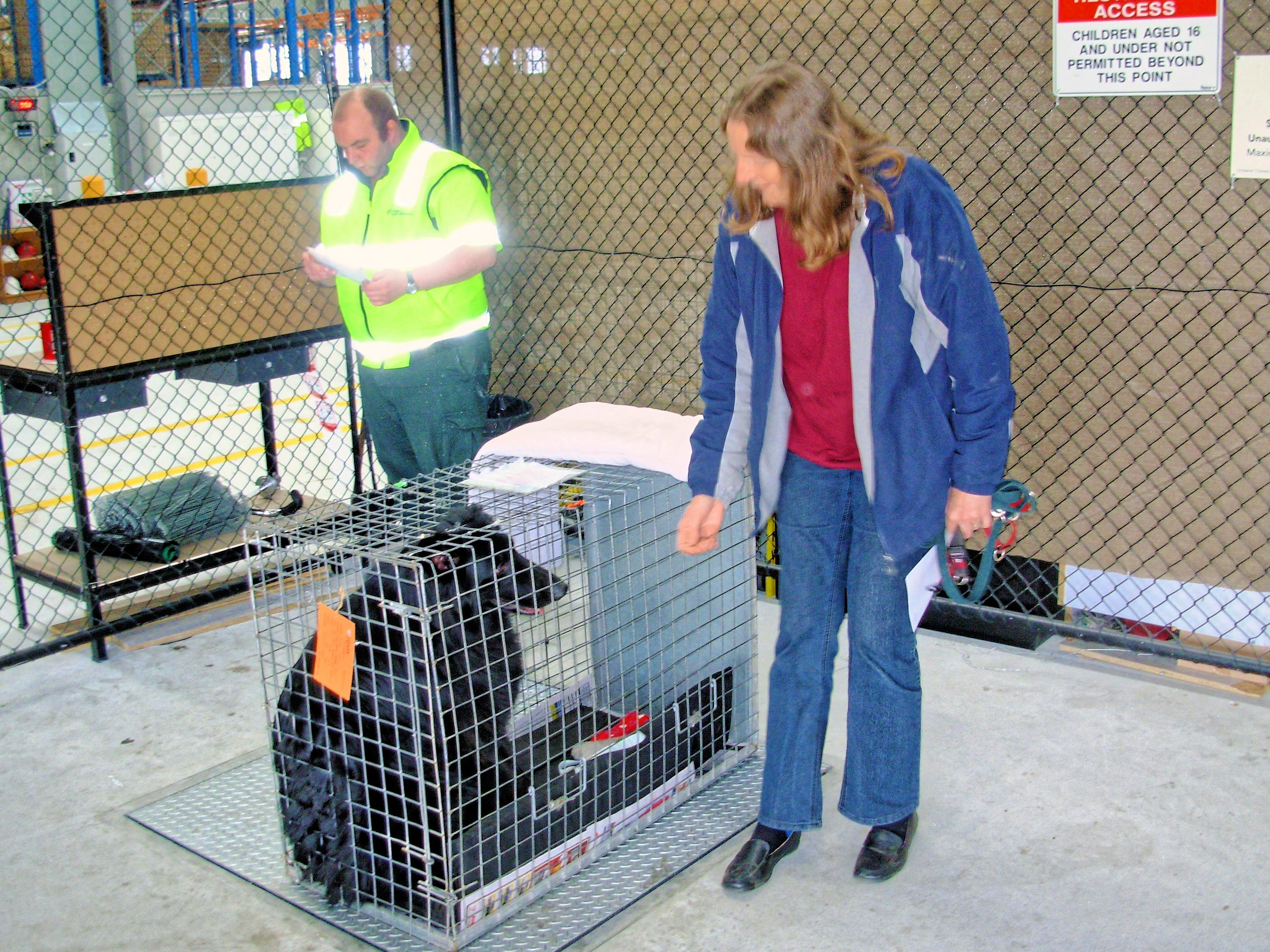
|
|||||||||||||||||||||||
And then off. We'll probably never see him again, but we heard in the afternoon that he had arrived well and happy. Kris Ingold is over the moon, and has been posting things in Facebook ever since.
|
New power hardware
|
Topic: technology, opinion | Link here |
Then to CPL to pick up my power supply and yet another new UPS. An amazing place. A far cry from MSY: glossy, full of showcases, four people on duty doing I know not what. One of them served customers (2 in the 10 minutes we were there), another got the items, and the others sat in one of many offices. Despite the relationships, they were very slow. But I got my goods, and they look like what I wanted.
|
Victorian Borzoi Championships
|
Topic: animals | Link here |
Then down to Skye to visit the 42nd Victorian Borzoi Championships. As expected, we saw more Borzois in one place than I have ever done before in my life:

|
|||||||||||||||||||||||

|
|||||||||||||||||||||||
And in the course of the event, it became clear that we had the choice of many more animals than we had expected. We had already established that there was one in Western Australia, and on Friday we saw Bindy in Shelford. There's also a bitch in Gawler, and Karen Nott of Gleneagle Borzoi (coincidentally in Stratford, Victoria, where Gill and Kline used to own the theatre), had a dog for sale.
Karen took both of the top honours in the championship (best dog and best bitch), and the dog was best in show. I think he's a close relative of Noah, the dog she has for sale. Took them out to run around after the show, and Yvonne fell in love with him:

|
|||||||||||||||||||||||

|
|||||||||||||||||||||||
Yvonne was prepared to take him there and then, but it was clear that Karen would prefer us to wait a little and think about it, and I was a little concerned that he was rather quiet, even for a Borzoi.
|
Hello Zhivago
|
Topic: animals | Link here |
But wait, there's more! Ron Frolley of Zoloto Borzois, and a friend of Jeanette Lees, is downsizing. He currently has 9 dogs, but he's moving from a large property Warrandyte to a flat in Port Melbourne, where he will only be allowed two dogs. So seven dogs are going begging. Jeanette had told us of him on Friday, and that he was very particular about where the dogs should go, but it seems that we made the grade, and he suggested we took a look at them.
After lunch went out to Warrandyte to take a look at the dogs. There were 2 or 3 dogs in question, and 4 or 5 bitches. Yvonne has always wanted a big dog, so the bitches weren't that much in the running (otherwise she might have been even more tempted to take Bindy, who is related). That left Yoshi, who loves to jump into swimming pools:

|
|||||||||||||||||||||||
Then there was Tiga, who is selectively deaf, usually when he's being called. A beautiful dog, though I forgot to take photos of him, but the refusal to be called could be life-threatening: the biggest reason we got rid of Nemo was because he wouldn't listen when he wanted to chase a kangaroo.
That left the third, Hoggy (which proves to be short for Mahogany, because of the colour of his coat)

|
|||||||||||||||||||||||

|
|||||||||||||||||||||||
He's over 6 years old, but it seems that that's not as much of a problem as you might expect: Ron showed two of his other dogs, who were 9 and 13 years old, and both looked in excellent health. Still, at that age adaptation might be a problem. Did a certain amount of discussion, and in the end we agreed to take him on a week's trial, and if we found any show-stopper problem we could give him back. It was clearly a difficult decision for Ron and his friend Steve—Yvonne told me that Steve almost had tears in his eyes—but in the end we bundled Hoggy into the car and took him home with us. Yvonne spent much of the time on the way home trying to think of an alternative name for him. His kennel name is Zhivago, but that's not a good calling name. I think we should take a week to decide.
Back home, and all was well. It's amazing the difference in temperament between Borzois and German Shepherd Dogs. Borzois are so gentle. I'm wondering why we chose Nemo in the first place. The cats didn't want to know, of course, but that'll work out.
|
Web page rendering on tablets
|
Topic: photography, technology, opinion | Link here |
While at Ron and Steve's, showed some of my web-based photos. Some came out rotated by 90°, something I've never seen before, such as this one:

|
|||||||||||||||||||||||
The issue appears to be this EXIF tag:
That's a left-over from the way I took the images: camera mounted vertically, stitched together to make a landscape image, such as this one:

|
|||||||||||||||||||||||
I didn't know of any web browser that evaluated the EXIF data. Now it looks as if I'll have to reprocess thousands of images to remove that tag.
|
Cell-hopping starts again
|
Topic: technology | Link here |
Yesterday I noticed that the cell-hopping on my 3G network connection had stopped. For about 29 hours. Now it's back again:
Why? One possibility is that one of the towers was down.
| Monday, 24 September 2012 | Dereel | Images for 24 September 2012 |
| Top of page | ||
| previous day | ||
| next day | ||
| last day |
|
Getting to know Zhivago
|
Topic: animals | Link here |
Spent much of the day acclimatizing Zhivago, with very little difficulty. First thing on the agenda was a bath:
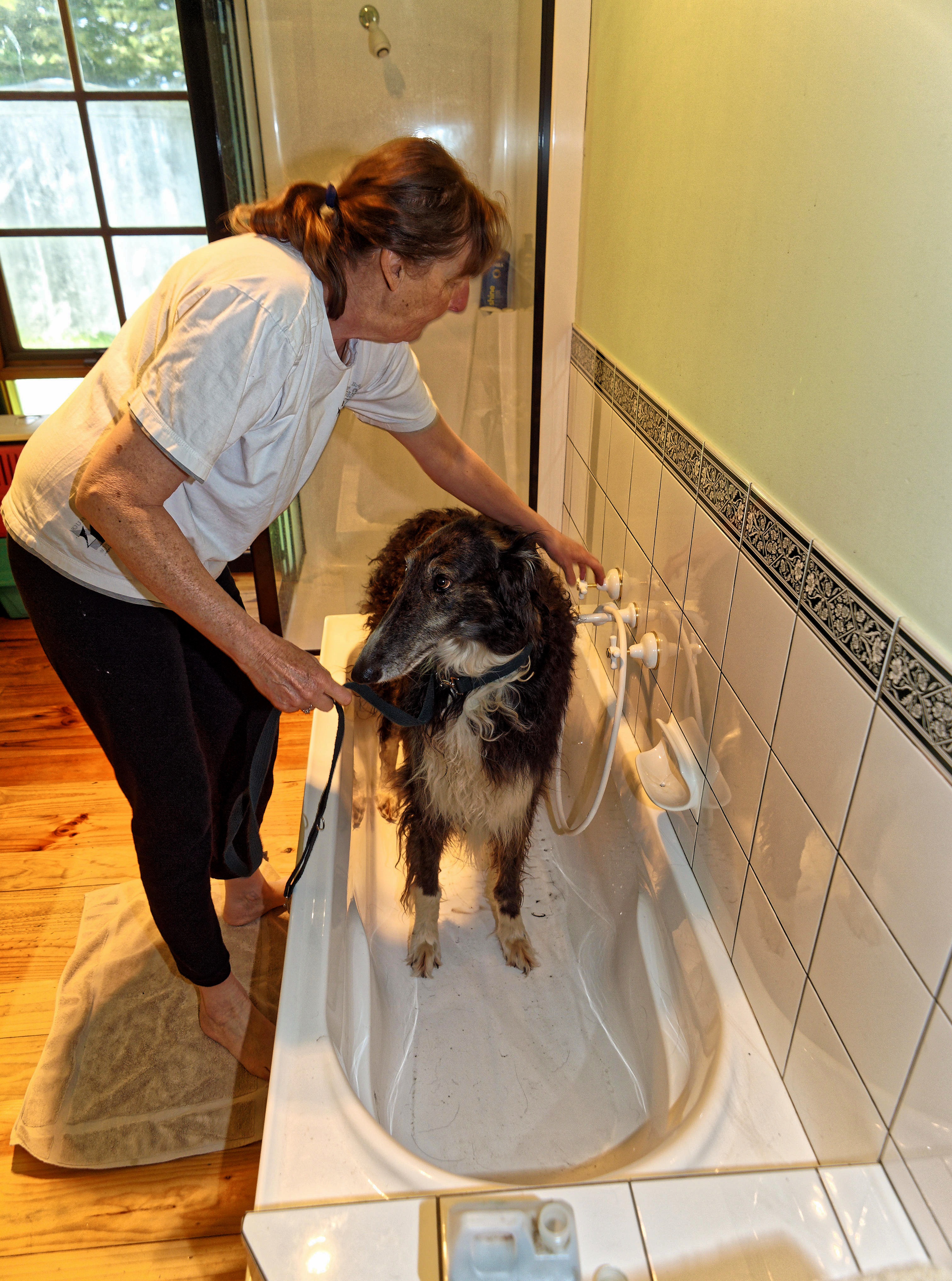
|
|||||||||||||||||||||||

|
|||||||||||||||||||||||

|
|||||||||||||||||||||||
What a difference he is from Nemo! I suppose it's symptomatic that we discovered that we no longer needed the cage in which we kept Nemo, and Yvonne dismantled it. No more bull in a china shop. Taking him for a walk is also completely different. Nemo continually strained on the leash; Zhivago lets it hang loose.
He still hasn't made friends with the cats, of course—there are issues on both sides there, in his case that he's a little afraid of them after having received bad treatment from other cats. In the afternoon we went to Chris Yeardley's place, where he met horses, chickens and Shadow, one of Chris' cats:

|
|||||||||||||||||||||||

|
|||||||||||||||||||||||

|
||||||||||||||||||||
In the evening, Piccola gradually came closer, observing him from behind the armchairs. Zhivago saw her, but didn't move. That, too, is so different from Nemo's behaviour that I'm sure that the will soon be friends.
|
Fixing my photos for tablets
|
Topic: photography, technology | Link here |
Yesterday's rotated images on Steve's tablet were cause for concern. On IRC discovered that a number of people could reproduce it, and that it really did come from the Orientation EXIF tag. OK, that's simple enough, but how do I fix it? I had about 106,000 JPEG images to go through. How much traffic would it cost to upload the changes to my external web site? A short test shows that rsync handled the update pretty efficiently. Wrote a little script called disorientate with the following punchline:
Ran that across the photo tree, which ran for several hours, as did the rsync run:
343 MB seems a lot until you consider it's only a little over 3 kB per file.
|
Saturday's photos, continued
|
Topic: photography, technology | Link here |
The activities of the last few days have resulted in a significant backlog of photos to process. I still haven't written a web page for the flower photos of last Sunday, nor the house photos for Saturday. Continued with the latter today. The “garden centre” panorama was done with HDR, and because of the sun I had a number of images with my hands blocking out the sun.
Tried the new method for merging the images—all 66 of them. It found control points for all except one image, a particularly light component image that I was able to just get rid of. But some of the control points were not quite what you'd expect:

|
||||||||||||||||||||||
After removing that kind of error, got quite a good closure. But masking out things was a real pain—how do you apply exactly the same mask to three images?—and without it the result was less than acceptable. Here first the “new” method, then the “old” (with mouseover alternation). My hands are clearly visible at the edges of the “new” one, and it also has green lens flare at bottom left:

|
|||||||||||||||||||||||

|
|||||||||||||||||||||||
So at least for HDR images I'll stitch my panoramas the old way: first create tone-mapped images, then stitch them together. As a result, I'm still not done with Saturday's photos.
|
New monitor
|
Topic: general, technology | Link here |
I've been following the progress of my new monitor for a few days. It was sent with DHL and arrived in Australia on Saturday, after only 38½ hours. That seems better than UPS, though I've never had anything sent from Korea before. It's difficult to know how long it would have taken end to end if it had arrived during the week, but as it was, this morning was the earliest practical delivery date. And indeed we found a notification in the letterbox: to be picked up at Napoleons CPO. They could have delivered it to the door, but I'm sure they have a valid excuse. In any case, headed off to Napoleons after lunch—19.8 km each way—and picked it up. Well packaged and protected with a “Fragile” sticker with arrows pointing to the bottom.
Unpacked it and put it together. It looks good:

|
|||||||||||||||||||||||
The other monitor is the defective 22" monitor that it's replacing. I'm going to have to position it where there are no reflections, but I think the place I had chosen anyway will fit the bill. But that's as far as I could go today: X configuration is going to be fun, and there's also the power supply to replace in eureka, so I'll have to plan some time when I'm less occupied.
|
Nemo's new home
|
Topic: animals | Link here |
We haven't forgotten Nemo, of course. It seems that he's much happier with the Ingolds than he is with us. There he can run around and have fun with other dogs. Some of the photos that Kris Ingold sent us:

|
|
|||||||||

|
|
|||||||||

|
|
|||||||||
| Tuesday, 25 September 2012 | Dereel | Images for 25 September 2012 |
| Top of page | ||
| previous day | ||
| next day | ||
| last day |
|
Spring frost
|
Topic: gardening | Link here |
A mild frost overnight:

|
|||||||||||||||||||||||

|
|||||||||||||||||||||||
|
Returning to normal
|
Topic: general, gardening | Link here |
The last week has been surprisingly hectic, and it was only today that it started to return to normal. And for the first time in nearly a week I found time for the garden, continuing with weeding the fence in the south-east. Didn't get very far, but did find three further birch saplings that had sprung up amongst the weeds. Now they have leaves on them, but it's amazing how difficult it is to recognize them when they don't—two months ago I could only find two, but since the leaves have come I've found about another 8.
|
Zhivago is Groggy
|
Topic: animals | Link here |
Zhivago is continuing to adapt to our environment. Yvonne spent a lot of time trying to teach him some basic commands such as sitting, dropping and coming, with moderate success. It seems, though, that her biggest concern is his calling name, “Hoggy”. She's been looking for alternatives which sound similar. She wanted to call him Boris, but of course that doesn't even remotely rhyme. So in the end she decided to call him Groggy. That's not as silly as it sounds; years ago we had a Borzoi with the kennel name Graig de la Polianka, and we shortened his name to Greggy. But somehow I don't see the name sticking.
In the afternoon out with him on the leash into the paddocks, where we saw some kangaroos. He showed great interest, but didn't even strain on the leash. He did when he saw a rabbit, though. It looks promising; if he only chases rabbits, I don't have a problem. But I fear he'd get interested in larger “prey”.
|
Preparing to install the new monitor
|
Topic: technology | Link here |
My new monitor has been on the table outside the office for over a day now, and I still haven't installed it, much to Michael Ralston's disgust. But I want to have a smooth transition. I'm reminded of this cartoon from xkcd (click to enlarge):
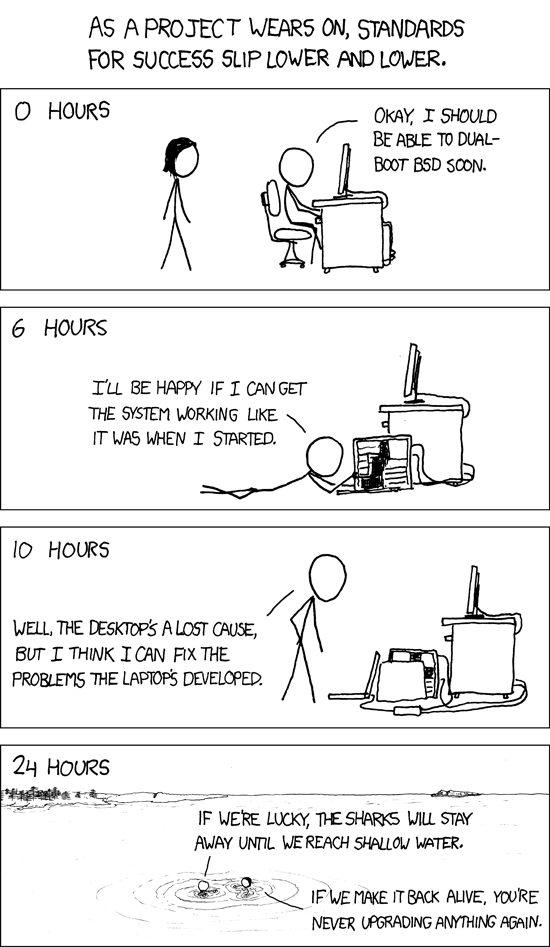
The first thing is what to do with the fourth display in the short term. The obvious thing to do is to connect it to dereel, but for some reason the nvidia driver doesn't work on dereel, something I encountered and ignored months ago:
=== root@dereel (/dev/pts/1) /usr/src 35 -> kldload nvidia
That's what you'd get if the module is already loaded, but it wasn't. The real reason was hidden in the log file:
Reinstalling the driver didn't help, so I decided to rebuild the system, which was in need of it anyway. And that took the rest of the afternoon. Mañana.
| Wednesday, 26 September 2012 | Dereel | Images for 26 September 2012 |
| Top of page | ||
| previous day | ||
| next day | ||
| last day |
|
System upgrade: the sharks
|
Topic: technology | Link here |
Continued with my reconfiguration today. After updating the system on dereel, I was able to load the nvidia driver with no further problems, and I got one monitor up and running in native resolution. Jürgen Lock suspected a mismatch between kernel and /sys. That's possible, though I didn't think so, but after rebuilding the system there's no evidence left.
So: the next steps were to replace UPS and power supply and then integrate the new monitor. The UPS was a surprise: I had assumed it was defective, because minor power fluctuations killed eureka 3 weeks ago. But when I disconnected the power to the UPS, it continued to supply power on battery. And I discovered that nerd-gw, which hadn't failed, was on the same UPS. So it seems something else was in play—possibly the power supply I also replaced, combined with inadequate filtering by the UPS. The filtering of the new unit should be better, as should the new power supply.
Next came the power supply. It's smaller than the old one (both in dimensions and power rating), but it's also heavier:

|
|||||||||||||||||||||||

|
|||||||||||||||||||||||
In passing it's interesting that the current and voltage ratings on the old power supply (ostensibly 720 W) add up to only 363.5 W. And Antec's obfuscation continues with the markings on the packaging and the instructions. It's an Antec EA-550, but you won't find “EA-550” anywhere except on the power supply itself; elsewhere it's this silly “EarthWatts” name, which suggests a ground loop to me. It's also interesting that there's a sticker on the packaging: “No Power Cord”. Not a big issue, though you'd think that a high quality power supply wouldn't skimp there. But it doesn't: it did come with a cord, which I didn't need.
Getting at eureka involves moving a monitor, and I needed to move some anyway, so I did it then. Previously I had monitors with 1920 pixels horizontally and 1080, 1200, 1080 and 1080 respectively. I'm replacing the third monitor with the new 2560×1440 model, which would leave no two 1080 monitors adjacent to each other. So decided to rearrange 1080, 1080, 1440 and 1200, the latter (currently) connected to dereel.
Replaced the power supply, connected up the connections and turned on. Machine booted happily, but—no display. Nothing to do with FreeBSD: I didn't even get the power on display. Everything else was normal.
What was the problem? Suggestions ran around on IRC that it was the sharks from the xkcd cartoon. Spent nearly two hours investigating, including removing the second display card, replacing the old power supply, connecting up the auxiliary PCIe power, all to no avail. Then gradually narrowed it down to the DVI—VGA adapters, and in the end to a single incompatibility: the BenQ E2200HD didn't seem to work with the adapter, at least not on boot. Connecting the other monitor as console solved the problem, and for some reason there was no issue starting X on the BenQ, just like I have always done. What a weird bug!
|
Matrix NEO 270WQ monitor: first impressions
|
Topic: technology, opinion | Link here |
After that harrowing experience, I should have known better than to try to set up the new monitor. After all, it has a somewhat restricted interface—no other modes than 2560×1440 will work At All. And I didn't have any mode lines for the device. But of course, egged on by Michael Ralston, I did put it in there. It didn't start well: I pressed on the start button, and nothing happened. Not even when I held it down for a long time.
It took me a while to realize that the buttons are underneath the monitor, and not even very well aligned with the markings. Perfectly normal push switches, and it came on immediately. Ran X -configure. It found the other two monitors, but not the new one.
I was about to put it away for another day, but I thought that it wouldn't do any harm to just try to start X normally. Bingo! It Just Worked. Looking at the log file shows:
I suppose it's typical that the name FRT DIGITAL (DFP-0) doesn't match anything I've seen before. The “No valid modes” lines refer to what I asked for in the configuration file. So it had at least enough EDID information for X to determine what it is. So now the desktop looks like this:

|
|||||||||||||||||||||||
Spent a bit more time tuning the X configuration, but the real question still needs to be answered: how should I use this real estate? I've been running two X servers recently, :0 with four separate displays, and :1 with two displays each spanning two monitors. The latter proved to be inconvenient in normal use, particularly since many programs pop up dialogue boxes in the middle of the display—straddling the two monitors. But maybe I should do that with the two leftmost monitors. For the time being I have more real estate than for a long time, a total of 10,137,600 pixels—still a far cry from the 17,382,400 I had years ago.
Another issue I hadn't expected: how do I orient the monitor? It subtends such a large angle that the edges are pointing away from me. It really should be a concave dish. I suppose I'll have to get used to that, or sit further away.
|
Ornithogalum
|
Topic: gardening | Link here |
Yvonne returned from shopping with a flower she liked the look of, which proved to be a species of Ornithogalum, a name that sounds more like a dinosaur than a flower.

|
|||||||||||||||||||||||
From its appearance it could be Ornithogalum thyrsoides.
|
Zhivago's progress
|
Topic: animals | Link here |
So do we call Zhivago “Groggy” or not? I'm still not sure that's going to be the final name, but clearly it would be confusing to refer to him like that in this diary, so at least here he's still Zhivago (or should that be Живаго?).
This morning he met the neighbour's dogs, Sam and Petal, both Golden Retrievers. It seems he enjoyed the experience: when I let him out for a while, he headed straight across to road to the (closed) gate. It reminds us that until Sunday he lived in a large pack of dogs, and now he's on his own. Will he adapt, or should we get a second dog?
He doesn't like the dog run. Yvonne has taken to feeding him there, and today he was so anxious to get out again that he didn't even finish his food. It's also interesting that he didn't eat the pellets that Ron gave us for him. We hadn't intended to continue feeding them, but we thought it might make the transition easier. Once again we're reminded that Borzois are half cat.
The cats are getting less suspicious. Piccola is approaching him, and would probably have touched him today if he hadn't been afraid and run away (thus also scaring Piccola off). Later she approached him from behind and sniffed one of his hind paws. Clearly it's not going to take very long. Our concerns about getting an adult dog seem to have been unfounded.
|
Photo processing: the limits of correction
|
Topic: photography, opinion | Link here |
Taking the photos of my monitors proved to be more difficult than I expected. There's an enormous difference in intensity between the monitor screen and the black frame, and DxO Optics "Pro"'s pseudo-HDR fails badly. Here with standard processing and then with only mild pseudo-HDR. Running the mouse over either image (preferably after enlarging) shows the alternate image:
|
|||||||||||||||||||||||

|
|||||||||||||||||||||||
| Thursday, 27 September 2012 | Dereel | Images for 27 September 2012 |
| Top of page | ||
| previous day | ||
| next day | ||
| last day |
|
Don't rely on Powercor
|
Topic: general, opinion | Link here |
Over the years I've had lots of trouble with Powercor, our local electricity supplier. Over the course of a little over 5 years I have had 141 power failures, some of them many hours long. To be fair, things do look as if they've got better. This year so far we've only had 8 failures, only two of which were more than a couple of seconds long. So when I received a letter from Powercor advising a cut to the supply between 9:00 and 10:00 this morning, I wasn't too upset. I had some bread to make, which requires power, so I put it off until 10:00
But the power cut didn't come. At 10:00 I rang Powercor and spoke to an Alison, who was barely audible and who refused to speak any louder. She checked and said “All clear. Sometimes they don't have to disconnect anybody after all”. So you can't even rely on Powercor to disconnect the power when they say they will?
Started making my bread, and at 10:20 the power went out for 17 minutes! It's almost worse than not having been warned at all. Why can't they get their act together? Why don't the phone operators get informed if the technicians are late doing their work? Grrr.
|
Power problems not resolved
|
Topic: technology | Link here |
The first power failure had another result: once again, eureka failed immediately, though the UPS showed that it had enough power for 45 minutes, enough to weather the failure completely, as nerd-gw did. So what's causing the failure? It can't be the UPS, and it can't be the power supply. I'm still guessing that it's some kind of transient, but why does it only affect eureka?
|
Too hot for gardening
|
Topic: gardening | Link here |
Over the last few months I've found lots of excuses for not doing any work in the garden: too cold, too wet, too windy. Today was none of that, and started doing some work, until I ran into another problem: too hot. Three days ago the maximum temperature was only 13.4°, but today the temperature hit 30°, and I had to stop and wait for things to cool down. Got some more weeding done, and also started cleaning out the roof gutters.
|
Zhivago's progress
|
Topic: animals | Link here |
Zhivago seems to have attached himself very much to Yvonne, and he's unhappy when he's not with her. This parallels something that Ron said when we picked him up, that he was very much fixed on him, and that he didn't pay much attention to Steve. Clearly a one-person dog. Today Yvonne went out to mow the lawn and left him inside, and he started whining. So I let him out, and he was happy just to follow Yvonne:

|
|||||||||||||||||||||||

|
|||||||||||||||||||||||
But it was too warm for him too. He went back in again, but he wasn't happy, and when I let him out of my sight I found him in the pond:

|
|||||||||||||||||||||||

|
|||||||||||||||||||||||
I wonder how we can keep him out of that.
|
DxO acceleration
|
Topic: photography, technology, opinion | Link here |
I've been running DxO Optics "Pro" in a Virtual Machine with a prerelease of Microsoft “Windows” 8 for some time now, and haven't been exactly happy with the speed. DxO claim that the 64 bit version is significantly faster than the older 32 bit versions such as the Microsoft XP I was running before. That version was single processor only, and it took a little over two minutes to process an image. You'd expect it to take a little over 30 seconds running on all 4 CPUs. But the new 64 bit version with “Windows” 8 took about 80 seconds per image. Why? It does indeed use all 4 CPUs, though it won't let me select more than one image in parallel—presumably a bug.
And now, suddenly, it's faster! I'm really getting images processed in about 34 seconds, as fast but no faster than you'd expect from XP on 4 CPUs. Why? I have no idea. I've tuned some minor settings, but nothing that would explain that much acceleration. It's still glacially slow, of course—I think the theoretical maximum speed on the fastest generally available CPUs would be about 10 seconds per image, not exactly blindingly fast.
| Friday, 28 September 2012 | Dereel | Images for 28 September 2012 |
| Top of page | ||
| previous day | ||
| next day | ||
| last day |
|
Life begins at 40! (or, the hundredth birthday)
|
Topic: general, opinion | Link here |
Finally I have turned 40 years old! Well, to be honest, for the second time. But it seemed so silly to tell people I was 3f.
Of course, there are other number systems. In the Good Old Days we used octal, which would make me 100 years old. And even more amusingly, Alex Dupre, a FreeBSD committer, is exactly half my age today, making him 20 or 40.
In honour of my birthday, Yvonne bought me a present—not something we normally do. It certainly looked strange enough:

|
|||||||||||||||||||||||
On further unpacking, discovered a cat:

|
|||||||||||||||||||||||
But it wasn't alone. There were a total of 4, the other 3 being somewhat smaller:

|
|||||||||||||||||||||||
So where do we put them to best effect?
|
End of the good weather
|
Topic: general | Link here |
Yesterday's spring weather didn't continue. It was much cooler today, wet, windy and stormy. At 7:05 there was an incredible thunderclap—64 years to the minute after I was born. What a recognition!
|
Reinventing my X configuration
|
Topic: technology | Link here |
So now I have my new monitor up and running well. That's the easy part. For well over 20 years I've been continually refining my X desktop for my personal taste. For at least 20 of those years it has been a multi-head setup, and I've gradually come to the conclusion that 4 monitors are enough. But now I only have 3 on eureka, and the fourth on dereel proves to be a pain, in particular because it has its own screen saver timer.
So, the first thing should be to find a way to connect a fourth monitor to eureka. There are several options: I have PCI and a PCIe 1x slots free. Could I find a cheap display card that would fit there? In fact, I have an nVidia PCI card that would theoretically be acceptable, but the driver doesn't want to know:
So a newer nVidia card, or a different manufacturer? I also have a SiS PCI card, but it's even older, and I think I bought the nVidia cards because the drivers for the SiS had atrophied, though I can't find any reference in my diary. But low-end display cards aren't expensive, so went looking for one on eBay.
That's like a needle in a haystack. Looking for “PCI” also finds “PCIe” and similar—as far as I can tell, only the latter. Have standard PCI cards died out? Similar considerations apply to PCIe 1x. In the end, gave up for the day without making any progress. There's still the option of finding a normal PCIe 16x display card with two dual-link ports, but that's difficult, and they're more expensive. I've heard that PCIe cards will work in slots with fewer lanes, but it's not clear how well supported that is. I suppose I should try it out.
The other issue was the layout of the three monitors I do have. Unlike the old CRT days, I didn't have to worry about what resolution to choose, but I still need to reconfigure my fvwm2 configuration files to match, and I'm still not sure whether I want to join the two 1920×1080 monitors into a single display. For the moment I'm doing it, but I'm not sure it'll stay that way.
|
X hang bug: more insights
|
Topic: technology | Link here |
While configuring X, Yvonne came with her camera and wanted files read off it. Last time I read the files on eureka, it triggered this horrible X hang bug, where the mouse cursor jumps back and forth between two screens. I'm gradually coming to the conclusion that this could be a FreeBSD bug after all. This time switched to a VTY before inserting the card. No luck. When I returned to X, it hung anyway. But at least it seems that I'm finding a way to reproduce it. Now I suppose I should try with a PS/2 mouse.
|
Lilac unhappy with Zhivago
|
Topic: animals | Link here |
Lilac is incontinent again. Yvonne took her to the vets, fully expecting her not to come back—she's nearly 16. But of course it was minor, and the vet thought that it might be a stress reaction to Zhivago's arrival. More expensive treatment, and fortunately there are signs that the cats are getting used to Zhivago's presence.
|
Crushing pepper: the solution
|
Topic: food and drink, opinion | Link here |
Pepper steak for dinner tonight—for me, at any rate. And for a long time I've been wondering how to crush the pepper. Put it in a blender and you end up with a range of sizes between powder and undamaged corns:

|
|||||||||||||||||||||||
Today it dawned on me: the grain mill I bought years ago for brewing. Set it between 1 and 2 on the dial, and I get relatively uniform chunks.
| Saturday, 29 September 2012 | Dereel | Images for 29 September 2012 |
| Top of page | ||
| previous day | ||
| next day | ||
| last day |
|
RootBSD: keeping it up
|
Topic: technology, opinion | Link here |
Through much of my life, keeping it up has been important. Forty years ago at UNIVAC, it was a particular challenge, because the technology of the day required routine maintenance. But the 1108 was a multiprocessor system, and individual components could be maintained without taking down the entire system. Then Tandem Computers raised the whole thing to an art form, and uptimes of over 12 months were commonplace, limited only by the requirement of software upgrades.
Part of my job at Tandem was to ensure highest uptime, and I'm always very reluctant to reboot a machine if there's any alternative. Yet another reason to hate Microsoft. And the other day Powercor, with help from a defective UPS, managed to take down a machine that had been up for 170 days.
All that pales into insignificance, though, in comparison with my external server at RootBSD:
=== grog (/dev/ttyp0) ~ 2 -> date; uptime
That's four years and a few minutes. The idle process for CPU 0 has also used the longest CPU time I have ever seen:
That's 1249 days of CPU time. People say that this means I'm vulnerable to various security problems. Maybe I am, but I haven't been able to find any.
|
Fun processing photos
|
Topic: photography, technology | Link here |
House photo day again today, and despite the filthy weather decided to do it today rather than tomorrow. But because of the wind took a different approach to the garden centre panorama: instead of HDR images made from sets of 5 exposures, took a single exposure with flash to lighten the relatively close dark areas. A combination of that and the unexplained increase in processing speed DxO Optics "Pro" (now barely 30 seconds per image) meant that I was finished much faster than usual, despite the expected problems with control points due to the wind.
One thing I didn't expect was when masking one of the panoramas. It had a very good fit, but the exposure blending in one area was less than optimal, so I chopped off a corner of one of the images:
And what happened? Suddenly a very bad fit at that point:

|
|
||||||||
Or at least that's what both fast preview and normal preview said. On stitching, everything was OK:

|
|||||||||||||||||||||||

|
|||||||||||||||||||||||
This was with Hugin. I wonder if commercial panorama software does any better.
|
More monitor investigations
|
Topic: technology | Link here |
One of the things that was clear after rearranging my monitors was that :0.1 (later the right half of :0.0) did not have optimal display settings. Went off looking for web sites helping with monitor calibrations, but it wasn't until Andy Farkas reminded me that I found this LCD test site, which is really quite impressive. And it gave the new monitor a clean bill of health: the settings were as good as perfect. The only thing I couldn't check properly was the black level, because it requires a really dark environment. But that, too, seems to be OK.
The most interesting test was the clock and phase test, which on the new monitor worked fine, as it did on the ΛOC monitor, but both BenQ monitors showed significant flickering. This is clearly a disadvantage of the analogue connection. I suppose I should spend some time to see if I can improve things.
|
EDID information for the new monitor
|
Topic: technology | Link here |
The other thing that I had noticed was the EDID information for the new monitor. There's more than reported by the X server, but how do I display it? Went looking and found edid-decode. Installed it and ran it. No output: it just hung. Looked for the documentation. No documentation, anywhere, not even UTSL. The source shows that if started without parameters, it reads from stdin. The first parameter, if supplied, is a file name, and clearly it supplies the EDID information. But where does it come from? No idea. Even minimal documentation would help, but as it is, I really have no idea how to use it.
Looked in the Wikipedia page, which at least told me that the X server will dump the EDID information to the log file if started with the option -logverbose 6. So did that and came up with:
There's some interesting stuff in there, but also obvious errors. There's no way that this display can be nearly 4 years old (2009, week 7).
|
Another grevillea blown away!
|
Topic: gardening | Link here |
Looking out the office window this afternoon, I saw a disappointing sight:

|
|||||||||||||||||||||||
That's another “Robyn Gordon” grevillea blown over by the wind. Some hedge plant that is!
|
Last daffodil of spring
|
Topic: gardening, opinion | Link here |
The daffodils have been blooming for over four months, and I thought that new ones kept coming. But that proved not to be a daffodil:

|
|||||||||||||||||||||||
So the last one is just barely recognizable. Here four months ago and now:

|
|||||||||||||||||||||||

|
|||||||||||||||||||||||
That's still an amazing amount of time.
| Sunday, 30 September 2012 | Dereel | Images for 30 September 2012 |
| Top of page | ||
| previous day |
|
X hang problems: solved!
|
Topic: technology | Link here |
For well over a year I've been complaining about sporadic hangs with X, where the mouse cursor would get “stuck” bouncing between two screens. I've suspected blame on the part of the nVidia driver, the mouse driver, and even the FreeBSD USB stack. Today I got a message from Andrew Hout telling me that the bug had been identified and fixed. Only two weeks ago, as shown by this bug report, which includes a very good summary of the problem, which was in the nVidia driver after all. The latest version was released only earlier this week. And of course it had nothing to do with FreeBSD, as evidenced by the other reports on the web.
So: installed the new driver with portupgrade, which conveniently didn't load the new driver. There's an issue there: since this is a kernel module, it's difficult to know which version is loaded. The information is there, but you need to know where. In my case, after loading the new driver, it reports (at line 100):
The other way to check is with kldstat, which isn't very informative at that level:
=== root@eureka (/dev/pts/10) /usr/ports/x11/nvidia-driver 16 -> kldstat
After unloading and reloading the driver, however, the size changes, and it moves to the end of the list, leaving the previous slot (8) empty:
It's interesting that it's smaller than the old version.
|
More garden work
|
Topic: gardening | Link here |
The weather's only gradually improving, but it's really time to do some work in the garden. More weeding, of course, but I also wanted to replant the variegated agapanthus that I had planted in the north of the east garden years ago. In the meantime they had been completely overgrown by the Cissus [in fact a Cistus] that we had planted there 11 months ago. Clearly I had underestimated the size of the bushes, which are also too close to each other. Getting them out was fun, but then I had my doubts about the suitability of the destination I had chosen for them, so left them while I ponder. I have other agapanthus further to the east, but the ground there is so poor that I had to get CJ to drill planting holes with his tractor. I don't want to do that again.
While weeding on the verandah, accidentally pulled some Zephyranthes candida out of a pot. I only planted them a year or so ago, and though they have hardly flowered (too little water?), they have proliferated. So more plantings. And the same again for an accidentally broken-off stem of Epilobium canum.
The birch trees we planted in the ex-“Cathedral” are growing nicely, but unevenly. Here two obviously healthy trees next to each other:

|
|||||||||||||||||||||||

|
|||||||||||||||||||||||

|
|||||||||||||||||||||||

|
|||||||||||||||||||||||
The first has more leaves, the second more catkins. But why? Different sexes? Different ancestry? It's difficult to find plausible information.
As spring progresses, more and more flowers are appearing. One of the Yeardleys' Bougainvilleas is looking much happier, while the other (white-flowering) one is pretty inconspicuous. And the Plumbago are gradually coming in to flower:

|
|||||||||||||||||||||||

|
|||||||||||||||||||||||
The Alstroemerias have met different fates. The dwarf white version seems to have died for no obvious reason, but original orange version that we bought 2½ years ago have expanded mightily and are encroaching on other plants in the bed:

|
|||||||||||||||||||||||
I suppose we can accept them crowding out the Alyssum, but I'll have to restrict their width.
Do you have a comment about something I have written? This is a diary, not a “blog”, and there is deliberately no provision for directly adding comments. It's also not a vehicle for third-party content. But I welcome feedback and try to reply to all messages I receive. See the diary overview for more details. If you do send me a message relating to something I have written, please indicate whether you'd prefer me not to mention your name. Otherwise I'll assume that it's OK to do so.
| Top of page | Previous month | Greg's home page | Today's diary entry | Next month | Greg's photos | Copyright information |


