
|
| Greg's diary |
| October 2012 |
|
|
||||||||||||||||||||||||||||||||||||||||||||||||||||||||||||||||||||||
|
|
|
|||||||||||||||||||||||||||||||||||||||||||||||||||||||||||||||||||||||||||||||||
| Monday, 1 October 2012 | Dereel | Images for 1 October 2012 |
| Top of page | ||
| next day | ||
| last day |
|
Garden flowers: moving target
|
Topic: gardening | Link here |
More weeding in the garden today. The Salvias are growing at a very mixed pace. The “Phyllis Fancy” in the north bed is developing new growth, while the old branches have died off, and I've pruned them away. But where is the nearby Salvia leucantha? I couldn't find it. Instead I found that the “Salvia diesaustraliae” and the Acanthus had ganged up to take over large quantities of bed. Pulling them out revealed almost only rhizomes and hardly any soil. And after removing lots of grass, there was the Salvia leucantha, not looking that unhappy for being almost completely covered by weeds.
It's been 2 weeks since I took my “early spring” flower photos, and I still haven't written them up. Things keep changing, and every day there are new flowers. Today I discovered some near the salvias:

What are they? I recall planting some creepers there, but this is the first time they've flowered, and the whole area is still overgrown.
This proved to be Jasminum mesnyi.
This one is a different matter:

|
|||||||||||||||||||||||
That's the ornamental Japanese cherry tree that my uncle Max gave to me four years ago. This appears to be the first time it has flowered, and it's still just preparing.
In addition, the first petunias are flowering:

|
|||||||||||||||||||||||
It doesn't look overly happy, but what would you expect of an annual that has survived the winter?
|
Kernel and module bloat
|
Topic: technology, opinion | Link here |
I noted yesterday that the nvidia driver module had got smaller. It certainly didn't get small. Once upon a time, UNIX kernels were really small, because they had to:
=== root@eureka (/dev/pts/6) ~ 73 -> l -rS /src/UNIX/Sixth-Edition/unix /src/UNIX/Seventh-Edition/unix
We have more space nowadays, and kernels have increased dramatically in size since then. And why not? The Sixth Edition was designed for a machine with 128 kB of address space, so the kernel took up roughly 20% of the address space. My current kernel on eureka has:
=== root@eureka (/dev/pts/6) ~ 83 -> size /boot/kernel/kernel
So the text takes up 10 MB, roughly 0.125% of the 8 GB physical memory and far less a proportion of the address space. But then there are modules:
=== root@eureka (/dev/pts/6) ~ 66 -> l -rS /boot/modules/* /boot/kernel/*|grep -v symbols
The nvidia driver is very nearly as large as the kernel! But that's the new, smaller module. I saved the old one:
=== root@eureka (/dev/pts/6) /usr/ports/x11/nvidia-driver 88 -> tar tzvf nvidia-driver-295.59.tbz nvidia.ko
How can any single driver be larger than the kernel? Simple: fill it with unnecessary junk like blobs for every supported card. I presume that's what this is:
=== root@eureka (/dev/pts/6) /usr/ports/x11/nvidia-driver/work/NVIDIA-FreeBSD-x86_64-304.51/src 94 -> nm nv-kernel.o
It's part of over 10,000 similar labels. This explains why the current driver doesn't include “legacy” cards: that would bloat things even further. But why put all this in wired kernel memory? The module should identify the card and load the appropriate blob at probe time, as firmware(9) decrees.
| Tuesday, 2 October 2012 | Dereel | |
| Top of page | ||
| previous day | ||
| next day | ||
| last day |
|
More garden work
|
Topic: gardening | Link here |
The weather's warming up, and so I managed to do more work in the garden than I have for a long time. There was also little wind, so did another round of spraying weed killer. The paths, in particular, seem to be much more conducive to growing weeds than I had hoped.
More general weeding—what a pain this grass is! In the north bed there are violets and Tradescantia, both of which I want to keep, and grass, which I don't. The blades of Tradescantia look just like blades of grass, but the stems are thicker. The violet leaves look very different, of course—but the stems look the same as the grass. So it's really difficult to pull out the right stems, especially since some of the grass has sprung up immediately in the vicinity of the tradescantia.
Other work was easier. To the south of the verandah there are a large number of giant Echium, presumably Echium pininana, which look like this when they're fully-grown:

|
|||||||||||||||||||||||
Clearly I can't leave them all there, but it seems such a shame to throw them away. Time to give them away on Freecycle, I suppose.
The Clematis are also coming up in bud, with far more stems than I can handle, so cut some of the deep blue “Vagabond” cultivar off for propagation.
| Wednesday, 3 October 2012 | Dereel | |
| Top of page | ||
| previous day | ||
| next day | ||
| last day |
|
You have been endorsed!
|
Topic: technology, opinion | Link here |
Lately I've been receiving messages like this one, sent from LinkedIn:
And yes, the & is in the original. In each case, it claims to be from somebody I know, though in some cases I haven't had anything to do with them for years. And of course they haven't endorsed me. The message really comes from LinkedIn, and the URL points to LinkedIn. But look at it: it contains the component eml-skills_endorsements-btn-0-new_teaser. Is LinkedIn doing something funny?
|
Giving away plants: small world
|
Topic: gardening, animals | Link here |
Some time ago I tried to give away some plants on Freecycle, and I got no answers. So today I tried sending lots of individual offers with photos (a maximum of 1 per item!). And I was inundated with replies, some from up to 100 km away.
One came almost immediately: Denise Humphries, in Cambrian Hill, north of Napoleons. She knew Zhivago! It seems than in a former life she was a Borzoi judge, and of course she knew all the breeders. As she said, round here it's not six degrees of separation, it's 2.
Another person who replied decided—correctly—that it was too far to go for what I had on offer, but it turns out that her husband brews beer, and they have a friend who plays the baroque bassoon. Amazing the people you find.
|
More garden work
|
Topic: gardening | Link here |
Another warm day today, and even apart from Denise's visit I spent a lot of time in the garden. We had a lot of rubbish to burn off, including the grevillea that blew over last week. That proved not to be a “Robyn Gordon” but a “Red Hooks”, so I decided to save some cuttings and see if I could propagate it.
Also more weeding in the north garden—the amount of grass that has sprung up there is amazing. Removed several more basketfuls, in the process discovering a label giving the identity of the yellow flower I found the other day: it's a Jasminum mesnyi that I must have planted in January or February 2011, but which I forgot to note in the diary. There were others as well, but again I can't find any reference.
| Thursday, 4 October 2012 | Dereel | |
| Top of page | ||
| previous day | ||
| next day | ||
| last day |
|
Ballarat Gardens in Spring 2012
|
Topic: gardening, technology | Link here |
Spent most of the morning preparing a web page for Ballarat Gardens in Spring 2012, not too early. Somehow I need to wean the Friends from PDFs to proper web pages.
|
Car breakdown
|
Topic: general | Link here |
Yvonne did her shopping today, and round about the time she should have returned, she called to say her car had broken down: just stopped, conveniently in the middle of a roundabout, and though she got it started again, it stopped about 50 m further on. By the time I got there, it started and I was able to drive the couple of kilometres to the workshop, where we left it. Paul Sperber called back later to say that it “worked for him”. How I hate intermittent faults!
I didn't mention it, but it seems that we ended up changing the coil to fix this problem.
|
More network disconnects
|
Topic: technology | Link here |
Another network disconnect today, the first in nearly a week. Another of the kind that I suspect is a firmware reset, but this time clearly heralded by Optus network activity:
The +CGREG lines refer to cell registrations. In the past I've had a lot of that, always between two cells (8FC48E8 and 8FC8F2E), but now we also have 8FC8E4A, 8FC8E52 and 8FC8E66. In addition, there were 12 seconds of no registration at all. In the past I wasn't sure what caused the firmware resets, but it's beginning to look like it is triggered by network activity.
| Friday, 5 October 2012 | Dereel | Images for 5 October 2012 |
| Top of page | ||
| previous day | ||
| next day | ||
| last day |
|
Domain name renewal: for you, four times the price
|
Topic: technology, gardening | Link here |
The domain fbbg.org.au is coming up for renewal, and I got a reminder with typical content:
Of course there's no information on domain renewal at http://www.transact.com.au/; it's far deeper. Took the search function and arrived at http://www.transact.com.au/en/business/products/web-hosting/domain-names. And the price was really good: $17 for two years.
But how do you renew? There's no information there about renewal. In the end called TransACT up and asked. They didn't know either, but they got Steve McCulloch to call me back. He didn't want to know anything about the $17: for me it was $60. I pointed at the web page, and he said he'd get back to me. When he did, he said:
The price for domain renewal is $60 as shown in the webhosting section if you scroll down. The link that takes you through to the incorrect pricing is not for Victoria but ACT.
What's wrong with this picture? For one thing, he doesn't say where he has been looking for that price, except that it was in “webhosting”, something I don't want. Another is that they have different prices in different states in the first place. And finally, after much searching I still didn't find the prices that allegedly applied to me.
Called up the Australian Competition & Consumer Commission, a name they try hard to hide, on 1300 302 502. Spoke to Shrupi, who told me that there's nothing illegal about asking for different prices in different places, but after some prodding agreed that the ACT page was misleading, and that that could be grounds for investigation. She made a note of the matter , but they won't take any action unless there are further reports.
Started writing a reply to Steve, but first checked the web site again. And this time, on their home page (only!) there was a random link in their clever flash animation: “Are you in Victoria?”. Clicked on that and got a parallel page http://www.transact.com.au/en-VIC/business/products/web-hosting/, which divulged (but only after clicking on “web hosting”, which I didn't want) a price of $60 for DNS hosting, in connection with web hosting. And the corresponding page for the ACT doesn't include any price at all for DNS registration.
But in each case there's a link on the left: “Domain name registration”. And it takes me to the page I originally found. The Victorian version appears identical to the ACT version: it mentions $17 for 2 years.
So: it seems that, for some strange reason, if you choose to host your web with TransACT and you're located in Victoria, they charge you not only monthly fees for the hosting, but additional $43 for domain name registration.
Once again: what's wrong with this picture? We cancelled our web hosting with TransACT a little over a year ago. But the $60 has to do with web hosting only. The fact that they treat their customers differently is a strange business tactic, given that the hosting is probably done on the same machine. But I came to the conclusion that Steve had had as much difficulty as I with their web site, and ended up offering me the wrong product. I put this to him, but he said, no, he had checked. This sounds to me like a third person was also confused by the organization of their web site.
To be fair to Steve, he offered to give me the renewal for $17. But by then it was too late; I had renewed elsewhere. Apart from the price, there's also the issue of the difficulty getting things done. There should be a page on the web site where you can do it automatically. Somehow I'm left with the feeling that TransACT, in Victoria at any rate (ex Neighbourhood Cable) has serious organizational issues.
|
Garden developing
|
Topic: gardening | Link here |
Somehow things are looking better in the garden this year. I certainly haven't done enough work, but what I have done seems to have helped. Gradually the empty areas are filling in, and this year for the first time the Paulownia kawakamii is really blooming well:

|
|||||||||||||||||||||||
Allison from Teesdale (no surname) along to pick up some of my garden giveaways this afternoon. I'm continually amazed how much we can give away without seeming to notice anything missing. But it's amazing how much time it takes just going through the garden and pulling things out. Lilacs prove to be a particular problem.
|
More site searches
|
Topic: general, opinion | Link here |
So now the garden is looking good, and we're still thinking of moving. But we still haven't found a building site for our new home. There are plenty of houses available, but sites are rare. It's getting a little frustrating, and today we went around revisiting places we had already seen, as well as a few new ones which—predictably—were uninteresting. The one in Westons Road could still be OK, except that Scott Weston gave a warning about bushfires. But maybe we should ask the CFA what they think.
And there's one site that's suitable and effectively free—the north half of our property. If we could just get the council to approve a subdivision, we'd have the ideal situation. I suppose I should go and talk to a couple of surveyors and see what they think.
| Saturday, 6 October 2012 | Dereel | Images for 6 October 2012 |
| Top of page | ||
| previous day | ||
| next day | ||
| last day |
|
Panorama refinements?
|
Topic: photography | Link here |
House photo day today. Processing the HDR stage of some of the photos is a real pain, so today I tried the alternative of using flash and single exposures for the verandah panorama. Easier to process, but my first impression was that it wasn't as good. Now I'm not so sure. Here last week and this week:

|
|||||||||||||||||||||||

|
|||||||||||||||||||||||
So? Which is better? Part of the difference is the different natural lighting. Can I improve other things?
|
Paulownia in bloom
|
Topic: gardening, photography | Link here |
In previous years I wasn't too happy with the appearance of the flowers of the Paulownia kawakamii, but this year there are so many of them that I'm reconsidering:

|
|||||||||||||||||||||||
Getting a good photo of the entire tree still seems almost impossible. There's little to see except for the flowers:

|
|||||||||||||||||||||||
| Sunday, 7 October 2012 | Dereel | |
| Top of page | ||
| previous day | ||
| next day | ||
| last day |
|
Giving away plants
|
Topic: gardening | Link here |
A number of people had responded to my offers on Freecycle and wanted to come and pick up plants today, so much so that I had to ration some of them. How many people showed up? One family. I should really give away as much as I can. They were happy, though.
|
Efficient power supplies save power
|
Topic: technology | Link here |
I've now had my new Antec EA-550 power supply for over a week, and I've been keeping track of the power it uses:
| Reading | Total | Power | ||||||||
| (kWh) | Date | Time | Power | usage | ||||||
| 311.848 | 28 September 2012 | 8:57 | ||||||||
| 315.493 | 29 September 2012 | 9:20 | 3.645 | 149.5 W | ||||||
| 319.077 | 30 September 2012 | 8:32 | 3.584 | 154.5 W | ||||||
| 322.736 | 1 October 2012 | 9:14 | 3.659 | 148.1 W | ||||||
| 326.469 | 2 October 2012 | 8:42 | 3.733 | 159.1 W | ||||||
| 330.209 | 3 October 2012 | 9:27 | 3.740 | 151.1 W | ||||||
| 333.609 | 4 October 2012 | 8:39 | 3.400 | 146.6 W | ||||||
| 337.399 | 5 October 2012 | 9:26 | 3.790 | 152.9 W | ||||||
| 341.247 | 6 October 2012 | 11:18 | 3,848 | 148.8 W | ||||||
| 344.625 | 7 October 2012 | 10:15 | 3.378 | 153.9 W | (DST transition) | |||||
Overall that's a consumption of 32.777 kWh over 9 days, 18 minutes (because of the daylight savings time transition this morning), or an average of 151.5 W. How does that compare with the old power supply? I didn't keep as many records of that, but what I have is:
| Reading | Total | Power | ||||||
| (kWh) | Date | Time | Power | usage | ||||
| 284.131 | 21 September 2012 | 15:54 | ||||||
| 287.834 | 22 September 2012 | 11:10 | 3.703 | 192.2 W | ||||
| 296.727 | 24 September 2012 | 12:14 | 8.893 | 181.2 W | ||||
| 300.845 | 25 September 2012 | 9:32 | 4.118 | 192.3 W | ||||
| 305.281 | 26 September 2012 | 10:01 | 4.436 | 181.2 W | ||||
Overall that's a consumption of 21.15 kWh over a period of 4 days, 18 hours and 7 minutes, or an average of 185.3 W. Given a presumed efficiency of 91% for the new power supply, that suggests that the old one has about 74% efficiency.
So on average I'm saving 33.8 W, or 0.8 kWh per day. At the current price of $0.245 per kWh, that's $0.206 per day, or $75 a year, and it would take me 558 days to save the $115 purchase price of the new supply. That's somewhat less than I expected, but still completely acceptable.
|
More mystery plants
|
Topic: gardening | Link here |
While walking the dog (yes, I go along again now that we have Zhivago), found an interesting plant:

|
|||||||||||||||||||||||

|
|||||||||||||||||||||||
The petals seem too narrow, and the leaves have a shape reminiscent of some Proteaceae. I wonder what it is.
Also noticed a number of suckers from the ornamental cherry, so planted one of those. If we ever get to move house, we'll at least have some trees to plant.

|
|||||||||||||||||||||||
|
Pizza: another failed experiment
|
Topic: food and drink, opinion | Link here |
I've been trying to improve the quality of my pizzas for years. Last time I made some progress with baking, but it occurred to me that the paper under the base was quite a good thermal insulator, so it didn't get hot enough on the underside. The paper has a very good reason: otherwise the pizza sticks to the non-non-stick plate. But now with the prebaking, that might be different. Tried it out. It wasn't. After finally getting the base off the plate, the remains looked like this:

|
|||||||||||||||||||||||
There are two clear reasons for this: first, not only is the base not non-stick, but it's also not flat. And secondly, as the dough rises it tends to envelop its surroundings. On the positive side, the base tasted much better. So next time it'll be back to the paper for baking the bases, and then I'll do the main baking without the paper.
Another reason is that I didn't learn from the lesson I had the real last time, where I pre-baked the bases on paper and then removed the paper for the final bake.
| Monday, 8 October 2012 | Dereel | Images for 8 October 2012 |
| Top of page | ||
| previous day | ||
| next day | ||
| last day |
|
EDID: Good when it's right
|
Topic: technology, opinion | Link here |
Looking at the EDID information for my new 2560×1440 monitor was instructive, though I didn't really need to go into that much detail: the monitor Just Worked. But it was another matter with my Sanyo PLV-Z700 data projector: in the over 2 years I have had it, I haven't been able to get a really clean display at the native 1920×1080. Time to look at the EDID.
What a surprise! It had 14 different timing specifications, none of which matched the native resolution, and only 2 even matched the aspect ratio:
And that's all. Other specifications are clearly wrong (Maximum Image Size: 0mm x 0mm), it claims that it prefers a resolution of 1024×768 (“Prefer first detailed timing”). The manufacture date of late 2008 also looks wrong: I don't think it had been announced then. I'm beginning to wonder if “Manufacture Date” isn't set when the EDID data is compiled and never changed, so it gives more of an insight into the history of the project than anything else. It seems that EDID data are very much neglected generally. That's a pity.
Of course, I'm no closer to my correct timings. I wonder if I can find them in binary in the driver for Microsoft: look for a sequence 2560 x y z 1440, for example, where x, y and z are monotonic increments of 2560. But it would make sense to first see if the Microsoft driver does any better than my home-made mode lines.
|
More weeding
|
Topic: gardening | Link here |
More weeding in the south of the east garden today. I had meant to be finished long ago, but that area is particularly difficult to handle. In an hour managed about 2.5 metres along the fence that is supposed to be a blaze of morning glories, Hardenbergia and honeysuckle. But maybe I'm making some progress. What I do see is how terribly poor the soil is there; I really didn't pay much attention in those days.
|
Time for a new car?
|
Topic: general, opinion | Link here |
Cars have been on the agenda lately. Last week Yvonne's Holden Commodore died with what proved to be a defective coil module, and my Mitsubishi Magna needs new rear brake disks and linings. The latter will cost about $260. Is it worth it? How much is the car worth? It's 21 years old and has done 265,000 km, and maybe I should put that money towards a replacement that's, say, only 10 years old.
Did some looking around and came to the conclusion that Ballarat is not a good place to buy old cars. There's not enough on offer, and I really don't want to have to think about which cars I like and which I don't like. In principle a 2002 Magna would do me fine, as long as it has manual transmission. But the classified advertisements in The Ballarat Courier had exactly 2 Magnas, both a little older, but both automatic. So: other makes? I'd certainly be happy, but then I need to know what they are. Buy elsewhere? carsales.com.au found exactly 7 Mitsubishi cars with manual transmission below the $2,500 mark in all of Victoria, none of them Magnas. Somehow it's just too much work. I'll have the brakes repaired.
| Tuesday, 9 October 2012 | Dereel → Ballarat → Dereel | Images for 9 October 2012 |
| Top of page | ||
| previous day | ||
| next day | ||
| last day |
|
Identifying plants: the old and the new
|
Topic: gardening, general | Link here |
Into town today to drop the Magna for servicing, and while I was there dropped in at the Botanical Gardens with a cutting from the mystery plant that I found the other day:

|
|||||||||||||||||||||||
I suppose it was comforting that nobody recognized it. Mike Sorrell took a look at it and said “it's a weed”. But I've heard that before, and it certainly didn't look like it was out of control where I saw it. As I pointed out, things like Calendula officinalis are also hard to control. So we looked further. Even Bruce Holland gave up at first, and Mike started talking about a “Boneseed”. He took me along to Lorraine Powell, who grabbed a number of books, as did Mike, looking for “Boneseed”. In the meantime, Bruce came up with some idea that led to a description of Chrysanthemoides monilifera in yet another book, with illustrations that looked similar, but not the same. I went to Lorraine's computer to see what Wikipedia would come up with, but unfortunately that machine isn't connected to the Internet—I forgot that I was supposed to bring a network cable.
Finally, a few books more, and Lorraine established that there are two kinds of Chrysanthemoides monilifera, one called Boneseed, the other called Bitou Bush. And yes, Mike was right, this was Boneseed, which was once called Osteospermum monilifera. Lorraine noted that it's an invasive species and should be destroyed, even to the point of putting the flowers in a plastic bag before throwing them into a bin.
Back home and did that, and also researched online. Searching Wikipedia for Boneseed came up with a redirect to Chrysanthemoides monilifera, something that had taken us 5 minutes this afternoon. And it came up with much of the information that we had gleaned; about the only thing missing was that the clarification of the difference between Bitou Bush and Boneseed was blurred.
The other thing of interest was the old name Osteospermum monilifera. We have Osteospermum ecklonis in the garden, and two things dawned on me: firstly, the name Osteospermum means “boneseed”, and secondly, those leaves that caught my eye in the first place are very similar to those of the Osteospermum ecklonis. Here Chrysanthemoides on the left, Osteospermum ecklonis on the right:

|
|||||||||||||||||||||||

|
|||||||||||||||||||||||

|
|||||||||||||||||||||||

|
|||||||||||||||||||||||
Further research shows some discrepancies. According to this page, Chrysanthemoides monilifera belongs to the Genus Chrysanthemoides (obviously), but it didn't mention the tribe, which is Calenduleae—the same as the Calendula officinalis. Another member of the tribe is Osteospermum. The Images section show exactly these three species: Osteospermum ecklonis, Chrysanthemoides monilifera and Calendula officinalis.
The pages still can't agree whether my Osteospermum ecklonis shouldn't be called Dimorphotheca ecklonis. According to the description, Dimorphotheca are annual, while Osteospermum are perennial. This always seems a spurious distinction to me, since it depends on climate. And there's clearly something wrong that both those pages show the identical same photo as an example of Dimorphotheca ecklonis or Osteospermum ecklonis respectively. In any case, my mumble ecklonis are perennial, so I'll call them Osteospermum. But it's funny that I should have all these flowers, and that I was even talking to Mike Sorrell about the Calendulas this afternoon.
|
Botanical Gardens in Spring
|
Topic: gardening, photography, opinion | Link here |
The Botanical Gardens were particularly colourful today:

|
|||||||||||||||||||||||

|
|||||||||||||||||||||||

|
|||||||||||||||||||||||
Somehow the photos don't show the sheer brilliance of the colours. I suppose I should go back and take some closer views. And I've decided once and for all that hand-held panoramas are not really worth the trouble; the first one took a lot of retouching to get anything like closure. I should take a tripod with me whenever I go there.
| Wednesday, 10 October 2012 | Dereel | Images for 10 October 2012 |
| Top of page | ||
| previous day | ||
| next day | ||
| last day |
|
Contents of compost heap
|
Topic: gardening, animals | Link here |
So I've removed most of the weeds around one part of the south fence. In view of the miserable soil there, put a generous amount of compost on top before adding wood chip mulch. And in the compost heap I found the biggest frog I have ever seen:

|
|||||||||||||||||||||||

|
|||||||||||||||||||||||
At first I thought it was a Cane toad, and certainly it's big enough: it must be 10 cm long. But there are no cane toads even close to here. But what is it? The Wikipedia page gave several suggestions, but none of them matched. On IRC, Glenn Mawby suggested it might be a burrowing frog, which makes sense considering where I found it, but that too does not seem to occur round here. And it was too dirty to get a really good photo.
| Thursday, 11 October 2012 | Dereel | Images for 11 October 2012 |
| Top of page | ||
| previous day | ||
| next day | ||
| last day |
|
Winter gardening
|
Topic: gardening | Link here |
Last week we had a top temperature of 31.9°, and it looked like spring was well on its way. But that was last week, and since then it has cooled down considerably. Today the top temperature was only 12.3°, and overnight we had 10 mm rain. My motivation to do anything in the garden was correspondingly low, but I did manage to pot the remaining seedlings I had planted: tomatoes, Lilium formosanum and Kniphofia, as well as 3 stalks of the Begonia that we bought two years ago. And that was about all.
|
Don't mix battery types
|
Topic: technology, opinion | Link here |
I've had mainly good experience with the Nickel-Zinc batteries that I bought last year. My only concern is that the high voltage (1.8 V) would be too much for some devices designed for conventional 1.5 V ZnC or alkaline batteries, so in many cases I tried mixing them with NiMH batteries to get voltages such as 3 V from one of each.
People say you shouldn't do that. Why? They're in series, so the voltages just add up. But in practice, I've noticed that when they discharge, it's the NiZn battery first, and it shows alarmingly low voltages. The first time I thought it was possibly a defective battery, but it happened again today. The NiMH battery had a voltage of 1.2 V, almost normal, but the NiZn battery was showing about 0.6 V when I took it out of the device. By the time I put it in the charger, only a few minutes later, it had recovered to 1.235 V, and it charged almost normally to 1.835 V (in contrast to 1.866 V for the same battery in February). But clearly there's something wrong here.
Peter Jeremy came up with the expectation that it would be the other battery that would be reverse charged: although the battery is discharged, it continues to have current go through it. But that would apply to either battery, depending on which goes flat first. Clearly a weakness in my view of batteries as simply a source of voltage in series with a variable resistor. Another “Don't Do That, Then”.
|
Signs of the times
|
Topic: general, opinion | Link here |
Every day I send myself an overview of dates in my life, in steps of tenths, eighths and thirds. Today was an interesting one:
So another ninth of my life has passed since then. Time (but not oneself) flies when you're having fun.
| Friday, 12 October 2012 | Dereel | |
| Top of page | ||
| previous day | ||
| next day | ||
| last day |
|
Yet Another ls option
|
Topic: technology, opinion | Link here |
Once upon a time, files were small. The First Edition of Unix had a maximum file size of 64 kB, and even today we see the effect of the ancient 2 GB limit in the Linux O_LARGEFILE flag to open. But the truth is much larger. I back up my systems to disk, and looking at them is something like:
=== grog@eureka (/dev/pts/14) ~ 29 -> ls -l /src/dump/boskoop/
What are those values? How big are the files? Your eyes go funny just trying to count the digits. How much easier this would be:
=== grog@eureka (/dev/pts/14) ~ 32 -> ls -l, /src/dump/boskoop/
But then, I have the source, so I can do it. But the “how” is interesting. There are a number of steps:
How do you get printf to print the commas? Does it even work? Clearly a case for RTFM, which tells me:
What's that character? It looks like a quote or apostrophe ('), but so does the character after it, and they don't look the same. But they are: it's just in what passes for bold font on an xterm. But further up other confusing characters (zero and space) are explained, so this one's a candidate too. On my to-do list:
1. Update man page to explain that the character is an apostrophe.
Find the code and do a quick-and-dirty modification. ls is /bin/ls, so the source should be in /usr/src/bin/ls/, and it is. It was relatively trivial to find the place: it's in print.c. For test purposes, I just added a ' to the format, which of course would always print the commas:
But that came up with an unexpected problem:
What's that? Who's right, the man page or the compiler? In this case, the man page. The compiler tries to second-guess what should be in a format, and it's wrong. But it only does that if the format is a string literal. The next attempt was:
And that worked. Well, it compiled anyway.
My to-do list:
2. Fix compiler's format parsing.
So, run ls -l again. No change. It seems that printf is ignoring the format specifier. Back to RTFM:
Locales rearing their ugly head again. OK, how do I find out what my non-monetary separator is? localeconv() is a library function, so I can't use that to look. What commands are there? It proves that there's only locale(1) and mklocale(1). locale(1) seems the obvious one to choose:
That “supposed” didn't exactly fill me with confidence. But still, all I wanted to do was print the contents of my current locale. How do you do that? Run locale(1) with no options:
=== grog@eureka (/dev/pts/7) ~ 20 -> locale
Not quite what I was looking for. I wanted to know what values I had set, and for that I needed keywords. The -k option looked like a possibility:
But that's the wrong way round: it wants me to tell it which keywords, and I want it to tell me all keywords. There doesn't seem to be a way to get it to show all of them. On my to-do list:
3. Modify locale(1) to print all keywords if no argument is passed to the -k option.
Carried on searching in localeconv(3), which gave me the contents of struct lconv, conveniently with comments that are missing from the header file /usr/include/locale.h.
4. Add comments to /usr/include/locale.h.
The name of the struct member is thousands_sep, and locale(1) understands that:
=== grog@eureka (/dev/pts/9) ~ 48 -> locale -k thousands_sep
Not quite what I was hoping for, but at least it explains part of the problem. But why isn't it set? I have LC_NUMERIC="C". Does that not allow commas? How do I find out? I still don't know. Round about this time, Callum Gibson was trying his own experiments, and established that setting the variable LC_ALL changes things:
That's not as obvious as it seems. The output of locale(1) looks like these environment variables, but the only one that seems to make any difference is LC_ALL. After that, my test version of ls finally worked:
=== grog@eureka (/dev/pts/14) ~ 32 -> /usr/obj/usr/src/bin/ls/ls -l /src/dump/boskoop/
5. Review documentation of how to set locales, possibly fix..
Next was to do things properly. Add an option for the commas, rather than print them all the time. That's relatively trivial, but which option? ls doesn't have too many option characters left, and there's the consideration of compatibility with POSIX.2, the other BSDs (including, in this case, Mac OS X) and Linux. In many ways it's a lost cause, of course. The options for GNU ls vary wildly from those for BSD ls, including lots of long options such as --show-control-chars, a verbose way of representing FreeBSD's -w option. And others, such as -T, have completely unrelated meanings.
Still, it's good not to add more entropy than necessary, and I'm going to have to investigate this one.
6. Choose a good option character.
For now, the most obvious one seems to be the comma character ,. That works. But possibly POSIX doesn't like that, and it's liable to stir up a bikeshed when I commit.
So, finally I'm done. Or am I? No, there's more:
7. Update man page and usage() function.
But then we're done! Well, no. Callum Gibson reported that it still didn't work for his program. So I wrote a little one that just called printf with the ' format modifier. And it didn't work. We traced the problem to the difference in ls: at the start of the program there's a
And this appears to be necessary. Is it adequately documented? There's something in setlocale(3) (obviously), but I managed to miss it. So:
8. Investigate setlocale() documentation.
But then I'm really done—I hope. It's amazing how much work there is apart from just hacking the code.
|
Finally tidying the place up
|
Topic: general, gardening | Link here |
I've never been a tidy person, but in the last 5 years things have become even untidier than normal. I've established one reason: a lot of the tools that I use belong in the garage. And going and getting them, and then replacing them, is just too much trouble. So I leave them in the house in random positions.
On the other hand, the HiFi cupboard that we had planned 5 years ago never came to fruition. It has cvr2 (the video recording machine) in there, but that's about the only thing of use. So today started tidying it out with the intention of using it for tools and batteries and things. In the process identified a whole lot of old equipment, such as video recorders and “set top boxes” (i.e. TV tuners), that I can give away.
In the middle of that was interrupted by Emily, surname unknown, who came to pick up some plants, and also an old phone I have decided to get rid of. And that took much more time than she had expected. But that's only 4 people who have come, and I still have lots of plants to get rid of.
| Saturday, 13 October 2012 | Dereel | Images for 13 October 2012 |
| Top of page | ||
| previous day | ||
| next day | ||
| last day |
|
More fun processing photos
|
Topic: photography, technology, opinion | Link here |
House photo day today, without very much to report. The weather was moist, but I managed to get most photos done without trouble. The processing was a different matter.
In the last few months I've changed the environment in which I run DxO Optics “Pro”. I used to run it on a Microsoft machine that Chris Yeardley lent me, until Powercor destroyed it with a power surge. Then I ran it on VirtualBox, first with Microsoft “Windows” XP, then with a 64 bit “Windows” 8 preview, since DxO claim it's faster that way. I've also installed a couple of new versions.
One thing that's clear: the program remains glacially slow. But with each version there are undocumented changes in behaviour. One new version won't work with XP because it doesn't handle network shares well (or, as DxO support puts it, I don't have enough memory) independently of the amount of memory I throw at it. And today it occurred to me that some of the settings that I was using changed when I restarted the program. In particular, the all-important distortion correction and chromatic aberration were always set to “off” when I started the program.
How do I save default settings? I suspect that in the past it was just a matter of stopping the program normally (as opposed to letting it crash), but that no longer seems to work. There's a “Preferences” section, of course, and it allows you to save a default “Preset” (profile), and to automatically save the (undescribed) settings in a “sidecar” file, something that contains processing information for an individual image—clearly not what I'm looking for. The latter started happening after installing some version, so it seems that this version also overrode other options.
Spent quite a bit of time trying to read the manual. It's not that bad, but it's big: 141 pages, much of which is introductory material. It would be nice to have some overview. With a bit of trouble managed to save a “Workspace”, via a completely different menu interface. Hopefully that will work.
|
More network disconnects
|
Topic: technology, opinion | Link here |
Three more network disconnects today, for once all clearly pointing at Optus: in each case I received a terminate request. But does that help? The Optus people who determine policy probably don't even understand the issues, and I'd probably still need to reproduce it with a different dongle. Is it worth it? Roll on the radiation tower.
| Sunday, 14 October 2012 | Dereel | Images for 14 October 2012 |
| Top of page | ||
| previous day | ||
| next day | ||
| last day |
|
Flowers in garden again
|
Topic: gardening, photography, technology, opinion | Link here |
Garden flower photo day today, again without too much difficulty. The real issue was with DxO Optics “Pro”. I strongly suspect that a(nother) bug has slipped in in the last version. I can save my workspaces all I want, but when I load them again, it is still missing a number of settings. More experimentation needed, but for the time being I need to set all the parameters manually Every Time.
The other issues I have are that DxO, Microsoft “Windows” 8 and VirtualBox all seem to be buggy enough that together they crash about one run in 3. And when I restart “Windows”, it doesn't reconnect the network drives, for reasons that aren't obvious to me. I've found that the easiest way to handle it is simply reinstate an old version of a saved VM. It takes a while to unpack the tarball, but then the system comes up exactly as I want it. Since I'm not modifying anything on the local disk, there's no problem.
|
More weeding
|
Topic: gardening | Link here |
There are so many weeds in the garden that I don't know what to do first. I had become aware of a number behind the pond, so today took a look at that, without finishing. But again I got three baskets of weeds from only about 2 m² of garden. Am I winning?
In the process removed a number of Salvia microphylla suckers, which I planted in pots.
|
Dogs, cats, horses and tractors
|
Topic: general, animals | Link here |
Chris Yeardley and Yvonne off to Shepparton, Katamatite and Heathcote today to pick up a Siamese cat (from Rosemarie Cattery), a Maremma puppy (from a breeder called Rosemarie who appears not to have a web site), and a horse. In the meantime a Paul from Beaufort came to look at the old tractor Chris has for sale, so over before lunch to keep the dogs off him. He's interested, and it seems that if he comes to an agreement with Chris over the price, he'll make the journey again to pick it up.
Chris and Yvonne had planned to be back by dinner time, but when I called shortly after 17:00, they had just left Shepparton, 265 km away, and they needed 2 hours in Heathcote to load a decidedly reticent foal into the float. They finally made it back at about 22:15. Rather them than I.
| Monday, 15 October 2012 | Dereel | |
| Top of page | ||
| previous day | ||
| next day | ||
| last day |
|
More thoughts on NiZn batteries
|
Topic: technology, opinion | Link here |
A couple of days ago I noted that mixing different kinds of batteries is a Bad Thing after all, due to the possibility of passing more current through a discharged battery than it can handle. On that occasion the device was the indoor part of my wireless inside/outside thermometer, and I had put one Nickel-Zinc battery with one NiMH battery because two NiMH batteries weren't enough to run the illumination. So this time I put in two NiZn batteries, and sure enough, the illumination was wonderful.
But that was 4 days ago. Today I looked again, and it was as dim as if I had had NiMH batteries in there. Measured the voltages: 1.6 V and 0.9 V. Why? It almost looks as if I had had a partially discharged battery in there, though I wasn't aware of it. A few minutes later, by the time I put the batteries in the charger, the second battery had recovered to 1.007 V, and it charged to 1.848 V, still a little below the other at 1.896 V.
So: what's the reason? It's clear that using different batteries or batteries with different states of charge is not good. But what about differences in the batteries themselves? NiZn is still a very new technology, and I don't know anybody else who uses them. It's reasonable to assume that the quality is not as uniform as more mainstream batteries. Is it possible that minor differences in the batteries mean that one discharges more quickly than the other and then gets destroyed by its stronger neighbour? In any case, from now on I'll recharge all batteries before using them.
|
More planting
|
Topic: gardening | Link here |
Somehow things are dragging in the garden, but yesterday I pulled out a number of plants from behind the pond: they were too small for the surroundings, so they needed transplantation. They were a kind of variegated agapanthus—I thought. I do have variegated agapanthus that I wanted to plant in the south-west part of the eastern garden, but looking at these plants more carefully, they're clearly very different. Agapanthus have leaves going off in all directions, along with long roots about 5 mm thick. These ones have leaves arranged round a central cone, and almost no roots. And the inflorescences don't look anything like agapanthus:

|
|||||||||||||||||||||||

|
|||||||||||||||||||||||
I've seen this recently: a bromeliad. But what kind? I have no idea. I didn't know that bromeliads would even survive in this climate, but it seems that they do.
| Tuesday, 16 October 2012 | Dereel | Images for 16 October 2012 |
| Top of page | ||
| previous day | ||
| next day | ||
| last day |
|
UPS problems solved
|
Topic: technology | Link here |
Another power failure at 3:21 this morning. Again only a brief failure, again the new UPS and the new power supply on eureka didn't help. Vented my anger on IRC, with unexpected results:
But on further investigation, it wasn't that simple. The first problem occurred on 6 September 2012, but I didn't move eureka to the power monitor until some time later. Looking at the boot logs, it must have been on 13 September 2012. So it seems that the old UPS did have a problem. Still, about time to tidy up behind my monitors.
|
Horse training successes
|
Topic: animals | Link here |
The little mare that Chris and Yvonne brought back on Sunday, appropriately named “Ruffian”, was not easy to handle. It took them both two hours to get a halter on her and load her into the float. That was the reason she had to come in the first place: the owners couldn't come to terms with her.
I saw her briefly yesterday, by which time she had calmed down markedly. Yvonne has been doing some ground training with her, and it shows:
I've seldom seen such a transformation.
|
More new flowers
|
Topic: gardening | Link here |
More new flowers have popped up since the weekend: Clematis, Cissus (maybe) and Cerastium tomentosum:

|
|||||||||||||||||||||||

|
|||||||||||||||||||||||

|
|||||||||||||||||||||||
The Cissus will be a problem for two reasons. Firstly, we bought it last year at Coravaal, and for some reason I thought it wouldn't get very big. But it looks as if the bush will be an order of magnitude bigger than expected. That's the background for moving the variegated Bromeliads, which it had overrun, but I don't think that alone will be enough.
The other issue is, is this a Cissus at all? According to the online information, Cussis is a vine. This is most definitely a bush. Mistaken identity perhaps?
In fact, a spelling mistake. As I found out only shortly later, this is a Cistus, not a Cissus.
|
DxO bug reports
|
Topic: photography, technology | Link here |
Finally got round to putting in a bug report for the problems I'm having with DxO Optics “Pro”. Their bug report site is only for customers, so here's the content:
Since installing version 7.5.4 of DxO Optics "Pro", I have had numerous difficulties with the interface. In particular:
The "process" window now shows the selected images, very slowly and out of sequence. In particular, the incorrect sequence is very irritating. How can I get it to stop?
Other settings get lost when I stop and restart the program, or when I press F5 to refresh the display. DxO-1.gif shows the settings I had when processing some images. I then removed these images from the directory and put in some new ones. After pressing F5, the settings reverted to DxO-2.gif After pressing ctrl-a to select all images, I ended up with the settings in DxO-3.gif:

Image title: DxO 1 Dimensions: 339 x 900, 94 kB Dimensions of original: 339 x 900, 94 kB Display this image:
thumbnail hidden alone on pageDisplay all images on this page as:
thumbnails this sizeShow for Tuesday, 16 October 2012:
thumbnails small images diary entry

Image title: DxO 2 Dimensions: 333 x 840, 92 kB Dimensions of original: 333 x 840, 92 kB Display this image:
thumbnail hidden alone on pageDisplay all images on this page as:
thumbnails this sizeShow for Tuesday, 16 October 2012:
thumbnails small images diary entry

Image title: DxO 3 Dimensions: 328 x 890, 92 kB Dimensions of original: 328 x 890, 92 kB Display this image:
thumbnail hidden alone on pageDisplay all images on this page as:
thumbnails this sizeShow for Tuesday, 16 October 2012:
thumbnails small images diary entryIn particular, all DxO module-specific processing (distortion, chromatic aberration) has disappeared, and also the crop settings have changed from "Unconstrained" to "Preserve Aspect Ratio". I have tried to save my settings in a workspace, but that doesn't work. It's not clear from the documentation whether the workspace includes this information, but I can't find anything else. Please let me know how to ensure that my settings are preserved from one session to the next.
It's worth mentioning that I didn't notice any of these problems until I installed version 7.5.4.
| Wednesday, 17 October 2012 | Dereel | |
| Top of page | ||
| previous day | ||
| next day | ||
| last day |
|
Video online
|
Topic: multimedia, photography, technology, opinion | Link here |
I've been taking photos for over half a century, and I've spent a lot of effort over the last few years to put them on the web in a manner I consider appropriate. But in the early 1980s I was unfaithful: I first borrowed, then bought a video camera, and declared that from then on all my records would be on video.
It took until about 10 years ago for me to reconsider. Videos can contain more information than photos, but watching them takes time. Even today I don't often look at YouTube videos, because my experience is that they're seldom worth the expenditure of time. But clearly there are areas where video is far superior to still photos, such as the clip I did yesterday. And YouTube has an advantage that you can access the videos directly and embed them into other pages, so for once I'm happy with a mainstream solution.
But what of the videos I've taken over the last nearly 30 years? Along with copies of my father's far older ciné films, they're on at least 32 VHS cassettes. Not a good long-term storage medium, so today I dragged them out, along with a couple of old VCRs and the horrible Digitrex DVD recorder, and started copying, not helped by the horrible interface to the Digitrex and the fact that the VCRs both had difficulty rewinding the tapes.
That took all day, and I'm still wondering how to present the clips. It's clear that I'll first have to cut them apart—that's easy enough, if somewhat laborious—but how do I include them in my file system hierarchy?
|
Diary topics revisited
|
Topic: technology, opinion, photography, multimedia | Link here |
About four years ago I made a change to this diary, adding “topics”, or “categories”. Nothing new; others have been doing it for years. But of course I wanted to do it My Way. Not too many categories; people will miss things like that. And preferably ones that are orthogonal. At the time, it seems that computers (“technology”, for want of a better term), photography and multimedia were relatively orthogonal, but they're coalescing. All the more reason for a small number of categories.
|
More weeding
|
Topic: gardening | Link here |
I should have planted the morning glories and sweet peas a month ago, but somehow I keep getting interrupted. Did another metre or so of the south fence before getting interrupted again, trimming the rosemary bush (which had almost enveloped the white abutilon), and trimming the vine on the verandah. Planted both rosemary and vine cuttings. I'm not sure about the latter: should I plant hardwood cuttings in potting mix, or leave the soft shoots in water and see if they develop roots? The latter works for begonias, and the shoots look similar, so I tried it both ways.
The Mirabilis jalapa that I grew from seed look anything but happy. In particular, the one with the three-way leaves that I found so interesting has now died. Or so I thought; it has grown a large corm and then died back. Is this perhaps part of their normal life cycle?
| Thursday, 18 October 2012 | Dereel | Images for 18 October 2012 |
| Top of page | ||
| previous day | ||
| next day | ||
| last day |
|
Video processing software
|
Topic: multimedia, technology, opinion | Link here |
Now that my old videos are gradually trickling in in digital format, it's time to cut them into individual clips. What do I use for that? Recently I've been using avidemux2, but this time I got a message I hadn't expected:

|
|
||||||||
OK, that's really for for AVI images, and this is MPEG. In the past I've used Project X, so I tried that again. But how do you use it? There's still no documentation, and I forgot. The only documentation I found was out of date and only addresses small parts of the program. In addition, the program uses a single window with a tiny view of the clip, and it doesn't even resize when I go full screen (2560×1440).
So: Google is your friend. Found a recommendation for kdenlive, yet another KDE component. I've had bad experiences with KDE in the past: it wants to take over your life. But the recommendations looked good, so installed it anyway. 32 dependencies, requiring 370 MB of downloads—297 of them for oxygen-icons-4.8.4.tar.xz alone! And when I had it installed, I couldn't find the executable. It had been put in /usr/local/kde4/bin/kdenlive, which is not in any PATH. I suppose it makes sense in a KDE environment, but that's part of the “take over your life” attitude. Ran it and tried to load some videos. It appears to take the Microsoft attitude that the cwd is meaningless, and placed me in ~/Downloads instead. When I got it to go to the right place, it didn't want to know: it didn't display any of the videos there.
OK, RTFM time. Selected “help” and got:

|
|
||||||||
Another part of KDE that I don't have installed. Off to look for the online help and discovered that (apparently) you must have a “project“, not just run a program that takes an input, processes it and produces an output. After playing around a bit, I was able to load a clip and do things with it. It looks like a steep learning curve, but it may be worth it.
|
More weeding and planting
|
Topic: gardening | Link here |
On with the weeding today, to the south of the verandah. Got an amazing amount of grass and dozens of Echium pininana seedlings out. And there's still more to do. Still, I get the feeling that I'm making more progress this year than in previous years.
Also planted two Melaleuca decussata, some of the last of the “1000 trees” that we planted from seed in Wantadilla, and which must have been in pots for at least 6 years. They're looking very unhappy, and I don't know if they'll survive. Put them in the hedge row in the south, where the wind had blown away the grevilleas, and discovered that the soil in the pot was very dry. That would explain why they're looking so unhappy, of course, so maybe they will come good.
But why was the soil dry? I've been watering them religiously every day, like the other plants in the greenhouse as well. But others are also looking unhappy. It looks as if I haven't given them enough water. Time to give them much more and see if the others also improve.
| Friday, 19 October 2012 | Dereel | Images for 19 October 2012 |
| Top of page | ||
| previous day | ||
| next day | ||
| last day |
|
More video copying
|
Topic: multimedia, technology, opinion | Link here |
Continued with copying video tapes today—I had forgotten how long this can take in real time. In the process it occurred to me how many different video cameras I have had. In 1984 I borrowed one for a specific event, and in 1985, just before the birth of my daughter Yana, I bought my first own camera/video recorder combination. But that didn't last long: in late 1988, I think, I got a hand-held 8mm Sony camcorder, to be followed up with a second in late 1999. That one died in 2006, and since then we haven't taken any video, though I bought a second-hand Samsung recorder to copy the tapes.
And today it occurred to me that the VHS tapes I had been copying were copies of the original 8 mm tapes. So I went looking for them, and to my surprise found another 60 of them. That's nearly 100 tapes in total.
But where are the records? I kept detailed records of what was on the VHS tapes, but I can't find anything similar for the 8mm tapes. And tape number 1 was an Exabyte cartridge, which can hardly date back to 1988. It seems that at the time I looked on the 8mm cartridges as a transport mechanism, rather the way I do with CF cards now.
So I started on tape 2, which really did seem to be the original. But then old analogue problems came back: the playback was less than perfect, and this horrible Digitrex DVD recorder paused recording with the message “Paused due to copy protection”. So it looks as if I'm going to have to find an alternative way to read them in. There's an obvious candidate: a TV tuner card with a video input. I had one of those in my hands just a day or two ago, but it's now in hiding. Some time later; in the meantime it's time to process what I have.
Back to looking at avidemux2. Jürgen Lock suggested that the latest commit to the port might have fixed the problem with the audio support, so updated the port, but it didn't make any difference. Strangely, though, the message was inaccurate. Yes, I couldn't play the audio with avidemux2, but I could save the output with normal audio. But I wanted more, of course: I wanted to deinterlace the output. For that I had to change the configuration, so chose “MPEG-2 requant” and then “configure”. Bang!

|
||||||||||||||||||||||
OK, looks like time to learn kdenlive. Spent some time looking at that. The tutorials are barely adequate, but once I get past the learning curve, I think it might do what I want. In the meantime I need to get a feeling for how I should store the images.
|
Annual creepers
|
Topic: gardening | Link here |
I still haven't finished weeding the area round the south fence, but time is getting on, so planted some sweet peas and morning glories in the area that I have cleared. I really must get the rest done before the summer is over. Also planted some at the north fence, in front of the garden shed. I'm a little concerned that none of the myriad morning glory seeds have germinated. Hopefully something will come soon.
|
Correctly identifying plants
|
Topic: gardening, opinion, technology | Link here |
Over the last few days I've discovered a number of errors in plant naming. I've already mentioned the shrub we bought as Cissus, which I still haven't identified. But by chance I've come across a couple of others. The ginger that I have called Hedychium coronarium is in fact Hedychium gardnerianum. Hedychium coronarium looks very similar, but the flowers are white. Here my Hedychium gardnerianum, then Hedychium coronarium from wikimedia:

|
|||||||||||||||||||||||
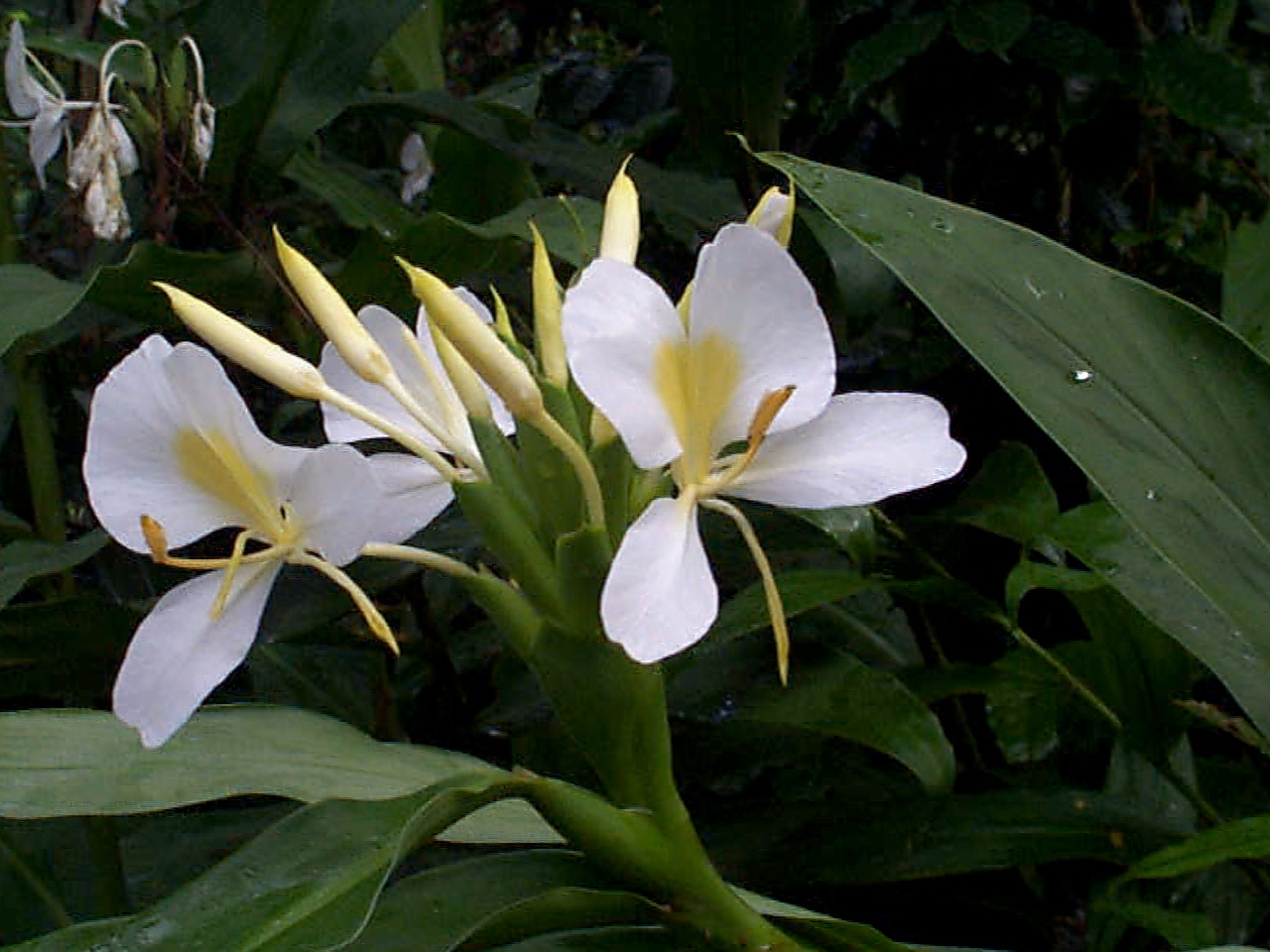
In addition, while tidying up today, I found a label for an Iberis sempervirens “Winter glow”, which proves to be what I have been calling Euphorbia “Diamond frost”. I was puzzled that it should be a Euphorbia, but it begs the question where the Euphorbia went.
OK, people can make mistakes. But now I have the problem that I already had with the Buddleja × weyeriana: I have lots of photos on the web, and when I change the names, they'll give 404s. What to do? I suppose the only choice is still to special-case it in my 404 document. What a pain!
|
DxO Optics: Not supported
|
Topic: multimedia, opinion, technology | Link here |
The progress of my bug report about saving defaults with DxO Optics “Pro” was amazing. First it got folded into a different ticket about the problems that DxO has, apparently with CIFS—a completely unrelated issue. Then today I got a response: Microsoft “Windows” 8 isn't supported. Problem: the ticket relates to Microsoft “Windows” XP. And he asked for traces, which I had submitted over a month ago. Clearly a problem with the work flow in support.
But where did he get the information that I'm running (pre-release) “Windows” 8? It's not in the bug report: I wasn't able to select it, so I specified “Windows” 7. I'm left with the feeling that they're not very open to genuine problem analysis.
| Saturday, 20 October 2012 | Dereel | Images for 20 October 2012 |
| Top of page | ||
| previous day | ||
| next day | ||
| last day |
|
House photos smoother
|
Topic: photography, opinion | Link here |
House photo day again today, and for once things went smoothly. It still took all day, but then I suppose people who use just Microsoft space programs would take much longer to process 12 panoramas.
|
Token weeding
|
Topic: gardening | Link here |
As a result of the photo processing, didn't get much else done. But lately I've found time to do a half hour or so of weeding every day, and it's gradually showing its effect. It'll be a while before I'm on top of it, though.
|
Return from Germany
|
Topic: general | Link here |
Chris Yeardley's brother Jonas and family returned from 2 years in Germany a few weeks back, and they're spending the weekend with her. Had dinner at our place, a little late for the little girls. I'm amazed how enthusiastic Jonas is with them—as I said, he should be a teacher (he is).
Comparing life in Germany and here, he came out with the surprising statement that beer in Germany is cheaper than it used to be 20 years ago, starting at 6 € for a crate of 20 0.5 litre [beer] bottles, and that all food is cheaper than here (well, not beef). That's very definitely a big difference from when we lived there.
|
GIMP: The solution?
|
Topic: photography, technology, opinion | Link here |
Yvonne has been using xv for her photo processing for some time now. It's 20 years old, and by modern standards it's limited. In particular, it doesn't handle EXIF data, because it didn't exist when it was written. So it occurred to me that she might be able to use GIMP instead. She had taken some photos today, so I got her to try them out.
What a pain! She hated it, and I can't blame her. Workflow is terrible. With xv, she simply did:
=== yvonne@lagoon (/dev/pts/9) ~/Photos/20121020 55 -> xv *
xv then presents the photos one by one. She crops them and saves the result with a meaningful name.
So why doesn't that work for GIMP? First, GIMP insists on opening a separate window for each image. Today there were 102 of them, and though Yvonne went off and did something else for a while, it was still at it when she came back over 10 minutes later. So we stopped it and just started without parameters. Then, of course, she had to do a tree-climb to get to the cwd. It suggests all sorts of only marginally useful directories to start from, but the current directory isn't one of them, and entering . gets some unrelated directory, the name of which it doesn't divulge, containing files that locate can't find. What is it? And why?
Once in the directory, she could select a file and process it. That part is easy. GIMP would prefer to save the file by overwriting the original, but you can persuade it not to (ctrl-shift-S). And if you don't tell it anything else (by using a file extension), it will save it in some GIMP-specific format. Type in .jpeg and it does the right thing, but for every image it wants a confirmation screen.
Next image: ctrl-o. It positions the selection on the name of the file just saved. Which was the last one processed? Got to remember that. Go back there (page up several pages) and select it. New window. You need to close the old one manually.
After about 10 of these images (10% of the total), Yvonne was so fed up that she gave up. Yes, GIMP has many more features than xv. But they're presented in such a painful, Microsoft-like fashion that nobody in his right mind would want to use it. Why can't people think in terms of making it easier to use?
| Sunday, 21 October 2012 | Dereel | Images for 21 October 2012 |
| Top of page | ||
| previous day | ||
| next day | ||
| last day |
|
New panoramic hardware
|
Topic: photography, opinion | Link here |
Message from Peter Blake today pointing me at Custom brackets, some of which are for panoramas. But the list of panoramic brackets is less than complete; the only thing they can deliver is a nodal slide for $100, similar to the ones I bought for $12.50. Still, the name suggests that you can put things together according to your desire, so it could be an interesting place to look at in more detail.
|
Progress of spring
|
Topic: gardening | Link here |
Spring is progressing, and it's time to bring some of the pot plants out of their winter quarters in the greenhouse, the Mandevilla and the Hibiscus rosa-sinensis, which started flowering today:

|
|||||||||||||||||||||||
It seems that every day we have new flowers. Since last week we have the first Clematis, this time the “Vagabond” before the “pearl d'azure”.

|
|||||||||||||||||||||||
Some things are flowering for the first time, including the Aeonium that I bought two years ago and the Felicia angustifolia and Coleonema pulchrum that I bought last winter:

|
|||||||||||||||||||||||

|
|||||||||||||||||||||||

|
|||||||||||||||||||||||
The “native gladiolus” that I bought this time last year has increased remarkably in size. Here last year and today:

|
|||||||||||||||||||||||

|
|||||||||||||||||||||||
And the Wisteria floribunda is flowering rather better than last year, though it's still difficult to get a good photo:

|
|||||||||||||||||||||||

|
|||||||||||||||||||||||
|
avidemux2: the pain
|
Topic: multimedia, technology, opinion | Link here |
More discussion on IRC of the problems I've been having with avidemux2. There is no formal maintainer for the FreeBSD port, but Jürgen Lock has done some work on it recently. Did some more examination and discovered that I needed to install a second port, avidemux2-plugins. Why? One of the advantages of the Ports Collection is that this gets done for you. But it seems that there's an issue with the way newer versions of avidemux2 build, and that makes it incompatible with the Ports Collection. I'm sure there's a solution to that, but at the very least the port should print an appropriate message when it's done.
So: started avidemux2 again, and sure enough, no error message about missing sound support. And no sound. It took some time again to discover that the default audio output is “Dummy”. It needs to be set in Preferences, in my case to “sdl”, whatever that means. Then things work.
And the crashes on configuration? Tried selecting “MPEG-2 requant” and then “configure” again. It still crashes.
Further investigation shows that there are now many more video options. Tried selecting all of them and then configuring. Most worked, only “MPEG-2 requant” and “YV12” crashed. Jürgen was able to reproduce that, so presumably it'll get fixed later.
The other strange issue is a problem with window refresh. In some cases it doesn't happen until the window is moved. All in all, not a prime example of “open source” software.
|
More weeding
|
Topic: gardening | Link here |
On with the weeding. It seems that I have passed the threshold where I felt it was pointless, and I'm gradually getting parts of the garden relatively weed-free. Today worked on the shade area, which was overrun not only with grass (not welcome) and violets, which are in principle welcome, but they are growing up to 50 cm high and obscuring other plants. There's also a stray Arum lily in there. I'll let it finish flowering and then remove it.
The “middle succulent bed” across the path is another issue. It's completely overrun with grass, coming up in the protection of the various succulents. Here this time last year and yesterday. The greyish succulents to the left of the dark one are now almost completely invisible:

|
|||||||||||||||||||||||

|
|||||||||||||||||||||||
Spent a lot of time trying to tidy that up, but only managed part of the bed.
| Monday, 22 October 2012 | Dereel | Images for 22 October 2012 |
| Top of page | ||
| previous day | ||
| next day | ||
| last day |
|
GIMP: It must be like that
|
Topic: technology, opinion, photography | Link here |
Callum Gibson disagreed with my comments on GIMP from a couple of days ago. I've heard them before, both from him and from others. I still disagree. In summary (my comments in italics):
gimp * is not the correct way to use GIMP.
But only because it handles the situation so badly. I'm not convinced that there is a good way to use GIMP.
GIMP is very powerful but complicated. That's why there are so many YouTube tutorials.
YouTube tutorials are a symptom of the problem. They shouldn't be necessary.
GIMP is not a simple tool like xv.
My point exactly. But functionality doesn't preclude usability.
The way things are set out in layers and all the other concepts mean that it can't just be a simple image editor like xv incorporates.
Agreed, but irrelevant. That doesn't mean the interface has to be so broken.
The normal way to save something you're working on is to write it back where it came from. Look at how vi does it, for example.
Many originals are holy if they involve significant effort to recreate them. It's different if you start writing a document and then save updates to it. And if you have something that's important, such as source from an existing project, you don't discard the original either. Either you put it in a revision control system, or you keep a backup. The first is inappropriate for images, but the second would work. But none of the tools do that.
Emacs recognizes this: by default it renames the original file, say foo, to foo~. But that's as far as I'll go with the Emacs/vi debate.
GIMP is an image editor, not a photo editor.
What's the difference? And if there is one, what proportion of the images processed by GIMP are not photos? I'd guess that at least 90% are photos. But the real issue here is how difficult it is to recreate the original image if you need it, not whether it's a photo or not.
This line of argumentation is widespread. “It's complicated, so it must be difficult to use”. Clearly it's difficult to produce good interfaces for complex software, but as long as you don't even try, there's not much hope. The examples I presented are straightforward and easy to fix. Arguably most of these should be options; presumably died-in-the-wool GIMP users would reject them:
Don't open a new window for every image.
Allow sequential selection of a specified list of images.
Don't confuse the list of source files with the list of saved files.
When saving JPEG images, allow suppression of this window:

|
|
||||||||
When it's not suppressed, it should grab focus so that you don't have to engage in even more mouse-pushing to press Save.
See? That's not difficult, is it? And it has nothing to do with the complexity of the beast. But I don't see it being adopted, so don't expect to see patches any time soon.
|
Please don't eat the gazanias
|
Topic: gardening | Link here |
Who has been eating my gazanias?

|
|||||||||||||||||||||||
Whatever it was, it bit off the flowers and left them lying around.
|
Non possum
|
Topic: animals, language, opinion | Link here |
Decades ago, in school in England, Mansell Jacquet, our Latin teacher said to us: “So you're on the beach in Ostia, and you see this person out in the water shouting ”Ecce! No!”. What does it mean?”.
Strangely, none of us got it. “Ecce” is clear: in this case, it would be roughly “Look!”. But “No”? The way he declaimed the words were part of the problem: it's the present singular first person of nare, to swim. So all it meant was “Look! I'm swimming!”. I've recalled this over the decades because it was so simple, straightforward and yet misleading.
I was reminded of it again today when Yvonne told me there was a drowned possum in the horse's water trough:

|
|||||||||||||||||||||||

|
|||||||||||||||||||||||

|
|||||||||||||||||||||||
Was that what ate my gazanias? Clearly it couldn't swim (enough), or in Latin “non possum” (“I can't“).
|
Still more weeding
|
Topic: gardening | Link here |
More attacking the weeds in the middle succulent garden today, in the process rediscovering the Anigozanthus that had been completely overgrown. Here 3½ years ago, when we first planted it, and now:

|
|||||||||||||||||||||||

|
|||||||||||||||||||||||
But the greyish succulents (in the middle back in the first image) look as if they'll still be a mess when I've removed the grass. Maybe I should pull out the whole middle and replant the succulents.
| Tuesday, 23 October 2012 | Dereel | Images for 23 October 2012 |
| Top of page | ||
| previous day | ||
| next day | ||
| last day |
|
More property viewing
|
Topic: general | Link here |
Windy day today. As planned, off to the Westons Road site, which we had rejected in principle because of fire danger, but also in part because Scott Weston tells me that it's very windy there.
And windy it was, but no more than where we are now. That alone wouldn't be a reason to reject it. But there are plenty of other reasons too. I'm still waiting for a call back from the surveyors about subdividing our property, but in the meantime a couple of new houses have come on the market: one at 39 Battery Road, and one almost adjoining at 2806 Ballarat-Colac Road. As feared, the Battery Road property has too much bush on the property: there's hardly any open land at all. So we can forget that one. The other is quite interesting. It's directly behind the old General Store, but well protected from the road—I had never noticed that there was a house there at all. And it looks quite good. The only problem is that they want $460,000 for it, at least $100,000 more than we want to pay. Still, it might be worth looking at.
|
More photo reprocessing
|
Topic: photography | Link here |
As I write this diary, I frequently go back and compare what the place looks like now and what it looked like then. Some of the comparisons are significant, like these two taken two years apart:

|
|||||||||||||||||||||||

|
|||||||||||||||||||||||
The problem is, I've changed my photo processing since then. So it looks like I'll need to continue reprocessing the old photos. In this case, I managed to improve the rendition significantly:
|
|||||||||||||||||||||||

|
|||||||||||||||||||||||
In the process, though, I find that I need the old versions. For example, at the time I found these problems with flash exposure:

|
|||||||||||||||||||||||

|
|||||||||||||||||||||||
But after reprocessing with DxO Optics “Pro”, there was hardly any difference:

|
|||||||||||||||||||||||

|
|||||||||||||||||||||||
Many of these photos show the alternate photo when you run the mouse over the photo, but only if Javascript is enabled.
Not only that caused “problems”. The distortion correction meant that the hugin project files no longer worked, and I had to reprocess some panoramas. This is going to be a long job.
|
Weeding, continued
|
Topic: gardening | Link here |
More work in the middle succulent bed. It's taking forever. Also back to the south part of the east garden, where I'm still hoping for morning glories. The soil is full of couch grass, which has wound itself around the Canna rhizomes. I'm going to have to keep an eye on that.
|
NiZn batteries: more problems
|
Topic: technology, opinion | Link here |
The indoor part of the inside/outside thermometer has again had problems with the Nickel-Zinc batteries. Once again I noticed it because the illumination was weak. And once again the voltage of one of the batteries had dropped to just over 1.0 V. Looking at my records, I see it was the same one I had problems with last time. Here part of my records:
| Before | After | |||||
| Battery | Date | charge | charge | |||
| 5 | 15 October 2012 | 1.765 | 1.896 | |||
| 10 | 15 October 2012 | 1.007 | 1.848 | |||
| 5 | 23 October 2012 | 1.798 | 1.867 | |||
| 10 | 23 October 2012 | 1.024 | 1.797 | |||
So clearly there's something wrong with battery 10. More importantly, batteries of differing quality really don't mix. I wonder what I can do with a single flaky battery, apart from throw it out. I think it would work OK without being in series with a more powerful one.
| Wednesday, 24 October 2012 | Dereel | Images for 24 October 2012 |
| Top of page | ||
| previous day | ||
| next day | ||
| last day |
|
Council election: too hard
|
Topic: general, opinion | Link here |
The Golden Plains Shire is having council elections at the moment. Voting is compulsory and by mail, and I've been dragging my feet. Why? There are 12 candidates, none of whom I know, and I have to rank them all. That's a total of 479,001,600 possible permutations. How can I honestly do that? I could, of course, follow the sequence that each candidate recommends, but is that honest? The fact that they make these suggestions is an indication that it's too difficult to make up your own mind. Three of them (Jenny Blake, Peter Clifton and Helena Kirby) have sent separate statements recommending themselves. But if I put them at the top (for initiative), how do I do the rest? They each put each other way down on the list.
This doesn't make sense. I have to hand in a ballot, but it's an informal vote, a circumscription for “invalid”. It would be invalid if I left out even one number, so I might as well leave them all out. Is this an appropriate way to elect people? Wouldn't it make more sense to allow specification of a subset?
|
High definition: a matter of viewpoint
|
Topic: technology, opinion | Link here |
I'm still looking for a new video card for my computer. It looks as if the Zotac ZT-60201-10L might be the choice. It seems that it can feed two monitors with up to 2560×1600 dpi. High definition indeed, at least in part. Clearly it hasn't filtered through to the spec sheet:

|
|
||||||||
|
Combating white fly
|
Topic: gardening, opinion | Link here |
With spring comes white fly, and there are already many in the greenhouse. I've been thinking of tackling them with Encarsia formosa, a small parasitic wasp that lays eggs in their larvae. It seems that the only supplier in Australia is Biological Services in Loxton. I had called there on Monday, and today got a call back from James, who discussed the matter at length.
It seems it's a bit late in the year for a treatment, but with three applications I could manage it. The problem is, they're geared for commercial quantities: you need about 2 wasps per m², but the smallest quantity they sell is 1000, which costs $35 including GST and postage. And you can't keep them from one application to the next: they'd die. So the treatment would cost over $100. That might be worth it if I were doing this on a commercial scale, but after some consideration it seems more appropriate to take the tomatoes and other sensitive plants out of the greenhouse and plant them in the veggie patch.
|
Veggie patch again
|
Topic: gardening | Link here |
So back to the veggie patch again, where a few weeks ago I removed all the weeds and planted potatoes. Now it looks like this:

|
|||||||||||||||||||||||
Yes, there are potatoes in there, but most of the vegetation is the sorrel that I had pulled out, mixed with a few stinging nettles. It proved, though, that the plants hadn't grown from roots, but from seed, and they were relatively easy to remove. I hadn't noticed the sorrel flowering, but it does so well. Now the question: do I mulch or not? If I don't, more sorrel and nettles will grow. If I do, it's going to be more difficult to remove the ones that pop up anyway.
While pondering that, set to on the other side of the patch to remove sorrel, clover and other weeds, and made reasonable progress. I think I should put down weed mat round the tomatoes.
|
New neighbours again
|
Topic: general | Link here |
The house across the road has new tenants again, this time a Josh and Bianca. Over to say hello in the evening. They have two dogs, a Harlequin Deutsche Dogge and a Setter puppy. For some reason, the latter took a liking to me and literally had to be dragged away.
|
Moussaka disaster
|
Topic: food and drink | Link here |
Tried making Moussaka today, following a recipe in the Australian Women's Weekly Greek cookbook. It wasn't a success.
Often our experiments turn out to be disappointing, but this time was an unmitigated disaster. The recipe (“4: Cover with cheese sauce; 5: Make the cheese sauce like this”) wanted the aubergines cut into 5 mm slices and then browned in the oven. The first half took over 20 minutes to brown, and when it was done the slices had shrunken so much there was hardly anything left, and had stuck to the oven tray and had to be scraped off. While doing the second half (carefully oiled with our special “El Chipo” brand olive oil), checked in Bonniers Kokbok, which wants 1 cm slices and no grilling. Back to the oven, and discovered that the second half had required much less time to brown, and were now completely black. What a pain! And the trouble is that Yvonne doesn't like aubergines much, so it'll be a while before we can try again. When we do I'll consider deep frying instead of grilling.
But why did the first half of the aubergines hardly brown at all, and the second half burnt so quickly? I had the oven set to “grill”, and the first lot was done at 180°, which was clearly not enough. So I turned the temperature up to 200° for the second lot, which allowed the grill to run continuously for some time. The minor difference in temperature was presumably less significant than the step change. In any case, another lesson: keep your eye on things being grilled. And another reason to use the deep fryer.
| Thursday, 25 October 2012 | Dereel | Images for 25 October 2012 |
| Top of page | ||
| previous day | ||
| next day | ||
| last day |
|
Return of winter
|
Topic: general, gardening | Link here |
Another of these strange days where the temperature dropped continually from midnight:
| Minimum | At | Maximum | At | |||||
| Outside temperature (°C) | 7.7 | 23:42:21 | 19.4 | 00:47:49 | ||||
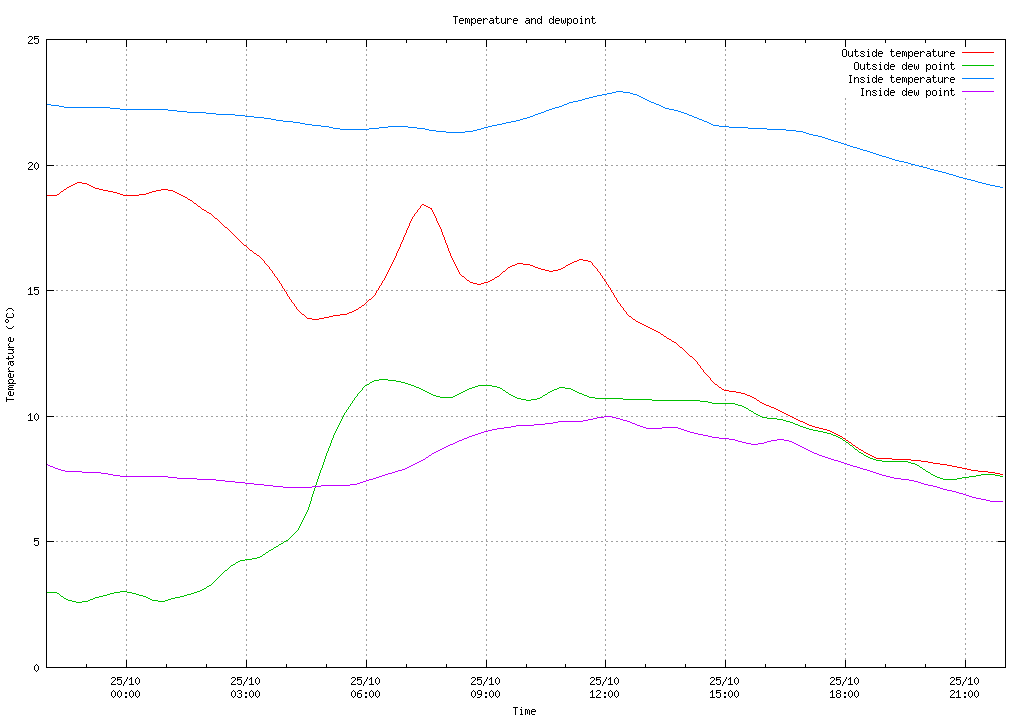
As a result, didn't do much outside. But spring's on its way: the Jasminum polyanthum on the north side of the verandah is in full bloom, and for the first time our yellow water irises are flowering in the pond:

|
|||||||||||||||||||||||

|
|||||||||||||||||||||||
Also did some more work in the veggie patch to prepare for planting the tomatoes. I had hoped to finish, but the weather was against me. Still, in a couple of days we're headed for quite a cool night, so it wouldn't do any harm to wait until after that.
|
Cistus, not Cissus
|
Topic: gardening | Link here |
The quarterly catalogue from Lambley Nursery arrived today. One of the new plants is a Cistus × Laxus. I know that plant: it's the “Cissus” I've been puzzling about for a while. Clearly a spelling error.
| Friday, 26 October 2012 | Dereel | Images for 26 October 2012 |
| Top of page | ||
| previous day | ||
| next day | ||
| last day |
|
Another rainy day
|
Topic: general | Link here |
More rain today, sometimes heavy. And I wanted to finish the work in the veggie patch, but there was really not much I could do. In the end spent some time reprocessing old photos—what a job that is!—and watched a bit of TV.
| Saturday, 27 October 2012 | Dereel | Images for 27 October 2012 |
| Top of page | ||
| previous day | ||
| next day | ||
| last day |
|
Ballarat Gardens in Spring, day 0
|
Topic: gardening, general | Link here |
Off with Yvonne this morning to visit the fifth Ballarat Gardens in Spring. First stopped at the Dereel market (or is that “car boot sale”?), which has shrunken sadly since the restart last August. But we did find a number of plants, and ended up buying plants designated as Rock Orchid and Fly plant. It seems that the Rock Orchid really is an orchid, possibly a Dendrobium:

|
|||||||||||||||||||||||

|
|||||||||||||||||||||||
The “fly plant” is strange. It has leaves with something like a flower in the middle:

|
|||||||||||||||||||||||

|
|||||||||||||||||||||||

|
|||||||||||||||||||||||
But how do I find out what it is? Searching on Google brings far too many false positives with fly traps and things.
A month later I was able to identify this plant as a Ruscus, probably Ruscus aculeatus.
Then on to visit the first of the open gardens, “The Ridge” in Buninyong. Got there, and there was no evidence of any open garden, in particular no sign anywhere. Further investigation showed that I had made a mistake: I had thought that all gardens were open both Saturday and Sunday, but this garden was only open on Sunday.
Cursing, on to Dunnstown House, after confirming that it, at least, was open today. Got there, past Liz Gilfillan's Avebury, and despite the GPS navigator that wanted to take me across a paddock again. Again no signs. But I saw the owner, Susan Patterson, who said “You're a week early”. And I was: Ballarat Gardens in Spring is next week. All the more mud on my face that I was part of the team organizing it this year. Still, Susan was more than happy to show us around her garden, something that she probably wouldn't have time for next week. At least it gave me the chance to get some photos of the garden to put up on the web: this was the only garden for which I didn't have any photos. Very nice place, full to the brim with plants, notably the Echiums:

|
|||||||||||||||||||||||

|
|||||||||||||||||||||||

|
|||||||||||||||||||||||
Yvonne also took a liking to the Ceanothus bush:

|
|||||||||||||||||||||||
So she got a cutting of that, followed after a while by a number of other things, including Echium, Elms and a bush whose name I have forgotten.
Back home via Ballarat, intending to buy some flowers for spring. But we were too late in the season: Growmaster had none, and the ones at Formosa Gardens cost more than I was willing to pay. I'll have to rearrange something I already have in the garden.
Spent most of the afternoon processing photos; apart from the photos of Dunnstown House, there were the usual Saturday garden photos. Our garden doesn't look nearly as good, but then, Susan has been working on hers for over 40 years.
|
Scrambled display on hi-res monitor
|
Topic: technology | Link here |
I'm very happy with my new 2560×1440 monitor, but on three occasions now I've had a scrambled display when powering on:

|
|||||||||||||||||||||||
The first two cases were shortly after I got it, and the third was today. In each case I powered cycled it and it came up correctly, so I assume this is some kind of power-up race condition.
| Sunday, 28 October 2012 | Dereel | Images for 28 October 2012 |
| Top of page | ||
| previous day | ||
| next day | ||
| last day |
|
Another power failure
|
Topic: general | Link here |
This year we've had relatively few mains power failures—the last unplanned one that lasted more than a few seconds was on 4 April 2012, and there was only one other longer one this year. But last night at 23:00 I heard the UPSs beeping, and I couldn't be bothered to get up and call Powercor, so I suppose it took them a while to discover that something had gone wrong. And power didn't come back until 3:06, the longest outage since 11 November 2009 .
In the morning, took the opportunity to connect my main machines back to the UPS.
|
Preparing the tomatoes
|
Topic: gardening | Link here |
It's becoming increasingly urgent to plant the tomato plants. The number of white flies in the greenhouse is on the increase, and the weather is getting warmer. More work in the veggie patch, and got as far as laying out the weed mat. It'll still be a job to perforate it for the plants, so left that and attended to the weeds behind the pond, of which there are still many. But gradually things are looking better.
|
DxO support: all your fault
|
Topic: photography, technology, opinion | Link here |
My interaction with DxO support continues to be frustrating. They don't read the reports, and they continually blame the problems on my configuration that “just meets the minimum requirements”. They won't tell me why this is a problem with accessing files via SMB. Indeed, they don't know what that is:
Please advise specifically what your issues are with access to shared (CIFS/SMB) file systems. Also please enlighten me as to the characteristics of these file systems, there are so many and I am personally unfamiliar with this specific terminology.
The issues are described in detail in the problem reports, of course, not to mention this diary, which shows that this has been going on for nearly 2 months. But a support person for a Microsoft-based product doesn't know what SMB is? Is that normal? So I told him, and got the even more surprising response:
If you are having errors with standard internet protocols, it is most likely due to your just meets minimum requirements computer. We do not troubleshoot Internet connectivity of customer machines nor does the DxO Optics Pro Software (not even the new Version 8.0).
And then there are issues with a new “feature” that they introduced recently: displaying a second set of thumbnails of the original images during processing, out of order. They're unnecessary in the first place, but the out of order display is particularly irritating. And I had to try three times before I even got a response to this point:
If these screenshots were indeed obtained under a supported OS, this function has been retained in the new DxO Optics Pro 8.0. They show processing progress on your computer. Which as I recall just meets minimum specifications to run DxO Optics Pro.
I had deliberately included the window decorations to show that this was Microsoft “Windows” XP. And not a word about the out-of-order display.
It's been so long since I purchased any Microsoft-space software that I really don't know: is this the level of support you should expect from third-party software vendors nowadays? Doubtless part of their inability to read what I write is because of their insistence on reverse order note-keeping:
In any case, they're bringing out a new version, and they'll want more money for that, without any indication that the problems will be solved. I'm sure it'll be just as glacially slow as before. Time to try a different product?
| Monday, 29 October 2012 | Dereel | |
| Top of page | ||
| previous day | ||
| next day | ||
| last day |
|
Finding an alternative to DxO
|
Topic: photography, technology, opinion | Link here |
So far my experiences with DxO Optics “Pro” have been very frustrating. It's slower than anything I've seen, full of bugs, and the support people do everything they can to avoid fixing them. Now I can install a new version and pay more money, and the only mention of fixes is that the display bug I reported (they call it a feature) will not be fixed.
So: what are the alternatives? The obvious (and free) one is Olympus Viewer 2. After a bit of investigation, discovered that I first needed to install a version 6 months old and then use that to install the latest version. Installed the viewer and tried the update—“Your Olympus Viewer 2 is up to date”:

|
|
||||||||
It wasn't, but the differences weren't important. But why does all this software have so many bugs?
So: fired it up. I remember this product as having a particularly emetic interface, but I seem to be getting used to the Microsoft Way, and it wasn't too bad. But I couldn't find the photo file system in the silly tree on the left-hand side. But now I can enter path names (“Address”) directly in a window at the top, rather like in a web browser. Did that and got a message saying that the path was invalid. So I had to copy the files to the local file system—exactly the same kind of problem I had with DxO, just worse. Is there some general issue with SMB file systems under Microsoft?
Finally got round to processing the images. Clearly I didn't have the DxO presets at hand, so I tried as best I could. Yes, it corrects for distortion based on its knowledge of the lens, and also for chromatic aberration—without any lens profile. Still, this was for purposes of comparison only, so I let it run. Surprise, surprise: it's just as slow as DxO. And the results? Nowhere near as good. I had taken one of the photos from Dunnstown House as an example: it seems that the first time I processed them, I forgot to re-set all the settings that DxO Optics “Pro” had forgotten, and got a surprising amount of chromatic aberration from my Zuiko Digital ED 12-60mm F2.8-4.0 SWD lens. So I had a three-way test: the image processed by DxO without correction for chromatic aberration, processed by DxO with correction for chromatic aberration, and the image processed by Olympus Viewer 2. Here the latter two, with mouseover alternation, first the one processed by DxO, then by Olympus:

|
|||||||||||||||||||||||

|
|||||||||||||||||||||||
Clearly the gradation is different, but more important, so is the distortion correction. It's not clear in this case which is more correct; I suppose I should try it on geometric shapes. Chromatic aberration is not obvious at this magnification, but it is on a crop, here of the top left-hand corner. Again there is mouseover alternation with the following image. These images are at native resolution, but the differences are clearer if you click on them to get double the size: first DxO without CA correction, then DxO with CA correction, then Olympus:

|
|
|||||||||

|
|
|||||||||

|
|
|||||||||
Clearly DxO does the best job there. It's beginning to look as if I will have to put up with its bugs.
Another thing that I have noticed before: Ashampoo Photo Optimizer does not like the output of Olympus Viewer. Here's what it made of this image:
|
|||||||||||||||||||||||

|
|||||||||||||||||||||||
|
Network disconnect insights
|
Topic: technology, opinion | Link here |
After yesterday's power failure, I noticed that my wireless Internet connection was no longer doing any cell hopping, to the point that I started looking at my reporting software. It took over 24 hours before it started again:
And then, of course, I had another remote disconnect:
Roll on the radiation tower! It must be time for VCAT to deal with Wendy's complaint.
|
Too hot for gardening
|
Topic: gardening | Link here |
I have been meaning to plant those tomatoes for nearly a week now, but today was warm, and I found other things that also needed attention. In the end planted the last of the Salvia mexicana “Limelight” that I had saved for Chris Yeardley, between the smaller Birch tree and the verandah, and planted the terracotta trough on the verandah with Viola tricolor. And that was enough.
| Tuesday, 30 October 2012 | Dereel | Images for 30 October 2012 |
| Top of page | ||
| previous day | ||
| next day | ||
| last day |
|
DxO 8: first impressions
|
Topic: photography, technology, opinion | Link here |
DxO Optics “Pro” release 8 is now available, so I downloaded it to try it out. In brief: it works, and so far it seems that the problems I have seen in the past haven't shown up. But I haven't finished my checks yet. Instead, revisited some comparisons I did 3½ years ago, before I started using DxO. At the time I had two views that caused significant problems. Today I tried—not for the first time—to process them with DxO, and this time I completed the task. Here are the comparisons with the base image, the best I got at the time, and what I got today with DxO. Again, each image has mouseover alternation with the next:

|
|||||||||||||||||||||||

|
|||||||||||||||||||||||

|
|||||||||||||||||||||||
There's really no comparison.
The other comparison was supposed to be about the camera settings (“picture mode” “muted” and “vivid”). That didn't work because this is an idea in the mind of the camera-generated JPEG, but the comparison of the images is still interesting. Again, first the best from my last comparisons and then the DxO image:

|
|||||||||||||||||||||||

|
|||||||||||||||||||||||
|
Trying Capture One
|
Topic: photography, technology, opinion | Link here |
By coincidence, also received mail from Phase One, advertising their new (I think) release of Capture One “Pro” 7, which does many of the same things that DxO Optics “Pro” does, though in this case the “Pro” is really in contrast to a non-“Pro” version. Again I get a free trial, this time 60 days, so I downloaded it and tried it out.
Where's the documentation? There's a user guide for release 6, but all I can find for 7 is a “Getting Started” guide. A bit more searching found an online guide with precious few images, whose rendering upsets firefox, but which with a bit of effort explains what you have to do.
The first thing is to create a Catalog! I can't just process files. It's happy enough with SMB file systems, but it doesn't want to do anything until there's a catalog.
About here I decided to give up, but after a while I reconsidered and went back and created a catalog, and then tried to access my files. No, sir, you can't do that. First they need to be “imported”. We can't have your photos hanging around on any old file system now, can we? Instead, it copied all the files to its own hierarchy:

|
|
||||||||
Why do people do this? Potentially you can find a way around it, though I couldn't in the time I was playing with it. In this case there are only 5 files, but on Saturdays I have up to 300, which makes for gigabytes of duplication, not to mention the time that the unnecessary copying takes.
Still, the important thing is the quality of the conversion. Tried the same images as earlier in the day. Capture One “Pro” also has tools to lighten shadows, so tried that. It's fast enough that you can move sliders to lighten the shadows and also darken the highlights. The results in the preview window didn't look bad at all:

|
||||||||||||||||||||||
So I “exported” the images, which it happily did to the SMB file system, but I couldn't find a way to tell it to do it in JPEG. Instead it created TIFF files. So I used ImageMagick to convert them; convert complained bitterly:
=== grog@eureka (/dev/pts/8) /Photos/00-Oly 125 -> convert P4127387.tif P4127387.jpeg
And the results? Nothing like the preview. Here the results from Capture One, then the same image processed by DxO. Again, each image has mouseover alternation with the other:

|
|||||||||||||||||||||||
|
|||||||||||||||||||||||
But why the difference in saturation? I don't know. I wondered whether it could have been the conversion to JPEG, but xv didn't want to know about the TIFF files: it complained transiently about various format errors and refused to display it.
Still, the image did look good, probably better than the one created by DxO. These two images show the top left corner of each at natural resolution, first Capture One, then DxO. The blue shadows in the DxO image have almost completely disappeared.

|
|
|||||||||

|
|
|||||||||
One thing's clear from the image comparison above, though: the shape of the image is different. DxO has compensated for lens distortion, but though Capture One “Pro” offers distortion correction for some lenses, none are Olympus SLR lenses, and the cheaper non-“Pro” version doesn't offer it at all. And neither of them have lens-specific chromatic aberration correction. I'll look at what I can do about that tomorrow, but this looks like yet another reason to reject it.
Apart from that, though, and this stupid import/export business, it doesn't look too bad. But some things show how different the approach is. You can create a web page with “contact prints”, something that I've found useful and done myself. But my version shows reasonable sizes, and you can select them to get them in full size, and you can enter names for them:

|
||||||||||||||||||||||

|
||||||||||||||||||||||
The original sizes of these displays are 998×547 and 2535×747 (I trimmed mine, which was really full screen on the 2560×1440 monitor). My contact images are 300×400 pixels; the ones in Capture One's web page are roughly 108×144, and they can't be enlarged. So a nice idea proves to be less useful than what I have already.
|
Too hot to garden
|
Topic: general, gardening | Link here |
The weather at this time of the year is amazing. It's either too cold or too hot. Today was the latter, with a top temperature of 35.2°:
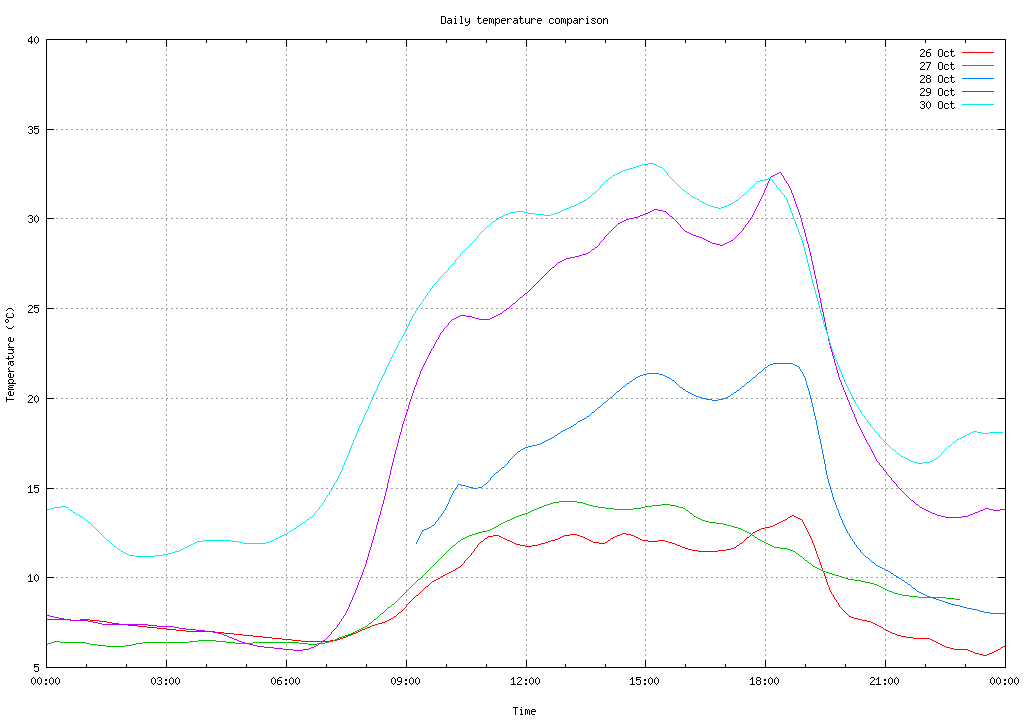
And only 3 days ago the top temperature was 14.7°.
Decided that it was too hot to plant tomatoes, though I did plant the few remaining Mirabilis jalapa plants. None are looking happy, but I'm not sure what I have done wrong. Also a bit of weeding—that's always worthwhile.
| Wednesday, 31 October 2012 | Dereel | Images for 31 October 2012 |
| Top of page | ||
| previous day |
|
Still more photo processing
|
Topic: photography, technology, opinion | Link here |
I had intended to play around more with Capture One “Pro” 7 today, but somehow I didn't get round to it. Instead spent some time looking at DxO Optics “Pro” release 8, in particular with regard to the problems I have had with release 7. In summary:
7.5.4 no longer processes files on SMB file systems.
This problem was transient in 7.5.4 and 7.5.5, but I haven't seen it at all on 8.0.
Can't save processing settings.
This seems to have partially disappeared in version 7.5.5, where it only happened under Microsoft “Windows” 8. I haven't seen it at all on 8.0.
Images are displayed in the “Process” window, slowly and out of sequence.
This one is still there, though it doesn't seem as badly missorted.
And what else? It's always the misfeatures that get you first, of course. They have this new feature that I can no longer find on their web site, that it remembers what you were doing last time and displays the images when restarted—even if they're no longer there! In my case, I removed the images and replaced them, and it displayed two copies (“virtual copies”) of each image! What a pain! They need to be explicitly removed, which involves first sorting the display by virtual copy number, selecting all the virtual copies and removing them. I wonder what they think this is good for.
And the processing speed? I tried processing all the images I took on 20 October 2012, all 216 of them. After 45 of them (72 minutes, 35 seconds) I aborted the conversion. That's an average of 1.6 minutes per file, where I had been getting only a little over 30 seconds with release 7. But I've already noted that there's something strange about the processing speed. Tried again with release 7.5.5, processing the first 10 images and a JPEG image accidentally left in the directory: 7.97 minutes for 11 images, or 44 seconds per image. Tried the same 10 images (irritatingly without the JPEG) with release 8 and it took 7.12 minutes, or 43 seconds per image.
Why the discrepancy? Is there some performance issue that makes it slower when you have a lot of files to process? That's a possible interpretation of this statement in one of my tickets:
It will run very slowly given such a large batch run. Reduce your batch size if you wish better processing speed or alternatively use a more capable computer.
In any case, things look marginally better now. Spent a lot of time reading the manual, which has also been reworked and now looks optically much better.
|
Still too hot for the garden
|
Topic: gardening | Link here |
It was supposed to be cooler today, and indeed it did cool down by the evening after hitting 33° round midday. As a result, didn't get much done in the garden. Spread some compost, did more weeding, and that was about that.
|
Thawing cheese in microwave oven
|
Topic: food and drink, opinion | Link here |
When calculating times for thawing food, I make the base assumption that it's all water. Then things are simple: you need 1 calorie (4.2 Joules) to raise the temperature by 1°, and 80 calories to thaw from -0° to +0°. So to raise 400g of water at -20° to +20° will take 400 × (80 + 40) × 4.2 = 201 kJ. At the lowest setting of my microwave oven (110 W) that's 1833 seconds, just over 30 minutes. So probably I'd give it 10 minutes at 330 W.
Today we had fondue de fromage for dinner, and for once we had to thaw out the cheese, which (not coincidentally) weighed a little over 400g. Gave it 10 minutes at 220 W, which should barely have brought it to 0°, and it melted! Part of that might have been to do with the fact that the Appenzeller had metal foil on one side, but it seems that my basic assumption “it's all water” doesn't apply for cheese. Next time I'll give it only half the heating.
And the result? No problem. After all, fondue is molten cheese. It might even be easier to melt it in the microwave oven.
Do you have a comment about something I have written? This is a diary, not a “blog”, and there is deliberately no provision for directly adding comments. It's also not a vehicle for third-party content. But I welcome feedback and try to reply to all messages I receive. See the diary overview for more details. If you do send me a message relating to something I have written, please indicate whether you'd prefer me not to mention your name. Otherwise I'll assume that it's OK to do so.
| Top of page | Previous month | Greg's home page | Today's diary entry | Next month | Greg's photos | Copyright information |


