So, only one arch gusset to go on the greenhouse. But I knew why I didn't want to do it.
It proved even more of a problem than I had expected. The arch at the far end of the
greenhouse had a damaged plastic gusset, and the top was a couple of millimetres closer
together than it should be, so I couldn't get the screws into the metal gusset. I needed to
push the sides further apart. But how? Firstly, the end is completely glazed, and some of
the glazing strips and panes have come loose, possibly because of the instability:
In addition, the shade cloth roll is screwed onto the remains of the plastic gusset.
So I need to find a way to move the ends apart, then remove the panes and possibly the roll
(it might be sufficient to loosen the screws), put the metal gusset in, then replace everything.
What should be a 2 minute job looks like being 2 or 3 hours, and I didn't have time
today. WHAT a pain.
Did some other work in the garden, though, notably with fertilizer. I suspect that some of
the lack of flowers in the garden plants is due to insufficient fertilizer; plenty of autumn
plants were in full flower this time last year, and this year there's nothing. The roses,
too, are somewhat subdued. So went round the garden giving a dose of fertilizer to
everything that looked like it could use it, getting through a couple of kilograms in the
process.
Also planted a couple of the Hebes
that have been popping up in the Japanese Garden. I don't really need any more, but as we
discovered a couple of weeks ago, the leaves don't resemble any of the varieties I have.
They're serrated:
Started up my Microsoft VM to check some markup and found a whole lot of windows had popped
up, including yet another unsolicited firefox version 3.6 download waiting for installation. Started that and was asked to
accept a strange license agreement:
Was that part of the firefox installation? Who knows? It doesn't say what it is,
and it took me a while to realize that it was
a GPL license agreement. I still don't know.
I can accept the GPL, so accepted, but I don't know if it was related. The firefox
installation continued, and once again I got the message “Thanks for downloading
Firefox, but this version is out of date”. Surely it should realize that itself and
download the next one. Followed the instructions, downloaded the executable firefox
4 executable, and... nothing. It proved that it had save the thing on my desktop, and I had
to install it manually. Why is this stuff all so clunky?
House photos again today. After noting significant flare in my Zuiko Digital ED
12-60mm F2.8-4.0 SWD lens and the comparative lack of it on the “before”
photo taken with the Zuiko Digital ED
9-18mm F4.0-5.6, decided to try some shots directly into the sun. Yes, there's flare
on the 9-18mm too; it doesn't show up as much because it covers most of the field of view.
But I took these photos to stitch them together, so what's wrong with taking a photo where I
obscure the sun with my hand, and then eliminating it from the final photo?
The exposure is identical for both images, and the flare in the first image is clear in the
shaded walls of the house and shed, and on the grass. Left that for experiments later, and
just did the normal stitching. To my surprise, hugin incorporated both of these photos in the final panorama and completely
omitted my hand:
More experimentation needed there. In particular, the new version of hugin now has a
tab “mask”, which enables you to choose the areas of an image to include or
exclude. In that respect, it's like what I was looking for last year: a non-rectangular crop function. But the crop function is
still there as a separate feature. Who knows how they interact, but it looks as if the mask
function still needs a lot of work. Tried it out on the panorama I was working on last
year, and found a number of problems. The biggest problem was where people in two different
images overlapped:
The problem here is that the overlap between Peter Jeremy (left) and Juha Kupiainen (centre)
wasn't vertical. There's no way to include all three people in the image, so I chose to
remove Juha. I finally managed it back then by cropping vertically, but it chopped off
Peter's left foot and the end of Sue Blake's stick, and also left Juha's right foot behind:
What I needed was a way to slice cleanly between Peter's and Juha's legs, and then back
around the stick to remove the foot. The mask function offers that:
You draw the mask by selecting “Add mask” and then left clicking to add a
point and right clicking to finish. There are two obvious ways to draw it: at highest
resolution (200%) or with the entire image in the window.
With the entire image, drawing the mask is fast and easy. I had then intended to scale
up to 200% to place the points more accurately. But moving a point moves adjacent
points too (in fact, I think, even ones further afield), and there seems to be a minimum
number of pixels by which they can be positioned, about 16. That makes the approach as
good as useless.
Setting 200% to start with eliminates some of the problems, but then you can't use the
scroll bars; you have to use the keyboard, and that's slow.
When it's all done, you can see the result in the preview and fast preview windows. But
they're small, and the windows can't be resized. Thus, even in the last attempt, I'm
left with a tiny black triangle to the left of the bottom of Sue's stick:
While doing the photographic work, used up amazing amounts of memory, and for the first time
found numerous processes stuck in pfault status. While trying to look at it, got
the mouse cursor wedged between two displays, and X hung itself altogether:
By the time I took that photo, the processes had long since successfully completed, but the
X server remained wedged and had to be shot down. I've seen something similar before; is
this a race condition of some nature, possibly related to the mouse moving between displays?
Down to Smythesdale today to visit
Matt Tatum, who had offered me a couple of old computers a week or so ago. The couple
gradually grew, and in the end there were 13 of them:
Back home and unloaded them in the shipping container. A lot of them are effectively junk,
but in another I found a 250 GB disk, and there is a Dell PowerEdge 2400, whatever that may
be, and 5 IBM NetVista machines:
The NetVistas look interesting, and possibly something I could use for my 3G Internet
connection, but what's in the boxes? I don't know: I can't open the damn things. They
don't seem to have any kind of screws on the cover, and there are no slides or anything.
Went Googling and found that I'm not alone, but it looks as if I'll first have to identify
the exact model, so put that into the “too hard” basket until I go back out to
the container.
More work on the panoramas today, in particular the one where I had put my hand in front of
the sun. It confirms yesterday's impression: there are bugs in hugin's mask function. I can easily define
an exclusion mask (an area of the image that should be excluded from the panorama), but when
I try to define an inclusion mask, it does random things. Sometimes it does nothing, and
then sometimes it does, but there are discrepancies between the windows, and it seems to
forget masks. Here the first image (mask window) shows image 1 of the panorama, of which I
want only the area round the sun. But it shows no mask, and that the entire image will
participate. In the second image (fast preview), the mask has been applied correctly (pink
region):
I take most of my photos with my Olympus E-30, but it's not the
smallest of cameras: in fact, I think it's the biggest I've ever had, and it's too big to
carry around with me all the time. For that I have the Nikon “CoolPix” L1 that
I bought in a hurry in Amalfi5 years ago. And it's getting on my nerves more
and more. Like all compact cameras, it has issues with focusing—and no manual focus.
In addition, since the beginning it has been very fussy about rechargeable
batteries. About the only ones that work with it are the ones that I got with it, and
they're getting old. Today I got three photos with freshly charged batteries. So: compacts
are getting cheaper. Time for a new one.
But what? Something as obviously useful as manual focus is really difficult to find, and
the camera web sites such as dpreview have their problems. According to Google there should be a comparison page at http://www.dpreview.com/reviews/compare.asp, but it's inaccessible. Other pages
on that site don't give much help either. I established that they knew of only 14
“ultra compact” cameras with manual focus, and only from Casio and Sony, both
manufacturers I don't like.
The “compacts” offer many more, but the definition of compact is quite generous;
for example, the Canon PowerShot G12 is “112.1 x 76.2 x 48.3 mm (ex. protruding parts)” or 413 cm³, only
marginally smaller than the Olympus E-620 (“The
world's smallest and lightest camera body with Art Filter function”) (130 mm (W) x 94
mm (H) x 60 mm or 733 cm³) or the Olympus E-450 (“World’s
Smallest Digital SLR with Art Filter”) (129.5 mm (W) x 91 mm (H) x 53 mm or 625 cm³).
And it's 40% larger than the Olympus E-P2 (“120.5 mm (W) x 70.0mm (H) x 35.0 mm (D)”) or 295 cm³.
So: what should I do? It occurs to me that the Canon Hacker's Development Kit might include
support for manual focus even on smaller cameras. And they're available new quite cheaply,
even under $100. To be investigated.
If it survives the winter, I think I'll plant it elsewhere. The other plants in the shade
area are looking quite happy, though. In particular,
the Begonia that I planted there
only 5 days ago is looking very happy. Here
then and now:
So decided to move some other things there: three ferns and
a Fuchsia from the entrance area, where
they have been almost invisible. One of the ferns looked quite moth-eaten, but in general
they're not bad:
And how did I do it? Pretty much the way I described yesterday, just with a lot of fiddling.
And how can I improve things? Clearly the hugin mask tab needs improvement, and I think it should be merged with the
crop tab. But then there needs to be some way to fine-tune things from the preview or fast
preview window, and also a way to increase the display size without changing the panorama.
Currently any change in the displayed image changes the resultant panorama, which isn't my
intention.
Also had another stab at the time-lapse output of
the verandah photos. I had thought that maybe I needed to crop all the images so that
none of the frame remained. Nada. The problem was the same as before: the first image was
larger than the other two. I need to investigate (and probably document) how these things
work.
Finally got round to attaching the last gusset to the greenhouse today. The problem was
that the sides of the greenhouse were too close, and the holes were offset by about 1.2 cm:
That wasn't enough, of course. The first thing that happened were that the roof bars bent
outwards, so I had to screw them down without the gusset. After that I was able to attach
them with two nuts, then remove the screws one at a time to remove the middle nut:
Anybody who looks at my photos knows that I'm filthy untidy. Today, for the first time in
months, tidied up a bit round the verandah, including removing the
dead Tropaeolum on the south
side—it had died back completely. It seems that Tropaeolum are particularly
susceptible to insect attack; I had neglected the plants round Nemo's run, and they were overrun with aphids and other insects.
Roses have no problems by comparison.
Also cut back some of the Lonicera
japonica and Jasminum
polyanthum off the north side, and for the fun of it decided to plant them in potting
mix. And I planted some of them upside-down! The Lonicera, in particular, grows back down
when it can't climb any more, but the leaves still point upwards. So you get things like
this:
WHO CAN BE SUED for the placement of a radiation communications tower?
Nobody, of course. There's no such thing. And if a mobile phone tower has been approved, I
can't see that any of the infantile claims can work. Some of the claims are just plain
lies, such as the mention of the French legal case requiring the demolition of a mobile phone tower. They write:
The court of Nanterre... ordered the demolition ... on the basis that it represents a
health risk to residents.
This is incorrect, and I believe the author knows it to be incorrect. The reason was that
the operator could not prove that it didn't represent a health risk, and as the compensation
showed, the main reason was not because of the radiation, but because of the high levels of
anxiety it caused in the plaintiffs. Clearly the lunatic fringe is not limited to Dereel.
And then there's just plain ignorance and stupidity:
When the Telco is finished with the tower, or at any other time, the Telco may leave
radioactive equipment on the property for the owner to dispose of (which is a violation of
the EPA).
What complete stupidity! First of all, it contradicts itself: as they say, according to the
EPA, the Telco may not leave radioactive material around. But what radioactivity?
There is no radioactivity associated with mobile phones. Our expertly informed, anonymous
idiots clearly don't know what they're talking about. Doubtless the other claims are
similarly baseless, but I haven't bothered to look.
The Google map was updated
again on 21st March 2011 by 'Groogle'. Greg's tower reference has suddenly dissappeared
off the map after we circulated the notification of the proposed tower site. Greg can
obviously have the tower site changed back when he pleases. We wonder why it was taken off
so quickly!
The link in the quote is mine. It seems that the “Dereel Anti-Tower Alliance”
doesn't know how to write HTML. This is nonsense: I haven't ever removed any location on
that map, but it does make clear that my suspicions were right that that was the map they
were using to make their baseless accusations.
Called up the police about it. It seems that there is no law against anonymous
publications, and all I could go for was a civil case for defamation. Under those
circumstances I could resurrect my former claim that Wendy and Stewart McClelland are behind
this campaign. But I prefer to stress the point that these cowards are so convinced of
their position that they send their messages anonymously. I wonder how many others are
involved.
Where do the McClellands live? They hide their address (just a PO Box
in Sebastopol), and they're
not in the phone book, so I can't be sure that the number 03 5346 1114 is really theirs.
But there's always the electoral rolls. Are the addresses in there? I'd have to find out.
Unfortunately, the Australian Electoral Commission doesn't put the electoral roll online, possibly to avoid abuse by data collectors. I'll
have to go to an office and look there.
One thing I can do, though, is check my own
entry. Did that, and came up with the response “Sorry, your electoral enrolment
could not be confirmed”. I live in Kleins Road, but I'm not allowed to say that. I have to
enter “Kleins” and then select a box indicating the “Street type”.
I suppose that's modern.
We bought a small chopper system from ALDI a
while back, and it proves to function well. Quality is another matter: there were two
chopper bases, and one failed a while back with a broken bearing. That one was replaced,
but today, while grinding some caraway seed, the seal between base and bell disintegrated:
Continued my investigation of how to resize images for time-lapse photography today. The
program I have been using is nona, part of hugin. Went
looking for documentation, which, as I feared, was very scant. What I've discovered is
effectively the usage() message:
nona: stitch a panorama image
It uses the transform function from PanoTools, the stitching itself
is quite simple, no seam feathering is done.
only the non-antialiasing interpolators of panotools are supported
The following output formats (n option of panotools p script line)
are supported:
JPG, TIFF, PNG : Single image formats without feathered blending:
TIFF_m : multiple tiff files
TIFF_multilayer : Multilayer tiff files, readable by The Gimp 2.0
The important thing here is the project file, which contains all the input information.
It's supposed to be compatible with the PTStitcher project file. An old version of the format is described on that page. It seems
that hugin creates one internally when invoking nona directly, but it saves it
as a file panorama.pto, where panorama is the base name of the
output file.
Trying to read nona source code is painful. There's even a
file src/hugin_base/nona/TODO.txt which is not overly complimentary. And
with that minor exception there's as good as no description how it works.
So decided to try PTmender,
which is also supposed to be compatible with PTstitcher. But somewhere the
compatibility has faded:
=== grog@dereel (/dev/pts/5) ~/Photos/bloody-stupid-hugin 129 -> PTmender -o foo.tif 00-02.pto *.jpg PTmender Version 2.9.17 , originally written by Helmut Dersch, rewritten by Daniel German
Illegal token in 'p'-line [69] [E] [E10.3056 R0 n"TIFF_m c:LZW r:CROP"]
Illegal token in 'p'-line [49] [1] [10.3056 R0 n"TIFF_m c:LZW r:CROP"]
...
It appears to be complaining about the first character of every line. I don't even want to
start thinking about looking at why. But where do PTmender-compatible
project files come from?
It turns out I didn't need to go to the Australian
Electoral Commission to find out the address of Wendy and Stewart McClelland; I found
another hint on the web, and to be sure, went off to take a look. The address is 43 Progress Road, Dereel—what an inappropriate address. But it seems as if the
main reason for the PO Box address is that they don't have a postal delivery; they're too
far in the bush.
My intention had been to stop outside the property, take some photos and leave, but my
arrival didn't go unnoticed. Stewart called to me and asked me to drive in. I don't know
if he knew who I was at the time, but I refused. Then Wendy came out and recognized me.
She came up to me and asked me what I was doing, and I told her I had come to take some
photos. She seemed surprised, and I told her that it wasn't really surprising that I should
want to gather information, given the lies she had told about me. She said that she hadn't
told any lies—how can she claim that? I replied that either she was lying, or she was
very, very, very stupid. She then asked me to leave, but I pointed out that I was on
public property, and I could stay there if I wanted. I didn't want to stay, but I didn't
tell her that. She then returned to the house. In retrospect, I should have taken a
witness with me, but as it was it was just the two of us. Stewart didn't come out, and I
still haven't seen his face.
And what did I learn from the effort? The thing that surprises me most is the number of big
microwave Yagi antennas on the roofs:
What are they all for? The small one at the top on the right could be pointing north-east
at the local TV station, and the other two could be pointing west, possibly at Linton. I
don't know of any other signal source at that frequency and in that direction. That would
mean that they're using some form of mobile communications, and that, despite their
claims, they know they can't get a signal
from Smythesdale. By comparison, my
3G antenna (the “microwave radiation tower” they talk about on their web site) is puny:
...mobile phone radiation has a wavelength of 30 cm at 900 MHz (GSM phone)
That's inaccurate; 30 cm corresponds to 1000 MHz, and 900 MHz is about 33 cm. Not serious,
but sloppy. Still, the overall summary is good. Doubtless the McClellands will dismiss
them, the very people who are supposed to be protecting them, as being part of a conspiracy
theory.
Back home, continued with the greenhouse. The one remaining structural component before the
glazing was the second door, itself mainly glazed. For once things went without much
difficulty. Now I can go and buy some glass.
I've noticed in the last couple of days that the cupboard with cvr2.lemis.com, my
computer video recorder, has been particularly warm. This afternoon I discovered why:
USER PID %CPU %MEM VSZ RSS TTY STAT START TIME COMMAND
grog 27628 99.9 5.1 192880 99592 tty2 Sl+ Mar20 24472:38 /usr/bin/mythfrontend.real
That represents 17 days of CPU time; in other words, almost since starting the front end, it
has been using 100% CPU time. No idea why. I don't use mythfrontend (part of
MythTV) on that box, so I hadn't noticed.
Looking at the start time, it appears to have been started when I was looking at the
reception problems.
And later Yvonne came to me and told me that her Emacs
was running excruciatingly slowly, up to a minute for a response. Went and took a look:
yes, indeed, it was, using up to a minute of CPU time per keystroke. I've never seen
anything like that before. She was editing her horse training diary, which is a simple markup interpreted by a PHP script:
without every freaking out the slightest. We were very impressed! That
stallion sure has a lot of brio!
Chris did more work with Nikita. She is starting to soften and listen,
but has some grumpy moments at times. They worked on going forward
The * in the first column are magic: *d generates a date header,
and *> interprets the following URL, extracts a valid photo URL from it and
generates HTML to display the image. Empty lines generate a paragraph break. That's all
there is to it, but it's easy enough for her to use, and it's sufficient for her needs.
But why was it looping? Tried to debug the scripts by setting debug-on-quit
to T, and was able to get a stack trace, but it wasn't very informative:
debug()
call-interactively(debug t nil)
execute-extended-command(nil)
call-interactively(execute-extended-command nil nil)
It took a while to come to the hypothesis that it was due to using Emacs HTML mode, which
was presumably trying to match up tags in the markup, and not finding any. The file is
currently nearly 7000 lines long, and needs to be broken up for legibility, but normally
that wouldn't be a problem. But the HTML functions are not optimized for looking through
the whole file for every tag, and that proved to be the problem. Score: guesswork 1, Emacs
debugger 0.
In passing, it's amazing what image stabilization can buy you. For one of the photos I
forgot to pop up the flash, and it took a 13 second hand-held exposure:
Came into the office this morning to find my weather station software crashing at regular intervals with SIGSEGV. Further investigation showed
that I hadn't had any readings since yesterday morning. Tried putting the thing in the
debugger, but it didn't seem to read anything at all from the device.
This device has a pretty flaky USB interface, so
tried various things, including disconnecting and reconnecting the cable (no difference) and
then power cycling the device (remove and replace batteries). That didn't work either, but
it pointed out the problem: it didn't reset. The batteries were flat. Replacing them
solved the problem. Now wouldn't it be nice if the device were to give some indication in
advance? Of course, maybe it does. How can I find that out?
I'm gradually coming to terms with Opera.
It's much faster, not only with photos, but also with normal web page display. As I
suspected, though, I'm not yet ready to switch over completely. One of the biggest issues
are fonts. There are two separate issues:
For some reason, Opera doesn't find the non-European fonts installed on the
system. firefox does, so
it's not a question of missing fonts. It seems that Opera must be looking
elsewhere for them, but the documentation doesn't give details.
Font sizes appear to be Just Plain Broken. At some point it started rendering my own
pages very large, then very small, and nothing I could do in the settings would change
it; even a font size of 25 pixels rendered the text in minuscule size. I don't specify
font sizes in my web pages (I believe that no web page should), so it can't be the page
itself. Restarting Opera did change, back to normal. But when I opened another
window, that page (also without any special font specifications) came out extremely
large:
This seems to happen at random. I wonder how to chase it.
There also seems to be an issue with positioning on anchors. In the HTML version of this
diary I have self-referential links to each article. Clicking on one should position it
at the top of the window, and that's what happens with firefox. But for some
reason, Opera positions further down, at least some of the time.
A related problem is refresh. If I have selected a URL like /grog/diary-apr2011.php, the
refresh occurs without repositioning the window to the top. This is what firefox
does too, and I think it's the correct action. But if I have chosen a URL with an anchor
specification, like /grog/diary-apr2011.php#D7-1, it does reposition to the anchor
position (modulo the error described above), which is quite irritating.
So now I have no excuse not to glaze the greenhouse. Well, almost. I still don't have any
glass. Spent some time calling around looking for prices, which were higher than I
expected. The first place I called, W.J. Robson & Sons, quoted me $279. Others quoted much the same, and one walked
me through it. The larger panes (41×56 cm and 51×56 cm) cost $10, and the smaller (25.5×56
cm and 20.5×56 cm) cost $5. I needed 23 of the larger, or $230, and 11 of the smaller, or
$55, so this one quoted me $285.
One other quoted $407, and the last one, Menzel Glass, didn't call back until the
evening—$195! But the funny thing was, he gave his name as Nick Robson. It turns out
he's the brother of the Robson who quoted me $279, and the company name isn't Menzel any
more: the Yellow Pages seem to be 3 years out of date. Now it's W.J. Robson & Sons,
just a different location—and 30% cheaper. Interestingly, this isn't a fly-by-night
operation. I've been there before and found the facility to be so shiny that I was
expecting to have to pay above-average prices.
In the first year we lived here, the spring bulbs came out quite late, from recollection
September or so; by comparison, in Wantadilla they came
in late June or early July. Since then, things have improved, but today I found
a narcissus flowering:
Are the possums at it again? One of the ferns on the verandah looks as if it has been
chewed on, and the Begonia that I planted
in the shade area is missing a leaf (here 4 days ago and today):
It seems that the leaf at bottom left is the one that was removed, so maybe it was the wind.
On the positive side, the newest leaf has grown significantly over the last few days. Some
pots on the verandah have also been knocked over, but that could be the cats:
It's been 2½ years since I was given
a Platycerium (Staghorn fern). It
hasn't been happy. Yes, it's still alive, but barely bigger than when I got it.
Part of the problem was the position. At the time, I had nowhere much I could get it out of
the sun and wind, and I ended up putting it in the small part of the verandah, where it has
figured in many of the weekly photos:
It looks as if it has not been getting enough light. But we can fix that: now there's less
light and wind on the verandah itself, so today we mounted it on the back wall, along with
a Dendrobium that we bought
in Stawelllast September. It's clear from the second photo that it was
looking for more light:
Lots of smoke outside in the evening, round 18:00. It's not bushfire weather, but you
shouldn't make assumptions in cases like this. As the CFA wanted, called the Bushfire Information Line on
1800 240 667, a number that is well hidden in the web site. But they had gone home for the
day. I had to call the emergency number 000 and speak to somebody there, who confirmed that
yes, there were burnoffs taking place in Enfield State Forest, and that 000 is the correct
number to call.
What's wrong with this picture? We live in an area endangered by bushfires, we almost never
get informed when there's a burnoff, and the information we get is conflicting. And this is
the situation after the bushfires of two years ago.
Into town to pick up the glass today, and also got rid of the old broken glass. Things went
well, and I also picked up a few things at Bunnings, including a replacement garden fork. How much should you pay for one? I
found some between $12 and $65, a more than five-fold price difference. Yes, the more
expensive ones looked marginally better, but the socket for the handle didn't look
convincing, and I don't know if they'd do any better with the lever test:
So I bought one of the cheapest, so if I break it, at least I won't be too upset.
On the way home
through Enfield, they still
hadn't finished their burning off. Some of the work was close to the road, causing a major
traffic incident with their silly 40 km/h speed limits:
The weather had been very pleasant for the past few days, but it's clear that it's time to
finish the greenhouse. The weather forecast for the next
couple of days expects a dramatic drop in temperature:
Saturday 9 April
Min 14
Max 22
Rain developing. Windy.
Sunday 10 April
Min 7
Max 13
Few showers.
That's just not plausible. It implies that there will be a sudden 1° drop in temperature at
midnight on Saturday. What kind of software generates these discontinuities?
In the evening, waiting in front of the TV screen for Yvonne,
decided to check on my mail. That's simple enough: ssh to my main machine and start
mutt. But teevee runs FreeBSD too. It's a simple matter of:
=== root@teevee (/dev/ttyp3) /var 5 -> ln -s /dereel/home/var/mail You have new mail in /var/mail/grog
I should have been taking house photos today, but it was far too windy. Instead I played
around with an issue that had occupied me for nearly a year: last year at the last hacker's barbecue, Juha Kupiainen, Peter Jeremy and I took a lot of photos of each
other, and I put them all up on my photos
page. Problem: the clocks on the cameras weren't in sync, so the connection between
the photos (ordered by time) got lost. Mine was the fastest, Peter was 15 seconds behind
me, and Juha was 1 minute 54 seconds behind.
How do I know that so exactly? With Juha it was simple: by sheer fluke we not only took
photos of each other at the same time, but the timing was so exact that Juha got a photo of
the flash from my camera, a synchronization of better than 4 ms:
It's unlikely that I would be sitting like that after taking the photo, so I have rather
arbitrarily decided that it was one second before. So at least we have a fairly good idea
of the times by which to reset the timestamps.
In passing, it's interesting to note the various dates reported by exiftool:
- File Modification Date/Time : 2010:04:17 18:55:33+10:00
306 Modify Date : 2010:04:17 18:55:18
36867 Date/Time Original : 2010:04:17 18:55:33
36868 Create Date : 2010:04:17 18:55:33
The first column is the EXIF tag, which is useful because people tend to describe things
differently in different programs. The exif program reports the
following values for the same image:
Date and Time |2010:04:17 18:55:18
Date and Time (Origi|2010:04:17 18:55:33
Date and Time (Digit|2010:04:17 18:55:33
According to the EXIF 2.2 specification, pages 30 and 60, the meanings of the individual output from exiftool
are:
This isn't EXIF data at all. It's the UNIX modification timestamp of the file.
306 Modify Date : 2010:04:17 18:55:18
This is the timestamp of the last software modification. I don't use it, and by default
it's set to the same time as the other two, so it's convenient to abuse it to show what
was originally in the image. The standard calls this one “File change date and
time”, and the tag name is DateTime.
36867 Date/Time Original : 2010:04:17 18:55:33
This is the time the photo was taken. The standard calls it “Date and time of
original data generation” and gives it the tag name DateTimeOriginal.
36868 Create Date : 2010:04:17 18:55:33
This is the time the image was digitized. I suppose it could differ from the previous
one for film images, or on a camera with very slow JPEG conversion. The standard calls
it “Date and time of digital data generation” and gives it the tag
name DateTimeDigitized.
Getting back to the issue, it's easy enough to write a script to do much of that for you,
but here I have to handle timestamp offsets, a messy business at the best. The obvious way
is to do it in Perl, especially
since exiftool is written in Perl, but I don't do Perl. Considered the options:
Write it in classic Bourne shell, using grep, sed, expr and
things. I can't imagine such pain.
Write in awk. Only little less pain.
Write in PHP. That seems to make little
sense, but I understand PHP and can write utilities in it.
Write in C, which can do everything.
Seriously considered the last two options, to the point of starting hacking some code in
each language. In the end, I settled on C. It took me a good part of the day to get the
program finished, most of it wondering about the
correct way to do it. Why is date processing so messy?
It was clear that I wouldn't get the greenhouse glazed today, but I made a start. The main
issue was the roof: unlike the rest of the greenhouse, the glass has to overlap here, and I
needed to make some S clips to hold it in place. In addition, there was the issue of just
putting in the panes at all: I can't lean over the greenhouse to put the top panes in.
The length of the S clips proved more critical than I thought; it seems that about 3.2 cm is
correct. In the space of 2 hours I managed to put in 3 panes, and in this case the lower
clips are longer than the upper ones:
When I continue, hopefully things will be more even and it'll go faster.
Also reseated the last slipped panes at the end. The seals had come undone, and everything
was loose. I didn't have seals for all the sides, so tried this new self-adhesive sealing
strip that I bought a while back. I had thought that 5 metres would be enough, but this one
window frame alone took nearly 2 metres, and there's plenty more to go:
I've been gradually migrating the irrigation system from spray to drippers. They use less
water and also don't wet the leaves. But it seems that they have their down sides, one of
which may explain the death of the plants on the south side of the verandah: despite the
filter on the water supply, they clog up, apparently with some iron-based precipitate that
forms in the lines. The results are noticeable in
the Polemonium and maybe
the Alstroemeria, both of which had
drippers which proved to have clogged up:
Some of the drippers are made in two parts, and they can be taken apart and cleaned.
Others, including the two here, are in one part. It looks as if I can throw them away.
I'll have time to buy a lot of cleanable drippers before next summer comes.
Looking through eBay auctions with Opera today, and again tripped over the missing flash
support. Today I had enough time, so followed up on what to do. The otherwise quite good
documentation didn't help much: it seemed to think I was running Linux, and gave me
instructions how to install the support for various Linux distros, which isn't much help for
FreeBSD.
Google to the rescue, pointing me at an article in the Opera Knowledge Base.
It seems I need a separate port, www/opera-linuxplugins, which I installed. Then
to the Preferences > Advanced > Content menu and clicked "Plug-in Options" and
then "Change Path" to change the directories that Opera searches in.
But how do you enter the directory names? “Change Path” gives me a window with
non-editable fields and truncated path names, and when I select “Add”, it gives
me a window for selecting a file out of my own home directory:
Fiddled around with that for a while, making little progress, and suddenly I found that it
had found my flash plugin. I don't know what I did to get it, but finally it was there:
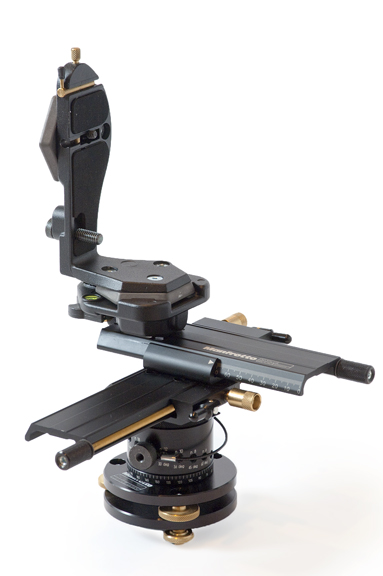
That should be a graphic display of a panorama head, but there's nothing there. On lowering
and then raising the window, the area contains what was there before, in this case an entry
from the most important work of
the Brothers Grimm, the Deutsches Wörterbuch.
It's been relatively dry lately. We've had less rain in the ten weeks since the beginning
of February than we did in January alone, and the dam is beginning to show signs of drying
out again. Here 22 January 2011 and today:
It seems that three-dimensional imaging, both photos and videos, is the coming thing. And
of course you need special equipment to view them. In the computer area, that means at
least special monitors or projectors, and usually goggles as well. But there are simpler
ways. For the fun of it, took some photos today, two shots offset laterally by 7 cm, about
the width between two eyes. Inverted the left-hand one, and displayed them like this:
This works best in full screen mode (1920 pixels). Then all I needed was a mirror to place
between the two images, facing left. Placed my nose on the end of the mirror, looking to
the right: right eye directly at the right-hand image, left eye at the reflection of the
left image in the mirror. Adjust mirror so they overlap, and presto! a 3D image.
Unfortunately, it's not very easy. In addition, the wind meant that a number of things had
moved between the two shots. But it's certainly a start.
Playing around with a few more details on my EXIF time
reset program today, and discovered an amazing thing: if I tried to increment the time
by 1 hour, 15 seconds, it only incremented by 15 seconds. If I tried to decrement the time
by the same amount, it decremented by 2 hours:
A clear case for the debugger. But in the debugger, everything worked correctly! Ended up
with lots of printfs all over the place before I finally found it. And then I
realised I had seen this before: strptime, which converts a specific text
representation of a date to a struct tm, has the following definition:
The result gets stored in timeptr. But it also interprets the prior contents
of timeptr, in particular the member timeptr->tm_isdst to check
whether the current time is DST. It should
be dependent on the time itself (though clearly there's one hour a year where that's
ambiguous). I had allocated timeptr on the stack, so the prior contents are
undefined. That's presumably why things worked in the debugger.
Even more annoying is that I've tripped over this before, but I didn't mention it in my
Diary. I'm continually reminded of what I wrote in “Porting UNIX Software” nearly 20 years ago:
UNIX timekeeping is an untidy area, made more confusing by national and international laws
and customs. Broadly, there are two kinds of functions: one group is concerned with
getting and setting system times, and the other group is concerned with converting time
representations between a bewildering number of formats.
I don't do perl. I don't
do python.
I don't
do ruby. I
use the bash shell, and
sometimes I do some AWK, but it's
painful. Why nothing more modern?
For once, it's not a question of objections to particular languages or approaches. It's a
question of thresholds. I can use bash for simple things like running programs. I
can (and usually do) interface to it interactively. If I want to do more complicated
things, I can build on existing command line input, coming up with monstrosities like:
for d in [12]*; do (cd $d && if [ -d orig ]; then FOO=`ls -1rt orig/*G | sed 's:orig/::; s:.JPG::' | tail -1`; if [ $FOO != "" -a -e makejpeg ]; then grep $FOO makejpeg > /dev/null; if [ $? -ne 0 ]; then echo -n "`pwd`/$FOO.JPG "; fi; fi; fi); done 2>/dev/null > /tmp/foo
Yes, it's ugly, but in most cases I never use it again, so it doesn't matter. If it proves
useful (this one might: it's designed to check if I have forgotten to process photos), I can
store it in a file, tidy up the format a bit, and call it a script. Incrementally, no sharp edges.
If I had to do that with a “scripting” language, I'd have to rewrite the script
at this point. That's a transition I don't need, and only do it when it becomes really
painful in a shell script. Paradoxically, I do it
in PHP, because that's one interpreted
language I do understand. It's clear, though, that that's not optimal.
The alternative is to use a scripting language as my main shell. Does that work? I don't
know. Probably it does to a certain extent. But I don't see many people using perl
or python as their login shell. I gather that there are interactive versions of many
of these languages, but how smooth are they? What's command line editing and file name
completion like?
To be found out about, I suppose. Currently I'm happy that I've identified a reason.
Despite the continued rain, managed to make a little progress with the greenhouse.
Attaching the rubber seals is a pain, and I get glue all over my fingers. Managed to glaze
the doors, so now only the roof is over. Attached the remaining glass clips, so now all I
need are the seals, the clips between the panes (another 44 to be cut to size) and the glass
itself. And then I'll be done. Somehow it's all so slow. I've built a greenhouse before,
20 years ago. With my father's help we got it done in an afternoon.
It's been nearly 5 years since I decided that I'd rather retire on far too little money than
continue working in an environment that drove me crazy. Yes, it's still far too little
money, but I'm sure I made the right choice. The work conditions in the modern IT market
(there, I said it; I can't think of a better word) didn't make up for the income.
Recently I've heard of another trend that points in the same
direction: Hot desking, a kind of
dynamic workplace allocation. Like most dynamic allocations, what you get on allocation is
empty, and you lose whatever is left when you free the resource. Yes, in many cases it
makes sense for people to share a desk, or probably a cubicle. And certainly it can save
money by saving space.
But how do you do it in our business? It implies that you require very little in the way of
supporting objects (computer, other hardware, books) to do your job. That doesn't work for
me. Shortly before retiring, my (home) office looked
like this:
That would have made a wonderful panorama, but unfortunately I took it before I got involved
with panoramas, and it doesn't line up. And clearly it's a little extreme. But it's not
just the monitors, it's all the other stuff in the room. Even now I have retired, I have
four monitors on my desk, and my room is packed with books and hardware. How could I ever
have worked in a hot desk environment? Clearly I'd have to do away with just about
everything, and just use a laptop. I know people who can do that, with the great advantage
that they can work while traveling. It's an acquired skill, I suppose, but somehow it
requires significant tradeoffs. Can people work efficiently under these conditions?
The whole thing reminds me of a rationalization attempt made by our bean counters at Tandem
in Frankfurt about 25 years ago. Much of our work at the time was second-level defect
support (“Tandem Product Reports” or “TPR”s). They had a
justifiable desire to know how much each problem was costing, and they came out with a
logical solution: we would fill out forms describing the amount of time we spent on each
TPR.
They went away and designed the forms, had them printed, and then presented them to us. I
thought some of our (not very ruly) people were going to lynch them. The forms were in
quadruplicate, required specifications that were almost impossible to find, and to crown it
all, the field for the TPR number was about 1 cm wide. Our bean counters didn't know the
format, which was date, time and employee number, something
like 20110412 1734 4395.
Somehow, and somewhat atypically, I managed to calm people down, and after most of the
people had gone, I explained to the bean counters why people had been so upset. The whole
project folded, and I found some of the forms hung in the toilets next to the toilet paper.
It's interesting to consider what went wrong here. Yes, it does make sense to know where
your money is going. But as a result of one-sided analyses, they made a very poor choice,
and it even stopped the implementation of a sensible solution. Similarly, it seems that hot
desking saves money on real estate, but loses it in employee efficiency, and—is this
word still politically correct?—motivation. You can measure the real estate cost.
You can't accurately measure employee efficiency.
That's clearly not a fungus but some kind of insect. On closer examination of the photo
taken years ago, that could have been the same thing. Took them along with me to the
Botanical Gardens, where they were identified
as Mealy bug. Apparently not too
difficult to control.
What a pain it is to take these photos! The last one was taken with bellows, and the insects
on the right are about 1 mm long. And with that kind of enlargement, it's almost impossible
to focus or even compose correctly. Maybe I should get a microscope.
While at the Botanical Gardens, also spoke to Mike Sorrell, who wants me to take charge of the
computer side of the Friends operation, notably the web site. I wonder if they'll still want me to when they find out about my opinions.
Back home, took a look at the site. It doesn't look too bad, but there's very little
content there, a total of 12 MB. By comparison I downloaded 66 MB to my site on Sunday
alone. I suspect that the tools are an issue. I wonder how to prepare something to enable
as many lay people as possible to contribute. A wiki might be a possibility.
Stopped off for a haircut on the way home. They've broken into the barber's
shop again. It seems that there are a lot of hooligans around
in Sebastopol.
My thoughts about scripting languages yesterday aroused a certain interest on IRC:
Mavvie: grO0gle - that monstrosity will fail if $FOO is empty.
Mavvie: Put ""'s around it or use ! -z "$FOO"
callum: Mavvie: wrong answer. Ban spaces and metachars from all filenames.
Mavvie: Plus you shouldn't ignore errors, you should handle them.
Mavvie: 2>/dev/null is just plain dumb.
callum: I haven't looked at it yet, but it depends if there is any point in doing anything with the error output.
Mavvie: Of course it does, otherwise you will have to write another Diary Entry about that a crontab has gone wrong for weeks now and nobody alerted you about it.
But that's not the point, at least not yet. Consider a parallel with texts: if you want to
write a document for presentation, you cross all your 'i's and dot all your 't's. But if
you're just writing a shopping list, you may write it on the back of an envelope in a scrawl
so bad that nobody else can read it. Similarly, when you write a meaningful program, you do
everything correctly. But if you're just messing around for a one-off program or script
that will never be used again, why bother? In this specific case, I know things about the
input data that Mavvie doesn't (though it should be clear that this has little to
do with a crontab), so I didn't need to check for errors. Yes, there's a
bug in the line
if [ $FOO != "" -a -e makejpeg ]; then
If FOO couldn't be empty, I wouldn't need to test for it. And if it were empty,
the comparison wouldn't work. That's one of the down sides of this kind of kludge, of
course, but the way it grew up, I found that this condition never applied. Still, I've
fixed that comparison.
Some of this is contrary to what I wrote yesterday: meaningful shell scripts should be clean
too, and this one is not particularly clean because it's based on incremental interactive
development. But will anybody except myself ever use it? If so, I should tidy it up. And
that is still easier than translating into a different language.
And no, I hadn't
intended to write any more about this topic, but clearly it's something that interests
people.
My TV reception problems still aren't over.
All four recordings I made yesterday were useless. There's no doubt that the antenna
connection was responsible for at least some of the problems, but not all of them.
So what's the issue? I still don't know. Clearly I need to document things more carefully.
I've been suspecting the individual tuners, but I don't have much evidence yet. Did some
test recordings and discovered the sequence of tuner cards, something that I haven't written
down before. There are two PCI tuners, on the right of this photo, and one USB tuner, the
white stick in the USB slot. The white cable is the antenna input, which goes to the
rightmost tuner. The output from that tuner goes into the other PCI tuner next to it, and
its output goes to the USB tuner:
In the sequence of antenna inputs, also right to left, the assigned card numbers are 2
→ 3 → 1. MythTV always starts with
the lowest numbered tuner that is free, so this means that most of my recordings are done
with the USB tuner, something I'd prefer to change. Did a bit of snooping round the
database and found a table cardinput with the following definition:
CREATE TABLE `cardinput` (
`cardinputid` int(10) unsigned NOT NULL auto_increment,
`cardid` int(10) unsigned NOT NULL default '0',
`sourceid` int(10) unsigned NOT NULL default '0',
`inputname` varchar(32) NOT NULL default '',
`externalcommand` varchar(128) default NULL,
`preference` int(11) NOT NULL default '0',
...
) ENGINE=MyISAM AUTO_INCREMENT=4 DEFAULT CHARSET=latin1
The column preference was set to 0 for all my tuners. Tried playing around with
it, but it didn't make any difference. Then off looking at the MythWeb code for displaying
recorded programmes;
The structure passed to this page includes a member cardid, but unfortunately it's
always set to 0. Spent some time crawling through the code, but without success.
I really, really want to get this greenhouse finished, and there's really not much
left to do, just glaze the roof. But it's been raining for days now, and since I need to
glue the sealing strips, I can't do it now. Instead messed around in the drizzle and
finally planted a fern that Yvonne bought last week. It's in
the part of the shade area with the concrete slab underneath it, and I took the time to
destroy it with a pickaxe (fortunately it wasn't reinforced). Underneath were gravel and
then clay, and I had to go down nearly 60 cm to find real soil. Hopefully it'll be happy
now, something I can't say for
the Fuchsia
and Hosta:
Chicken with Vietnamese
mint again this evening. Two years
ago I made this and was very happy with it. Today it tasted boring as hell. What has
changed? I think I need less coconut milk in it, anyway.
I'm gradually coming to the conclusion that opera has a number of irritating bugs, at least in the FreeBSD implementation. At some time today
the opera process stopped, probably because I accidentally stopped it. Started it
again and it came up with a single window pointed at cvr2.lemis.com, not my home
page. Clicking on the “Home” icon had no effect. After starting a new window,
I was able to go to the home page, but I couldn't do anything with the original window.
During that time, it came up with the information that a new version of opera was
available. Interestingly, it wanted me to use the Ports Collection to install it. It's
clearly a good idea to upgrade. Maybe some of the bugs will be gone, but didn't get around
to it.
Instead, while doing something else, opera hung. Even a kill -9 wouldn't get
rid of it:
Another bug in opera?
Moved to firefox, and shortly after, firefox hung to and also couldn't be
stopped. Again, it was hanging in ucond:
UID PID PPID CPU PRI NI VSZ RSS MWCHAN STAT TT TIME COMMAND
1004 62995 55405 0 44 0 477384 203984 ucond Is+ p0 40:48.23 /usr/local/lib/firefox/firefox-bin http://x.net.au/
Further investigation showed that I had somehow left an NFS mount of teevee:/spool
open when I powered down teevee last night. I didn't realise that that was still a
problem. Rebooting teevee solved the problem.
The weather is gradually improving, and today I returned to working on the greenhouse. Finally got one side of the roof done; if that
continues tomorrow, I'll be finished. What a pain this work is!
Back inside, discovered that my Internet link had been down for nearly an hour. That hasn't
been typical lately:
the PPP session was still
up, and had been for two weeks. The signal strength indicator was normal (RSSI 7, which is
relatively good here). And there were no error messages in the ppp.log.
Called up Internode support and
then investigated while waiting for the callback. Stopped the PPP process:
Apr 14 16:10:07 cojones ppp[1663]: tun0: Phase: deflink: Disconnected!
Apr 14 16:10:07 cojones ppp[1663]: tun0: Phase: deflink: Connect time: 51846 secs: 130078957 octets in, 50793080 octets out
Apr 14 16:10:07 cojones ppp[1663]: tun0: Phase: deflink: 157216 packets in, 142146 packets out
Apr 14 16:10:07 cojones ppp[1663]: tun0: Phase: total 3488 bytes/sec, peak 317865 bytes/sec on Thu Apr 14 15:04:55 2011
The statistics information on the last line is interesting. Peak 317 kB/s, or 2.5 Mb/s.
Unfortunately, it's wrong. At the time specified, the link had been down for 7 minutes.
Restarted the PPP process:
That continued for a while. Then I removed the (USB) modem and replaced it. The same PPP
process retried the operation, and it was successful.
I've heard that this modem (Huawei E1762) can wedge from time to time, and when Daniel from
Internode called back, he confirmed it. Somehow I think everybody's ganging up on me: the
NBN for not providing any proper network
coverage in this area, Wendy McClelland to ensure I don't get a good enough signal,
Optus for providing flaky coverage, and
Huawei for supplying devices with flaky
firmware. And that after more than 20 years of Internet connectivity.
That looks like truncated text. I can't access this page with other browsers, so it's
difficult to say whether the problem is the page or the browser, but looking at the source
(and adapting the markup to this page), I find it says:
What is new in Opera 11.10
This new release of Opera brings many enhancements and new features to make browsing
better than ever. Here are the highlights:
Speed Dial 2.0
Opera's popular Speed Dial has been greatly enhanced; your favorite pages now have
clearer previews, and dials can even dynamically show live content for websites.
There is now no limit to how many dials you can use, and it is simple to adjust the
Speed Dial view to best fit your setup.
Opera Turbo enhanced
With improved compression, Opera Turbo is faster than ever. Boost your browsing speed on
crowded Wi-Fi hotspots, tethered mobile phones or dial-up connections.
Simple Plug-in installation
We have made it easier to install and use plug-ins. With this release, the most popular
plug-in, Adobe Flash Player, installs seamlessly and automatically.
Great new CSS3 Support
This version of the Opera browser now supports CSS3 linear gradients and multiple
columns. The Opera browser shows webpages using the latest and greatest standards in their
full glory.
That is so impossibly bad that I can't believe it happens to everybody. But there are still
serious issues here, and I can't see that any of them have been addressed in the new
version. That's a pity, really, because it has a lot going for it. I'll continue to play
around and use both opera and firefox to get round bugs in each.
Spent some time tidying it up and rearranging things, and also planted the tomato seedlings
that I had been holding back until the glazing was done. It's surprising how different
things are now that the glass is all in place; while tidying up, I caught myself about to
throw out something out of the roof, like I used to. And the glass really makes a big
temperature difference in the sun. The highest temperature outside today was 21.1°, but in
the greenhouse the maximum was 33.1°. It dropped rapidly in the evening, though. It'll
take me a while to get used to this, and to decide when to roll down the shade cloth.
Spent some time in the afternoon upgrading my FreeBSD test “boxes” (really VirtualBox VMs). Problems installing world on swamp.lemis.com:
creating osreldate.h from newvers.sh
/src/FreeBSD/svn/head/include/../sys/conf/newvers.sh: dirname: not found
How did that happen? And yes, it's repeatable, and dirname is there. More debugging
needed, I suppose. I'd be surprised if it had anything to do with VirtualBox,
though.
I recorded 4 TV programmes yesterday. All failed: my reception problems are still dogging
me. Spent some time looking at the cable connections, but didn't come to much of a
conclusion. At least one of the daisy chain cables looks a bit worn, so possibly I should
look at that first. As it was, removed the USB tuner and the second PCI tuner, so I can
only receive one programme at a time. That should be OK until next Thursday; maybe I can
fix things better before then, or maybe I should be prepared to rebuild the machine on the
few occasions when I need more than one tuner.
Tim Bray is another of the authors on
ACM Queue, and we seem to have a few interests
in common. Earlier this month he published an article on reformatting his web pages, based on
reading yet another blog
entry by Blaine Cook. In both cases, they
come up with some ideas similar to mine, in particular (from Tim's page):
Now we have wide variety in the pixel density on the screens we use,
extra work is required to come up with density-independent designs.
Right-justified text should be used because “Ragged right is an
abomination”.
Hyphenation, which has long been used in conjunction with right
justification, is now easily achievable with good-quality results.
OK, I've done the first and second a long time ago, though I disagree with the sentiment
that ragged right is an abomination. It's just ugly.
And hyphenation? That sounds like a good idea. As Tim said, “Hyphenator.js is trivial to install and
seems to Just Work”. Followed the link and installed. Nothing. Further
investigation and comparison with the working
example showed that the instructions are
inaccurate.
They don't mention the text in bold in the installation instructions, though it's there in
the example. Without it, I got a completely empty display.
After doing all that and applying it to my diary, I saw—no difference. I suppose it
must be conflicting with some other component of
my CSS. I'll shelve the idea for the time
being.
My weekly photos of the garden have increased in number over time. Last week I took a total
of 12 different views, some of them only marginally different. Decided to try some
different viewpoints today, in the process reducing the number to 10. For example, these
two from the north-east of the house:
The photos round the verandah date from the time we were building it, 2½ years ago, so the
verandah was taken from the only part that existed at the time and has grown since then:
That's no longer of the verandah, and it's not an optimal viewpoint of the garden. Too many
of these photos show the path in the foreground. We haven't given up hope of completing the
pond we started about 9 months ago, so now is a good time to start taking a photo from the
middle of the garden, where things will change soon. That in itself wasn't easy: there's
shade from the Buddleja
globosas, the sun shone from directly behind, and the whole shot looked pretty
unbalanced. In the evening things looked better; if I stick with this view, I'm going to
have to time it carefully.
Things have grown so much since I started that it no longer looks interesting. It's also
quite a challenge to stitch when there's the slightest wind. So I moved closer to the
house:
They're supports for the door rails (“tracks”), and I haven't installed them.
Went looking and discovered that they won't fit while the supports for the shade cloth are
in place. More head-scratching. This damned greenhouse is really a pain.
I really need more memory in dereel.lemis.com now that I'm running extremely memory
intensive programs like Hugin and VirtualBox. Currently it has
“only” 3 GB (and thus 12 million times as much as my first computer), and
once again, under conditions of heavy paging,
ran into problems with X: it hung with the mouse
cursor trying to move from one screen to another. I wonder how to address that kind of
problem, but I suppose throwing memory at it might make the problem go away.
I still don't understand where my problems with opera are coming from, so decided to install it on boskoop.lemis.com,
my Apple G4. Downloading was straightforward enough, but the name of the download file
looked suspicious: it contained the text Intel. Back to look at the web page. No
mention of requirements, so decided to try it anyway. Downloaded and installed without any
problem. It wasn't until I tried to run it that I got the message:
Now surely they could have thought of a better message and presented it earlier.
Then installed on smart, my Microsoft VM. Worked, and showed many of the problems I
have seen under FreeBSD, including incorrect
positioning in my diary. I wonder if there's something wrong with my markup.
It's not the first thing that is flowering completely out of season; I've already commented about
a Narcissus. Also, the roses
are coming back since I spread fertilizer in the area, which also applied to the Camellia
and the Narcissus. Could it be that I've been far too stingy with the fertilizer, and that
the plants are only now in a position to flower?
Similar considerations apply to the potatoes. The leaves are dying back, so
dug out some more today. Some are normal sized, and some are tiny—not enough
fertilizer? I'll be more generous next year.
One thing that is probably not attributable to the fertilizer is
the Bougainvillea that I got from
Chris Yeardley for safe keeping two months
ago. It has reacted well to a bit of care, and now the first flowers are on their
way:
Another power failure this morning, just
before getting up. That's a particular pain because I had to set the alarm immediately or
risk oversleeping, and after that, of course, I couldn't get back to sleep.
39 power failures in the last year. When are we going to join the modern world?
The weather's nice and mild again—a top of 26.2° today. But in the greenhouse, it was
38.9°, too warm. The shade cloth came in handy there, but I'm going to have to monitor the
temperatures more carefully. And in the night the temperature drops below what the
weather station (mounted only a few metres away) reports. I suppose that's the difference
in height, but clearly the glass isn't much good as insulation.
Also more work trying to connect the track supports. Spent about 30 minutes trying to
connect one, and gradually came to the conclusion that I need different screws. The good
news is that I will probably be able to use them in connection with the supports for the
shade cloth.
More looking at the Bougainvilleas
today. Yes, the white spots on yesterday's photos are dead parasites, but there were plenty
more live ones—aphids, I
think—on the undersides of the leaves:
Gave them a generous spray
with pyrethrum, and hopefully they'll
go away. Strangely, none of the other plants appear to be affected.
Also tried transplanting the
unhappy Pelargonium
“Rhodo” cuttings that we planted a
couple of months back. One was showing a bud, so it seemed about time. But somehow
this plant is just not doing well. We originally propagated it from a single cutting, and
it did well until about last November, and since then both the parent plant and the new
cuttings have been very sickly. I had planted five of the cuttings in empty toilet rolls,
which are supposed to disintegrate when they're planted in soil. But I must have left too
much soil around the outside, and they had already disintegrated. But only one of the
plants had any recognizable root system at all. I wish I knew what's wrong with them.
How did they get in there? I haven't used the sprayer for over a month, and the sprayer was under pressure all that time, so they
couldn't have crawled in. But it certainly shows the difference between herbicides and
insecticides.
Returned a couple of laptops to Chris Yeardley, and in return got yet another computer that
she doesn't seem to use much to try out DxO Optics "Pro", a Dell
with the requisite 2 GB of memory and running Microsoft “Windows” XP Professional. OK, that's what pain.lemis.com runs,
so it shouldn't be difficult, right? Wrong.
It was easy enough to add a user, and then I had to set up the network for my environment.
Maybe I should really run DHCP for this sort of thing; it would solve a lot of problems when
guests come. In any case, set it up for one of my other IP addresses reserved for
Microsoft, ugliness.lemis.com. But it didn't stick. Tried a couple of reboots, and
on one occasion saw a fleeting message about IP address conflicts. Tried another address
(braindeath.lemis.com) and it worked. arp told me:
braindeath.lemis.com (192.109.197.168) at 00:13:72:c9:0b:ab on re0 expires in 992 seconds [ethernet]
ugliness.lemis.com (192.109.197.172) at 08:00:27:5a:42:48 on re0 expires in 1198 seconds [ethernet]
officephone.lemis.com (192.109.197.161) at 00:0e:08:ca:40:23 on re0 expires in 944 seconds [ethernet]
...
So there was another machine on 192.109.197.172. The MAC address didn't
match any other machine, so it wasn't an alias. But where? Somebody abusing my 802.11
connection? Started a ping and wandered
around looking at switches, but saw nothing. Finally it dawned on
me: smart.lemis.com, my Microsoft VM. I had forgotten to update my DNS, and it was
still called ugliness. And since it's a VM, you can't see any traffic in the
switches. That's what I get for being lazy.
But my network woes weren't over yet: I still had to set up Samba. And I couldn't connect. Wrong password? Fired
up pain and discovered I couldn't connect there either. It seems that funny things
must have happened to my password file with the recent update. Ran through the man pages
trying to find things, but there was too much to read. Finally found just what I was
looking for in “The Complete FreeBSD”, specifically pages 464—470. There's not much there, but it's just what I want,
probably because I've been through this pain before.
Then I could look at my main photo directory. Well, not immediately. It took Microsoft 30
minutes to display pretty little pictures of each “folder”, in itself not a bad idea, but
that's a ridiculously long time to take. Of course, the Microsoft view makes this approach
impractical in the first place. There were 91 screens, all looking like this:
When I later started a backup, I discovered that Microsoft had also created 2009 files
called Thumbs.db, one per directory, without so much as a by-your-leave—a total
of 33 MB of useless files. Andy Farkas recognized them—I had blamed them on
DxO—and told me how to stop it doing that: in “Control Panel”, select
“Folder Options”, then select “Do not cache thumbnails”. And while
you're there, it's a good idea to unselect “Truncate file names”, which they
spell “Hide extensions for known file types”.
So finally I was ready to install DxO. I had done this once before, but there's been
another update since then, so I had to download 211 MB all over again. Installation went
fine, but when I tried to start it I got the message:
Then rebooted and tried again. Same message. Of course, who knows if the name in that list
is the name of the executable? I followed the instructions, so you'd think so, but there's
only part of a file name there, and potentially it added the directory. Clicked the other
radio button (“DEP for essential Windows programs and services only”), rebooted,
and I was able to start it. Pointed at yesterday's original files and found:
Why do so many of these programs have an anthracite background? In any case, it's a typical
Microsoft-space display. It shows the first 72 of yesterday's 678 image files. The
instructions tell me to select by clicking and then dragging to the bottom section (I think)
or just selecting a group of images. With 678 files? Especially since I have both raw and
JPEG images, so I would need to select only
every second one:
If there's one thing in the Microsoft space that drives me to distraction, it's its
inability to handle files and directories sanely. I've been there before, of course, with
hugin and Ashampoo Photo Optimizer, and I've found a workaround:
with a script, create a static directory and move only the files you want to it. So far I
had ~/Photos/Bloody_stupid_ashampoo/ and ~/Photos/bloody_stupid_hugin/, so the
new one is ~/Photos/bloody_stupid_DxO/, though it's becoming clearer that the real
stupidity is the interface. Then I was able to move all images for a single photo (here the
72 image verandah photos) and convert them.
It took over an hour! OK, it does a lot more work than, say, UFraw, so I could forgive that; at least
there was no more mouse pushing. And the results? It's difficult to say at the moment.
Here's the same image as in-camera JPEG, converted by UFraw, and converted
by DxO:
Run the cursor over any image to see a comparison with the one to the right. At least from
the point of view of shadow detail, the in-camera JPEG wins, and the DxO image is not
obviously better in gradation than the ufraw version. Distortion correction is a
different matter, of course; I'll have to play around with it a bit.
Last month I tried taking photos of the moon with my Hanimex 300 mm lens and 3x
teleconverter. The results were underwhelming: for some reason, the combination can't focus
to ∞. Today was (almost) full moon again, and the air was clear, so tried with my
Zuiko
Digital ED 70-300mm F4.0-5.6. That's far too short, of course, and I had to crop a
lot. The results are acceptable, but no more. Here last month and then this month:
Back to check the Bougainvilleas
today. The aphids are alive, well and
plentiful. It's really difficult to spray so many and small leaves. In the end, I sprayed
my hand and rubbed over the backs of the leaves. Hopefully that will help.
While wondering where they came from, trod into an anthill and had ants running all over my
feet, not a thing I relish. Spread lots of ant powder, including on the floor of the
greenhouse.
Apart from that, wanted to plant
the Agapanthus which we bought
three months ago and still haven't
planted. They need it: they're growing out of the pots. But the place I had planned for
them looks pretty rocky, and I'm reconsidering.
While trying to get hugin to
resize images correctly, managed to provoke yet another X hang. This time I had no VMs
running, though VirtualBox itself was still
running. The symptoms are always the same: the mouse pointer oscillates between the
adjacent edges of two screens, X uses 100% CPU, and it's completely unresponsive. I have to
shoot it down to get out of the problem.
Last week I offered my hops on Freecycle,
but got no responses. Until today, when I got a call from Peter Dilley, who has just moved
to Dereel. He was out of luck for the
hops, which have had it, but he's been doing a lot of brewing himself, and has equipment
that I could only dream of. He's still busy unpacking, but “in six months or
so” he may get back to brewing. Sounds like somebody with my time frames.
We've been getting by relatively well with only one tuner in cvr2.lemis.com, but
today Yvonne wanted to record another programme, and that
caused a conflict. I needed another tuner, so put in the second PCI tuner, checked the
cable connections, and tried things out. No reception at all on one, and bad reception on
the other.
Lots of experimentation, cursing and reboots later came to the conclusion that the second
PCI tuner is part of the problem. Took it out and put in the USB tuner, and things seem to
be OK at the moment. I'm keeping my fingers crossed.
Took some forgettable photos today to process with DxO Optics "Pro". Yes,
it claims to be able to improve dynamic range, but the main purpose is to convert raw images
and apply corrections for the camera and the lens. And I hadn't tried that yet.
Once again, tried with an image of the verandah. The Zuiko Digital ED
9-18mm F4.0-5.6 is quite a good lens, but it does show some chromatic aberration at
full aperture, so tried a photo under those conditions. Interestingly, DxO also corrected
some distortion, so the images don't look quite the same. Here the image as the in-camera
JPEG, processed by UFraw, and
processed by DxO. Pass the mouse over the images to show a comparison with the next (with wraparound):
And chromatic aberration? Yes, indeed, it's there, and DxO improves the situation. Here
two examples from the in-camera JPEG and DxO. UFraw doesn't correct this sort of
thing, so it's no different from the in-camera JPEG. I chose following crops with much
GIMP pain so that the “big” images
(click on the thumbnails) is exactly the size of the original crop (600×450 pixels):
10 years later I looked at this page again. The DxO photo didn't look good. Here it
is again converted with the latest version (PhotoLab 2.4) and my standard settings, on the
right next to the version of 2011. Again, run the cursor over an
image to compare it with its neighbour:
The difference in lens distortion is very evident.
Here the fringes to the left of the hanging baskets are almost completely gone.
So: this looks like it greatly improves the image quality. Is it worth it? I'll reserve
judgement about that one, but it certainly has its irritating sides. In particular, how do
I get rid of the photos I did the other day? When I started it up, selected new images and
moved to “Process”, only the old ones showed up. To get rid of them, I had to
explicitly delete them. Never mind that the underlying images in the directory were gone,
and that I couldn't access them:
I had to restart the program, after which I was able to process these images. But it
didn't keep the EXIF data, as one of my
scripts irritatingly complained in red script:
Lounge-2EV.jpeg Date and Time |2011:04:19 12:13:09
Lounge.jpeg Date and Time |2011:04:19 12:13:09
Corrupt data
The data provided does not follow the specification.
ExifLoader: The data supplied does not seem to contain EXIF data. P4193845_DxO.jpeg
I know my way round that problem; that's why I have my exifcopy script. But why did they leave the data out? Is there some knob set
to the wrong default?
Also took some other photos that I haven't had time to compare yet, notably the HDR images
that I wanted to make. But once again, it seems that I have to work around
“features” that people seem to think that I need, and which they won't let me
get rid of. Why can't they have a more modular approach? Particularly a raw image
converter isn't an important enough component of the workflow that it should impose its own
constraints on how you do your work.
Back to look at the greenhouse door supports today. I had had this idea that I could turn
the supports for the shade cloth around and thus mount both them and the door supports at
the same time. But no. There's a rim on the largest hole which would foul the plastic
gusset if I tried to turn the thing around:
The aphids on
the Bougainvillea have decreased in
number, but there are still far too many. More treatment as before, and hopefully I'll get
on top of them. I wonder why they've gone for the Bougainvilleas; went round the garden
later and found the odd aphid on the roses, where you'd expect them, but nothing like the
way they hit the Bougainvilleas.
Also wanted to finally plant
the Agapanthus. I've decided to plant
them in the original place after all, along the garden path. Dug a couple of holes: there's
something like 35 cm of compressed gravel and clay at the top, and I have to get through
that to the soil below. It's tiring work, and I've only managed 2 of 12 holes. At least
it's a start.
After rebuilding cvr2.lemis.com's tuner configuration a couple of days ago, it would
have been nice to hope that there would be no more problems. Alas, that wasn't the case. I
recorded four programmes yesterday. Three of them came out fine, but the fourth was nothing
but junk for the first few minutes. Then it came good. Spent some time looking at the log
files, and found:
2011-04-19 19:27:02.647 Started recording: Lost Worlds "The Bible Unearthed: The Patriarchs": channel 2032 on cardid 2, sourceid 2
2011-04-19 20:27:02.823 Started recording: The Curious Case of Benjamin Button: channel 2008 on cardid 1, sourceid 2
2011-04-19 20:47:02.659 Started recording: To the Manor Born: channel 2062 on cardid 2, sourceid 2
2011-04-19 23:32:02.847 Started recording: Crude: channel 2002 on cardid 2, sourceid 2
It would be easy to guess that it was the second programme (“The Curious Case of
Benjamin Button”), because it was on a different tuner (spelt cardid here).
And it was. But things aren't that simple: the difference in signal quality was extreme.
Initially the image was unrecognizable, and after a while it improved to a point where on
first inspection it seemed to be normal. Possibly what I missed was only the commercials
anyway.
But how can such a complete change be due to signal strength issues? During that time there
was another recording that had no problems, so it can't be the antenna connection as I had
previously suspected. And secondly, it came good after a while, which you wouldn't expect
from a poor daisy-chain connection. More inspection of the log file showed:
2011-04-19 20:27:02.823 Started recording: The Curious Case of Benjamin Button: channel 2008 on cardid 1, sourceid 2
2011-04-19 20:28:43.440 Error: offset>181, pes length & current can not be queried
2011-04-19 20:29:02.859 Error: offset>181, pes length & current can not be queried
... (lots more of these)
2011-04-19 20:44:59.047 Error: offset>181, pes length & current can not be queried
2011-04-19 20:45:00.978 TVRec(2): Changing from RecordingOnly to None
2011-04-19 20:45:01.004 Finished recording Lost Worlds "The Bible Unearthed: The Patriarchs": channel 2032
2011-04-19 20:45:01.081 Reschedule requested for id 0.
...
2011-04-19 20:45:23.383 Error: offset>181, pes length & current can not be queried
2011-04-19 20:45:32.478 Error: offset>181, pes length & current can not be queried
2011-04-19 20:45:41.997 Error: offset>181, pes length & current can not be queried
And that was (almost) all. Just the occasional error until 21:55, and then nothing at all.
But the Benjamin Button video went on until 00:30, a good 2½ hours with no error at all.
Coincidentally, the other tuner finished recording at 22:10. Is there maybe some issue with
both of them running together? Could it be that the other tuner (the PCI one) doesn't
transmit a good signal when it's recording? Time to get out a splitter and see if that
helps.
I really need to learn a way to do comparisons of photos by moving the mouse cursor over the
image. That's trivial with JavaScript
(I contend), but I don't really do JavaScript. Off on the web looking for examples, and
found a nice one on the RawTherapee site. I still need to digest it, but it looks clean, and the results are
effective.
Not completely by coincidence, this page is related to the kinds of comparisons I'm doing
now: which raw converter to use? And they compare their own converter with most of the
others I've heard of, including DxO Optics "Pro".
Clearly their demosaicer does best on the sample image (which they chose, of course), but
DxO doesn't do badly either with demosaicing. But, as I've noticed, the default results are
much darker than the competition. Is this a general problem, or a choice of bad defaults?
In any case, it's worth investigating RawTherapee as well, especially since it doesn't need
Microsoft to run.
A little more work on digging the holes for
the Agapanthus today, hampered not
only by the difficulty of getting through the soil, but also by rain. I need to consider if
I have dug them deep enough. These photos were taken an hour after about 6 mm of rain fell:
Part of this is because a lot of water ran down a slope into the first three holes, but the
fourth was also the deepest. It's beginning to look like I'll need to make them all that
deep.
A number of plants have reacted differently to their new situations.
The Acacia that I planted four weeks ago did not live up to my expectations. It's dead:
There are plenty of alternatives for that position, so I'll do some thinking about it.
My experiment with tying up
the Hardenbergia violacea
didn't work. It's clear that my assumption was correct that they need some support to even
grow, but my support seems not to be what they want. The Hardenbergia is now happily
scaling the wire mesh with three separate stems—all except the one I tied up (first
image)
I didn't tie up the Lonicera, but the way it has grown is similar. One stem reached the
mesh and is now nearly 2 m high, while the other ones are sitting around doing nothing:
Because of the rain, worked mainly in the greenhouse. Now that things are protected, I can see a lot more of this happening,
and I'm already running out of shelf space. Planted some seeds, somewhat hampered by the
lack of seed trays. I had intended to use the expensive one that we bought from Diggersthree years
ago, but the plastic has discoloured so much that I don't think it's worth it. By
contrast, the cheap ones we bought from ALDI look as good as new:
It's amazing how many things we bought from Diggers haven't worked out.
Planted some Petunias (which shouldn't
really be planted until spring, but that's talking about outside) and
some Chrysanthemums.
The Aloysia citrodora (lemon
Verbena) in the north garden is a nice plant, but in spite of all cutting back it's getting
bigger and bigger, and it's crowding out the other plants in the bed, notably
the Camellia. Clearly it can't stay:
Watched Cinq fois deux on TV
this evening. It's only moderately interesting, but they chose an interesting approach to
representing the story: 5 scenes in reverse
chronological order. I've frequently ranted about this nonsense in the computer
space, but films are different, right? There are plenty of films that benefit by flashbacks
and things like that.
This wasn't one of them. The order was just plain painful. It would have been better if
had been told in correct sequence, instead of backwards. Like most things.
More work in the greenhouse today. Started off
with the daily min/max temperature measurements, which showed a problem: yesterday was
cloudy, and the maximum temperature inside was only marginally higher than outside, maybe
19°. This morning it was sunny, and when I got there at 9:00, the temperature had already
risen to over 25°, well beyond yesterday's maximum. Maybe Peter Jeremy is right that I
should install another wireless station, but there doesn't seem to be any way for two of
them to coexist.
Tried to make some wire mesh shelves for more plants, with only limited success. I had two
kinds of mesh. The thicker was so thick that I had to cut it with heavy-duty wire cutters,
which proved very difficult to do accurately. The thinner was so thin that it couldn't hold
the pots without reinforcement:
Still, I suppose it'll do the job. Potted some Iceberg rose cuttings that we'll find a
place for next year.
Also finally got some screws for the supports for the door rails (well, Yvonne did, which took her over an hour and three shops). Mounting the
supports involved grinding off part of a rim for the shade cloth supports and reversing
them, something that I prove not to be overly talented at. The whole thing looks Just Plain
Wrong. The door rail supports appear to be intended to fit over the end profile of the
greenhouse—there's even a mounting hole on the other side. But if they were done like
that, they'd be too far back, and the screw would go through the plastic gusset, for which
there is no provision:
As if that wasn't enough, there are supposed to be screws to stop the doors running off the
other end of the rails past the middle of the greenhouse. I don't know what they originally
intended, but it seemed to be something like this:
And they've designed the profile in such a way that I couldn't get any kind of spanner to
hold the nuts on the inside. In the end, gave up. Hopefully they'll seize up some time.
Two hours' work for such a minor thing! Hopefully it's really the last thing I need to do
now.
Took a couple of photos to investigate the
“HDR”
capabilities of DxO
Optics "Pro", but they proved to be less useful subjects than I had hoped. I'll
have to wait for some really extreme contrasts. In the meantime, read the RawTherapee documentation. I looked at it very
briefly two years ago, but didn't get round to trying it,
probably because I had decided to try to port it to FreeBSD first. Now I may have time for that. Did some investigation and discovered
that the latest stable version was released in September 2009, and since then they've been
building a new version. So that means checking it out of
a Mercurial repository.
Did that, read some rather confusing mutually referentialdocumentation about how to build the package. It
uses cmake, unfortunately, and just the
“standard” invocation suggests that something hasn't been completed yet:
cmake -DCMAKE_BUILD_TYPE=debug -DCMAKE_INSTALL_PREFIX=./build -DBINDIR=. -DDATADIR=. -DLIBDIR=.
make install
Of course, in the Linux world build dependencies are a bit of an afterthought, and the
second document (really a mail archive) contains multiple mail messages with different lists of what's
needed. Started adding the dependencies until I found:
-- checking for module 'giomm-2.4>=2.12'
-- package 'giomm-2.4>=2.12' not found
CMake Error at /usr/local/share/cmake/Modules/FindPkgConfig.cmake:266 (message):
A required package was not found
Call Stack (most recent call first):
/usr/local/share/cmake/Modules/FindPkgConfig.cmake:320 (_pkg_check_modules_internal)
CMakeLists.txt:124 (pkg_check_modules)
That's cmake's inimitable way of saying “missing dependency”. But I
can't find anything similar in the Ports
Collection. So another thing to put on hold until I have more energy. I really
should be looking at DxO anyway, since the trial license only lasts a month.
We visited Lambley Nurserybefore Christmas last year, and we were very impressed.
We've been meaning to return for some months now, but somehow we never made it. Then a
couple of days ago we got a letter in the mail: half price sale from Friday to Tuesday.
They even specified the plants, so we compared them with the catalogue and decided that it
was worth going. Chris Yeardley also came along.
Lambley is in Ascot, about 2.4 km north of where Google Maps says it is, and about 55 km from here.
Through Ballarat—today
was Good Friday, and it was like a
ghost town except for people soliciting donations at traffic lights, a surprisingly
dangerous pastime. What's so important about Good Friday that everything shuts down? It
can't be the holiness: in many Catholic countries, such as France, it isn't even a public
holiday. And it's not as if Australians are overly religious anyway. It must just be the
tradition.
At Lambley, had a chance to compare the dry garden to the situation it was in in December.
It's clear that the year is finishing, and there are a number of dead plants there now. On
the other hand, the production garden is looking much more complete, though autumn is
clearly in the air:
Finally we bought a
white-flowering Chionodoxa
forbesii and two different kinds
of Crocus, a white “Joan of
Arc” and a blue “Artibir”, the latter already shooting (it's
autumn-flowering), Clearly that's why they're half price. Also a Clematis maximowicziana,
which they had at the garden, but I forgot to take a photo. It is really dense and is
currently covered in very attractive dead flowers, which look almost as interesting as the
flowers themselves:
Yvonne also picked up some scraps of Salvia and some
unspecified ground cover. Back home and spent some time planting them, along with
some Rosemary for Chris and some
cuttings of the ornamental Vitis on the
verandah. The place is filling up. Didn't find time to plant anything; hopefully tomorrow,
particularly the Crocus “Artibir”.
Photo day again today, and still more changes. I've decided that the image from the
Japanese Garden (first image) isn't as good as the one it was intended to replace, so I've
gone back to the old one again:
Once again, spent most of the day processing photos and writing up my diary for yesterday.
At some point I'll reach equilibrium between documentation and doing things.
So we have a total of 10 new “plants” to plant: three sets of bulbs and seven
real plants. Got as far as planting the Crocus “Artibir” and half the
“Joan of Arc” in a space in front of the entrance, to the left of this path:
Three of the plants
(Yucca recurvifolia,
Eryngium bourgatii and
the Hesperaloe parviflora)
will come into the Japanese garden, while we had planned the
the Mandavilla laxa for the
creeper hedge in front of the garden and the greenhouse, where currently the hops are dying.
On closer examination, it looks as if there isn't enough space there, only 12 m. We already
have Lonicera, Wisteria
japonica and Hardenbergia
violacea there, as well as a couple of unhappy looking climbing roses, so probably only
the Clematis
maximowicziana will fit there. Dug out one of the hop rhizomes to make room, which
took me much longer than I had expected. It's the biggest hop rhizome I've ever seen, and
some of the roots are 3 cm in diameter:
We'll plant the
Epilobium canum in front of the
verandah when the cannas have finished flowering, which only leaves
the Salvia “Phyllis Fancy” and
the Mandavilla laxa. At least at
this time of year there's no hurry.
Today was Easter Day, and there was a market at
the Dereel Hall. Yvonne wanted to go there, I think mainly to buy toys for Nemo, but I went along as well and found some interesting looking
plants: an Adenanthos
cunninghamii and a Gaura
lindheimeri:
The former is a bush that grows to be about 1 to 1.5 metres tall, the latter a perennial
with invasive tendencies, as I later discovered on the label. Atypically, planted both of
the plants the same day, the Adenanthos in the dry eastern garden, and the Gaura in a pot.
We'll see how it grows next spring and then maybe plant it elsewhere.
And somehow that's about all I did. We were still looking for a place to plant
the Salvia “Phyllis Fancy”,
but it was already growing out of its pot, so put it into a bigger pot. And then we
identified a location. Ah well.
Today was also the last Sunday in the month, so another round of garden photos. The weather was better today
than the last two times, and in particular the roses are looking a lot happier:
A couple of the native plants in the garden in front of the verandah are also blooming
shyly. The first is a Westringia
which we've been planning to remove, but which I may postpone, and the second is some plant
which we planted in the initial planting, but whose name I have now forgotten:
The Euphorbia “Diamond
Frost” is now also looking a little happier since being freed from most of the weeds,
though it should have more flowers than that. On the other hand,
the Salvia leucantha that I
bought only last month is blooming
happily:
In the evening, while watching TV, heard Piccola growling in the hallway between the offices. Lilac ran off to observe, and I followed, to find Piccola having caught a mouse—in the
middle of the house. She ran off with it into Yvonne's
office and proceeded to kill it, while I removed Lilac. It was Piccola's mouse, after all:
The good news: it works. But that's no better than firefox or opera. And the package is enormous!. Here
the sizes of the tarballs for the latest opera, firefox and edited zucchini:
Comparing the size of opera is not really fair, since it's a binary distribution.
But I've complained in the past about the size of firefox, and the tarball
for chrome (that's the name of the executable, anyway) is nearly double the size.
Starting the browser for the first time had a surprising result:
Why did it create a profile there? This was from my last attempt, when I was working on lagoon.lemis.com. And now it thinks it's
called Chromium and not chrome. Got rid of the lock file and it started,
along with myriads of error messages:
[0425/131029:ERROR:process_util_freebsd.cc(311)] Not implemented reached in void base::EnableTerminationOnOutOfMemory()
[0425/131029:ERROR:process_util_freebsd.cc(311)] Not implemented reached in void base::EnableTerminationOnOutOfMemory()
[15266:184141216:2581894936354:ERROR:user_style_sheet_watcher.cc(152)] Failed to setup watch for /home/grog/.config/chromium/Default/User StyleSheets/Custom.css
[15266:184141216:2581895390488:ERROR:native_library_linux.cc(32)] dlopen failed when trying to open /usr/local/lib/linux-mozilla/plugins/libflashplayer.so: Shared object "libfreetype.so.6" not found, required by "libflashplayer.so"
[15266:184141216:2581895510959:ERROR:native_library_linux.cc(32)] dlopen failed when trying to open /home/grog/.mozilla/plugins/nphelix.so: Shared object "libstdc++.so.5" not found, required by "nphelix.so"
[15266:184141216:2581895826637:ERROR:native_library_linux.cc(32)] dlopen failed when trying to open /home/grog/RealPlayer/mozilla/nphelix.so: Shared object "libstdc++.so.5" not found, required by "nphelix.so"
[0425/131037:ERROR:process_util_freebsd.cc(311)] Not implemented reached in void base::EnableTerminationOnOutOfMemory()
Is that [Cc]hrom* or the port? There's much to suggest the latter, but it's irritating.
Also, on every roll of the mouse wheel I got:
*** NSPlugin Viewer *** ERROR: could not reconstruct XVisual from visualID
That's clearly from
the nspluginwrapper port, but
it's still irritating, and it's the same package that firefox uses without whingeing
so much.
Anyway, went looking for documentation (what a 20th century idea!) and first found help
for firefox: it seems that [Cc]hrom* was a bit generous in importing stuff. Finally
started without import and found a link to the “Welcome” page, the
most important part of which seems to be the 20 Things I Learned about Browsers and the Web, which told me nothing about
[Cc]hrom*, instead offering badly rendered advice for such topics as “What happens if
a truck runs over my laptop?”. Almost as an afterthought, down the bottom of the
pages, was the text:
`Take some more tea,' the March Hare said to Alice, very earnestly.
`I've had nothing yet,' Alice replied in an offended tone, `so I can't take more.'
`You mean you can't take less,' said the Hatter: `it's very easy to take more than
nothing.'
Finally got some information and was able to set a very limited set of options, not
including disabling tabs—indeed, just about everything uses tabs, and I quickly ended
up with a tab bar like this (blue sawteeth at the top):
What use is that? And why do browsers want to be window managers?
A bit more investigation showed nothing that I don't already have with firefox
or opera. It handled Emacs key bindings out of the box, probably because of
my gtk settings. It renders images faster than firefox, but so
does opera. And like opera, [Cc]hrom* has problems with fonts. And it still
doesn't handle proxies. So I think I'll leave it to mature a little before I try it again.
A number of things in the garden are waiting for the right time of year. In particular,
we're planning to move the Cannas round the
verandah to a better place (for some of them, that will be Chris Yeardley's garden), and
plant other things there instead, including a couple of the plants we bought at Lambley Nurseryon
Friday. Others are to go into the Japanese Garden, where I removed a couple
of Echiums (to move to the far eastern
garden, a name which has geographic rather than cultural significance). We had three new
plants to plant in the Japanese Garden, the
Yucca recurvifolia, the
Eryngium bourgatii and
the Hesperaloe parviflora.
Got as far as planting the Eryngium. The whole surface is covered in the same gravel as I
had complained about when trying to plant
the Agapanthuslast week, and it took me 30 minutes to plant the thing.
I'm getting the impression that I was very lax in planting the plants earlier on.
The north garden is overflowing with weeds and plants. We had planned to plant
the Salvia “Phyllis Fancy” to
the west of the shade area, and I removed an amazing amount of grass to clean things up, but
in the end came to the conclusion that there was too much shade there. Three years ago I
had trimmed the Callistemon bushes
back to about 1.5 m high, but now they're enormous again. Here the right hand one in
summer 2008 and now:
That also clearly shows how the weeds have taken over. It's only one of two trees, the
other of which is even wider. And the area behind them, where we had planned to plant the
Salvia, is in almost permanent shade:
So we'll have to put it elsewhere, possibly in the place of
the Aloysia citrodora (lemon
Verbena). Gradually I'm wondering whether we should wait any longer for these
transplantations.
I had offered our old washing machine on Freecycle a couple of weeks ago, and finally somebody came to pick it up—Jodie,
who wrote her name as Jo to save effort. I hope it'll do the job for her.
For some time I've been looking for a way to display comparisons of two photos in web
browsers. Sure, you can do it by putting them next to each other, but it's much nicer to be
able to pass the cursor over an image and have it change from one to the other. I know it's
possible with JavaScript, but I don't
do JavaScript—yet. Last week I loaded an example from RawTherapee, including a 107 line script
that did the switching. Today I finally got round to trying to understand it and bend it to
my purposes.
In such cases, I normally retain a reference to the source of the script, but in this case
all I did was excise, and in the end I was left with two
lines of code:
function setimage (image, src)
{
var realimage = document.getElementById (image);
realimage.src = src;
}
Even that looks like it should be collapsible to a single line, and indeed Google Chrome and opera have no problem with that. But firefox can't handle it. Similar things
occur with the names of IDs in the document.
chrome and opera can address them directly:
Photo_1.src = src;
This doesn't work for firefox. The whole thing leaves me slightly confused: clearly
what I want to do here is to pass the parameter image by reference, but that sort
of concept doesn't seem to exist in JavaScript. And clearly there's some kind of implicit
typing go on. The online documents don't explain that, of course, because they don't look
at languages from that way, but it leaves me feeling confused. I'm getting some books out
of the library on Friday; possibly they will help, though books with titles like “The
complete idiot's guide to JavaScript” don't suggest that they'll go too deeply into
the implementation.
All that took about an hour. The rest of the day I spent working through my horribly
baroque PHP function showphoto(), now 730
lines long (with comments). Now I can do the kind of comparisons I wanted to do earlier in
the month, such as these two (mouse over to show the other image). The first one shows how
much darker shadow detail is in images converted by DxO Optics "Pro" (normal
display) than in the out-of-camera JPEG (mouse over):
This one is more interesting. It shows two different renditions of the same panorama. It's
as good as impossible to line them up (until I work out what nona is doing wrong),
and the images are of different size. I've modified the size of the second image to match
the first, partially for convenience and partially because I'm not sure that it's not the
correct thing to do:
And how well do the browsers handle it? It varies. I found opera to be the fastest,
and in some cases found chrome to be excruciatingly slow, almost as slow
as firefox—but I wasn't able to repeat the problems. Maybe it has something to
do with the browsers' internal memory management. And then there's the issue of seamless
redisplay. chrome and firefox do well enough, but opera can
occasionally flash when changing larger images. Maybe I can do some JavaScript magic there,
but I'm quite happy with what I've achieved so far.
We've been having mild autumn weather lately, and spent some time in the garden. Planted
another plant in the Japanese Garden
(Yucca recurvifolia), on the
left:
Also planted a lot of what I think
are Echeveria elegans,
presumably what we bought on 27 September 2009. It had grown
happily in the Japanese Garden, but it was getting too crowded, and it had a lot of grass
growing out one side, so removed it and took it apart: 17 florets! Planted them in a circle
round another complete plant and a second semi-circle:
Also tried the flame thrower to burn off the dead hops. No joy. There was an amazing
conflagration and smoke, but at the end the stems were still as intact as they ever had
been. That thing really doesn't seem to be very useful.
In passing, noted that the Polemonium,
also in that bed, is looking a lot happier since I fixed the irrigation, something that I
had to do for the Epilobium and Pelargonium as well. Here photos four weeks ago and today:
Also transplanted the “mini-rose” that we bought 6
months ago and which I had planted in front of the bathroom window a month later. Since then, it had been almost completely
covered by Salvia microphylla
and Echium, but it also had time to grow:
The new pot is about 5 times the diameter of the old one, as the leaves indicate. Also
rearranged the plants on the verandah, which now looks much more roomy, and we have a better
view of the garden. Now to finish the pond.
I've been looking for better panorama hardware for a long time now, and I've gradually come
to the conclusion that I should buy purpose-built hardware rather than trying to make my
own. But what?
For some time I have had my eye on a bracket from a company called Linkdelight. It looks as if it might be able to do
the job, but the images don't show it clearly; what they do show is that whoever took them
didn't understand panoramic photography. They have a question section on their web site, so
asked a question. But it seems that they either don't want to answer questions, or they
only look by once in a blue moon. There are a number of unanswered questions there, and
after a week mine is still unanswered. They also trade on eBay as link-delight-na, and they had one for sale
there too. Tried to ask a question there, and for the first time I've seen on eBay, I was
told that the vendor did not want any more questions.
Since writing this, the vendor has stopped offering this item anywhere except in North
America, and the link I posted here is gone. I went into some detail about the bracket
in October 2011.
So my search continued, and today I found a used Manfrotto 303PLUS (yes, shouted, it seems) head along with a levelling base.
More expensive than the Linkdelight bracket, but it's clear that they knew what they were
doing, and the Linkdelight bracket didn't have the levelling base. It was going with
“Buy it now”, so did some research and finally bought the thing. Only later did
it occur to me that it's not complete after all; there's no obvious provision for rotating
the camera around the horizontal axis. I can find a way to do that utilizing my current
hardware, but why is this stuff so fraught with difficulties?
I haven't had time to look at DxO Optics "Pro" in more
detail, but it's about time I did before the free trial runs out. Spent some time reading
the manual, which is more a walk-through than a description, but it gave some ideas,
including forward references to terms used in a specific manner (what's a
“Preset”? It seems to have some specific meaning in photo processing).
Didn't get as far as actually processing photos, but by coincidence found an article in c't about raw image processing software. Or that's the
idea. Somehow I just don't understand where current software is going.
To get an idea, let's think about how people used to process their photos, assuming they did
it themselves. 45 years ago I did something like:
In the darkroom, remove the film from the cassette and load into the spiral of a
developing tank. Turn the lights on.
Develop the film.
For reversal films, stop bath, reexposure and second developer.
Stop bath, fixer. In the case of colour films, also clear.
Dry film.
In the case of negatives, print film.
Parallel to this, keep records of what has been done:
That's in addition to the exposure records, of course.
At some later date, maybe do something with the photos: slide show, exhibition,
publishing. Not really related to the processing.
It's worth noting that, without exception, each of these steps has a single input and a
single output. I can split the operations into at least three groups requiring different
materials:
The tank. Interchangeable.
The developer. Within limits, interchangeable. On the example above, I developed
numbers 78/66 and 79/66
(Kodacolor)
in a substitute C-22 developer
which I had made up myself. For black and white films (all the others), I had a wide
range and used three different developers for the films on that page.
Postprocessing, which I'm not looking at here.
Record-keeping, manual of course.
In each of these cases, I had a choice of what tools to use. And where are we now? The
principles haven't changed that much, just people's attitudes to them. From what I read in
c't, though, it would seem that There Can Only Be One. They praise the fact that the output
is distinct from the input (“non-destructive processing”). And the packages all
keep their own records, often in a format that you can't influence in any degree. Why?
How does digital processing relate to the analogue processing steps above? It's clear to
see a parallel with the first step, loading the images for processing. In a digital
context, this is a copy (and not a move!). Images are invariably stored in individual
files, and all operating systems have a primitive file copy command, though some cameras
present the data in such an unfortunate manner that you can't use it. Even there, though,
you can remove the storage card and access it with a card reader, something that I have to
do with Yvonne's Kodak M1093 IS.
That's straightforward, but for some reason all the reviewed packages offer ways to
copy the files, usually imposing restrictions on the location and name. Why? It just makes
things more complicated.
The processing has two individual components: format conversion and image enhancement. The
first generally only means conversion from raw format to JPEG, which some people misguidedly
call “development”, as if the JPEG were more “developed” than the
raw image.
There are two potential kinds of image enhancement: correction for image problems such
as chromatic aberration,
distortion and exposure, and cosmetic correction
(“retouching”). And,
amazingly, many packages still write the results back to the original file
(“destructive processing”). Who would ever have thought of doing that in the
analogue days, even if it had been possible? Whoever thought of doing it now?
So somehow the concepts have got confused. The c't article compares features such as
backup, intelligent albums, web publishing, printing and slide shows. That's not c't's
fault: each is supported by at least one of the tested converters. But why? That's a
different function. And in the process, it draws attention away from the real purpose of
the tool.
Somehow this isn't just the UNIX Way (OK, none of these programs even run on UNIX, unless
you count Mac OS X, in which case you
can say they swim on a layer above UNIX), but it seems that a bit more attention to
the UNIX philosophy would help.
As Doug MacIlroy said:
This is the Unix philosophy: Write programs that do one thing and do it well. Write
programs to work together. Write programs to handle text streams, because that is a
universal interface.
Wouldn't that make things simpler?
This isn't just about convenience of use. I don't know of any off-the-shelf solution that
would have enabled me to do the image comparison tricks I did earlier this week. And it wasn't even difficult, but only
because I didn't use tools that wanted me to work the way the project managers want me to
work.
The work in the garden continues. Spent some time playing around with a tool that
Yvonne bought a week or so ago. There's a saying that a
successful tool is one that you can use to do things the designer never thought of. Under
those circumstances, this tool has it made. It seems that the designer had no idea what you
could do with it:
Yvonne suspected that it could be used for weeding, so tried that out. Yes, it's not bad.
The serrated sides are good for scraping off superficial weeds, and the pointed end is good
for digging out deeper ones. In the process, took a look at some of
the Acanthus that I've been
trying to kill off with Glyphosate.
It seems to be an impossible task, and looking at those roots, I can understand why. The
roots are nearly 2 metres across:
There's other stuff like that,
notably Couch grass. I think I'll be
using this tool quite a bit.
In the process, found that the Salvia we
bought at the local market on Australia Day is doing
happily and merrily sending out ground-level shoots in all directions:
I've never seen a Salvia do that before. I suppose it would help me identify it.
Also planted the Hesperaloe
parviflora in the Japanese Garden, which is now complete for the moment. To my
surprise, discovered that I had planted them in a straight line, roughly equidistant
(the Yucca recurvifolia in the
middle was only 15 cm from the middle of the line), and pretty much parallel to the side of
the garden.
We've had some animals running around on the (flat) roof of the house above the lounge room
and the master bedroom for some time now. At first I thought they
were possums, but the way they ran
suggested that they were much smaller. This morning I was woken by the sound of something
gnawing above the corner of the ceiling. Rats? Clearly I'll have to do something about it.
Opening the curtains, I saw a cat that we've seen before:
He was on the verandah, and I didn't get a photo (the one above is six months old) , but he scurried underneath the house. Somehow this
seems to be the wrong way round. And if it's one of the Nottle's cats, as I thought at the
time, it seems to have been left to fend for itself.
Up on the roof to take a look. There's not much to be seen beyond some bricks and mesh:
What's that for? Remains of some attempt to plug up a leak? The joins have all been sealed
except as shown on the third photo, but that's not where the mess is. In any case, no sign
of any rodents, but put a rat trap nearly anyway:
I haven't looked at it yet, but there are two things to note: firstly, it only happened over
10% of the total length at the beginning of the recording (these are the only errors
reported), and secondly it was on SC10, a channel I very rarely
watch, and with which I've had problems in the past. So maybe the SC10 signal is even more
marginal. But why the relatively short time limit?
The other recording that was bad was
on 7mate, another channel I seldom watch
(though it's on the same transport stream as other that I watch more frequently), and it was
a week ago:
Yesterday I ranted about the concept
of “destructive” digital image processing, and said that that never used to
happen in the analogue days. That's nonsense, of course: when you develop a film, the
result replaces the original undeveloped film. You can't develop it again, though there
were many times when I wished I could. One of the advantages of digital processing is that
yes, indeed, you can reprocess a file, assuming you haven't been using some inferior
product designed by people still trying to emulate the analogue processes, warts and all.
The mild autumn weather continues, and with it my motivation to do work in the garden. The
new weeding tool came in very handy, and spent some time in the north bed (between house and
Japanese Garden) pulling out weeds. When I'm done, it'll look very different. As it is, we
have half a compost bay full of weeds, mainly grass. There's plenty more to come.
I still haven't planted the Clematis maximowicziana, which is supposed to go where I removed the hop rhizome. First, though, went to attack
the Couch grass that had grown all
around it, in the process also removing hop roots that make
yesterday's Acanthus roots look like
children's toys—up to 2 metres long. The roots don't photograph well, but this is
where they came from:
The dug-up area shows how far the roots went. It's going to be fun getting the other two
out. I've completely changed my mind about hops as a short-term solution for climbers.
Also more work in the Cathedral. We're
now coming to the idea of splitting it up into a birch grove and a shade area; the shade
area we did earlier in the year is clearly far too small, and we're looking at something
about 10×5 metres this time. That'll mean replanting a couple of the birches. Today did
little more than mow the lawn and wonder whether we can afford to completely replace it with
mulch.
Up on to the roof today to see what had happened with the rat trap. The bait had been
eaten, the trap had closed, but the rat (if it is a rat) wasn't there. Is the thing too
slow?
I've come up with a new word to describe the way I feel about so much GUI software:
paneful. I've been using X on the desktop
for 21 years now, and right at the beginning I arranged for my entire department to do a
course on X. I had expected it to be a course on how to use X, but in fact it turned out to
be a programming course. It was quite interesting, and a number of precepts seem to make as
much sense today as they did then. Two stand out:
Windows are cheap.
Window managers are there to manage them.
But it seems that that's no longer modern. Want to look at the history in a web browser?
Press c-h and get—a long thin pane in the same window, cutting into the
display, and thin enough to truncate the text. Why? Run photo processing software like
DxO Optics "Pro", and all the information is in the same window. The “select” window is
typical: a pane on the left showing a representation of a directory tree, and one on the
right showing part of the contents. Underneath is another pane, the width of the window,
showing the selected images.
Apart from the fact that this is a horribly clumsy way of doing things, and that it doesn't
scale—how do you show the contents of 360 files?—there's an issue of scale here.
The images in the user guide show only a couple of directories with 11 in the current
directory, of which only two are selected. That fits: the top-right pane in the example is
big enough to display about 20 photos, and the project pane is big enough to display about
10. But what happens if you want to process 700 files, like I do every Saturday? DxO
specifically state that they can do that sort of thing.
In the case of the web browser, it makes so much more sense to have a separate window. In
the case of DxO, it would improve things, but it wouldn't solve the problem. A full-screen
window for each of those panes would handle about 100 images, still far from my 360 image
example. That's more easily done by more conventional means:
$ DxO P42342*.ORF
That would completely remove the necessity for the entire paneful window. But you've got to
understand that this isn't user-friendly. It's just for geeks.
That was part of a panorama, so I couldn't just leave it out, and the results were as could
be expected. In the end went out again later and made another series of photos (a total of
70!) with extra shots with the sun cut out:
Unfortunately, it was windy, as the second merged image clearly shows on the leaves of
the Salvia microphylla at
bottom, but it had the desired effect:
Selecting the masks for the images is still an issue. I think I'll have to accept that the
mask processing is very buggy, and that include masks don't work at all. And the only way
to set them effectively is to have the fast preview window visible at the same time: it gets
updated as soon as the mask is selected. The following image shows the mask window on the
left and the fast preview window on the right and underneath. In this example, which needs
to be enlarged to full size, frames 9 and 11 are highlighted in the fast preview window, and
frame 9 is shown in the mask window. I've set the mask a little too low, so there's a gap
between it and frame 10 (the other image above, also masked), which shows up as a black
area:
The photo processing kept me busy for most of the day, and didn't do much in the garden.
Started weeding a spectacularly overgrown bed in front of the cathedral, but didn't finish. At least I found an
unhappy Euphorbia that had been
completely smothered by grass.
I now have two of the four books
on JavaScript that I had ordered from
the library. The other two are available, but apparently they couldn't find them, so I'll
have to wait 2 weeks. The two are “Creating Web Pages All-in-One For Dummies , 4th Edition” (the space
before the comma is from the official web site, so maybe it's modern) by Richard Wagner, not
a name I would associate with web design, and JavaScript: The Missing Manual by David
Sawyer McFarland. Given that choice, I would expect the second book to be much better, but
it's not so clear-cut.
Part of the problem is that both books are designed for beginners, the Missing Manual
particularly so. I don't need to be told what kind of editor to use (he doesn't even
mention Emacs), and it's not clear after 50
pages if the approach is right. In particular, he
introduces jQuery very early on. While
using libraries is a good idea, why particularly jQuery? And I want to learn the language,
not a library interface.
The Dummies book is what they call a “minibook”, one of nine in the overall
book, and it's only 88 pages long. As a result, it's a lot more compressed, and I stand a
chance to finish reading it. Since it is minibook 5 of the 9, it also makes assumptions
that you have either read the previous books or at least understand the concepts.
Both, however, aren't my kind of book. They seem to have the phrasebook approach to
language learning: get up and running first and discover later what you've been saying. I'm
reminded of six years ago when I wanted to learn Swedish, and I found only rough
explanations of the words I had been using. It took me a long time, for example, to
discover that the Swedish word “varsågod”, variously translated as
“please” or “here you are”, really translates as “be so
good”, and the “here you are” is a very context-dependent translation.
It's much closer to German “bitte”, which is used in the same manner. Yes, you
can learn languages without knowing that, but for a language so close to English, it helps a
lot to know it.
For a change for our Saturday dinner, Chris brought
some Sushi
and Sashimi. Yvonne and I had talked about Miso
soup, but we're not really into Japanese dishes, and we were missing nearly all
ingredients. Yvonne really wanted a soup, and in the end I faked a hot and sour soup, which isn't Japanese at all, but
Chinese—and we didn't have all the ingredients for that, either.
Started with a recipe from Time-Life's Chinese cookbook, which had particularly implausible
quantities (“¼ teaspoon pepper” for 1 litre of soup; that's about what you'd put
in a normal soup), so started writing things down. The key ingredients are pepper
(“hot”) and vinegar (“sour”). They wanted 2 tablespoons of vinegar for a litre, which I suppose
must mean 20 to 30 ml. But what strength vinegar? I've seen vinegar
with acetic acid concentrations
between 4% and 7%, which would make a big difference.
So how strong is my vinegar? It's from ALDI (“according to our stringent quality requirements”), but it doesn't say how
strong it is. Looked further and found some Chinese rice vinegar, which seemed more
appropriate. But it didn't say how strong it was either. Or maybe it did: there was a
tiny, postage stamp sized analysis on the label, so small that I had to get a magnifying
glass to read it:
But no, that didn't say anything either, just that a portion (15 ml) contained 2% of the
daily Vitamin C requirement and 4% of
the daily iron requirement. How can there be that much iron in a colourless liquid? And
there are supposed to be fat and protein in it, a total of 17 calories per gram, or 5
calories per 15 ml. Do people even believe this stuff?
Tried anyway, and ended up with too much. The recipe reflects what I think is appropriate next time (and my guess that Chinese
vinegar is at the low end of the concentration scale).
Do you have a comment about something I have written? This is a diary, not a
“blog”, and there is
deliberately no provision for directly adding comments. It's also not a vehicle
for third-party content. But I welcome feedback and try to
reply to all messages I receive. See the diary overview for more details. If you do
send me a message relating to something I have written, please indicate
whether you'd prefer me not to mention your name. Otherwise
I'll assume that it's OK to do so.